


With over 300 million barcode scans occurring across Australia every day, the margin for error in your labelling process is non-existent. You've likely experienced the frustration of a delivery driver struggling with a scanner that won't register a smudged or faded label. It's a bottleneck that costs time and disrupts your inventory systems. Identifying the best dymo printer for barcodes requires looking beyond basic features to find hardware that delivers high-contrast, scannable results every time.
This guide explores which DYMO models provide the precision and reliability needed for professional Australian business environments. We'll examine the LabelWriter 5-series for desktop efficiency and the Rhino range for industrial durability, helping you choose a solution that integrates with your existing software and workflows. By understanding the synergy between thermal hardware and authentic labels, you'll ensure your barcodes remain scannable from the printer to the point of sale.
Key Takeaways
- Understand how thermal printing technology provides the high-contrast finish necessary for scannable 1D and 2D barcodes without the need for ink or toner.
- Identify the best dymo printer for barcodes by evaluating the speed of the LabelWriter 550 Turbo against the wide-format versatility of the LabelWriter 5XL.
- Maximise efficiency using Automatic Label Recognition technology to ensure your software and hardware are perfectly calibrated for every labelling task.
- Protect your equipment longevity and ensure consistent scan rates by using authentic DYMO labelling materials designed for thermal precision.
Barcode Labelling Requirements for Efficiency in Australian Workplaces
Thermal printing technology is the standard for high-volume inventory management because it removes the reliance on ink or toner. For Australian businesses in retail and logistics, this eliminates the risk of smudged lines that render a barcode unreadable. Barcode technology relies on the distinct contrast between dark bars and light spaces; any bleeding of ink can lead to scanning failures. Thermal printers use heat-sensitive paper to create crisp edges that remain sharp even after extensive handling.
Selecting the best dymo printer for barcodes requires a focus on scannability. High-contrast output ensures that scanners accurately interpret 1D barcodes like UPC and data-rich 2D codes such as QR or DataMatrix. These labels must withstand significant handling as goods move through national supply chains, from metropolitan warehouses to regional storefronts. Using authentic DYMO labels provides the consistent thermal sensitivity required for these demanding environments.
The Role of Print Resolution in Barcode Scannability
Print resolution, measured in dots per inch (DPI), directly influences the clarity of small-scale barcodes on asset tags. A higher resolution prevents the "fuzzy" edges that often cause read errors on compact labels. Scannability is defined as the ratio of successful first-time scans to total attempts. Maintaining this ratio requires a precise thermal transfer onto a stable surface. Authentic labels are manufactured to ensure the heat from the print head creates a sharp, defined edge, which is essential for the best dymo printer for barcodes to perform at its peak.
Recommended DYMO Printers for Reliable Barcode Production
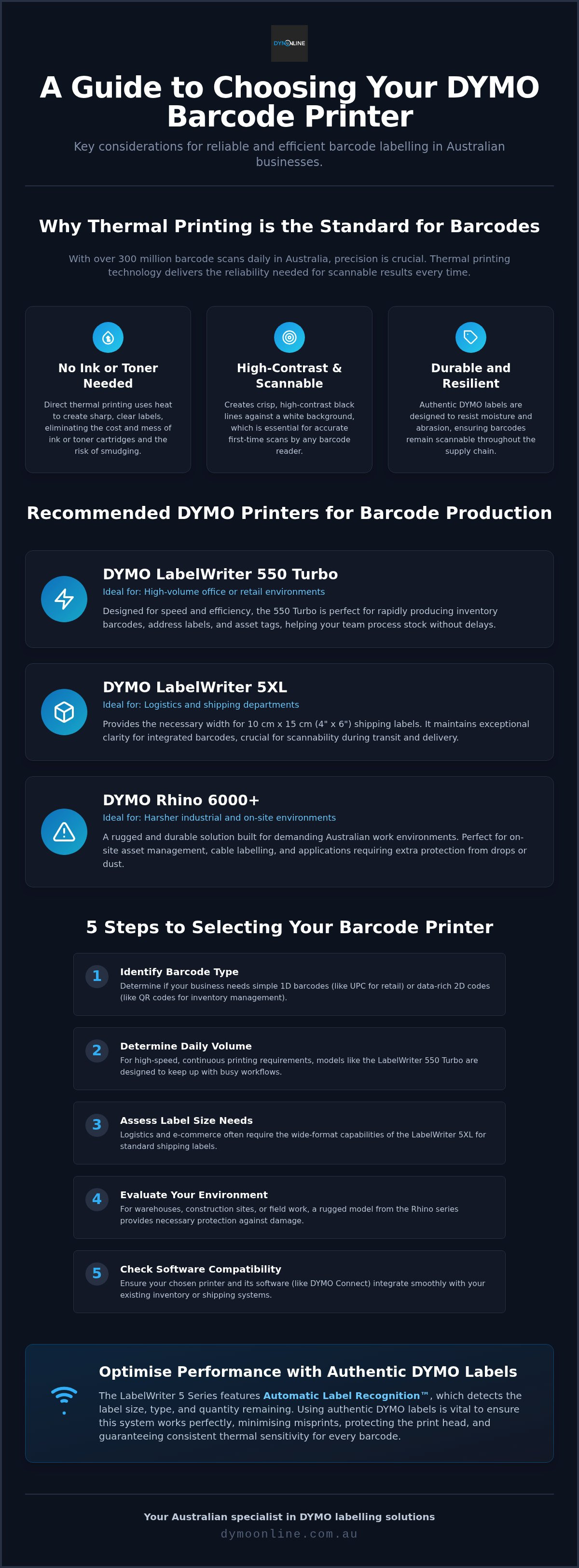
Selecting the right hardware is a critical step in meeting Australian barcode standards across your supply chain. For high-volume office or retail environments, the DYMO LabelWriter 550 Turbo is designed for speed. It allows for the rapid production of inventory barcodes, ensuring your team can process stock without delays. Determining the best dymo printer for barcodes involves evaluating how these models handle specific data formats like Code 128 or QR codes.
For businesses handling logistics, the LabelWriter 5XL provides the necessary width for 4 x 6 inch shipping labels. This model maintains clarity for integrated barcodes, which is essential for scannability during transit. In contrast, industrial settings require more rugged solutions. The Rhino 6000+ is built for harsher Australian work environments, offering the durability needed for on-site asset management and cable labelling. Its Automatic Label Recognition technology simplifies the workflow by identifying the loaded label size immediately.
Five Steps for Selecting Your Barcode Printer
To find the most suitable solution, follow these steps. First, identify if you need 1D retail codes or 2D QR codes. Second, determine your daily volume; the 550 Turbo suits high-speed requirements. Third, assess label size; logistics often require the wide-format 5XL. Fourth, evaluate your environment to see if the rugged Rhino series is necessary for protection against drops or dust. Finally, check software compatibility with your existing inventory systems. This process ensures you invest in the best dymo printer for barcodes for your specific workflow. If you need assistance, contact our specialist team for tailored advice.
Optimising Scannability with Authentic DYMO Labelling Materials
The performance of the best dymo printer for barcodes isn't just about the hardware; it's heavily dependent on the labelling media used. The LabelWriter 5 series incorporates Automatic Label Recognition, a feature that uses RFID to detect the specific roll type and size. This ensures the software is automatically calibrated for optimal print density. Using authentic DYMO labels is vital to minimise the risk of print head damage while ensuring consistent thermal sensitivity. Choosing the best dymo printer for barcodes also means selecting durable labels that resist moisture and abrasion, which is essential for maintaining barcode integrity in Australian warehouses.
Adhering to Australian product labelling laws requires clear, legible information. If a barcode fades or peels, the product may no longer meet regulatory or supply chain requirements. High-quality thermal materials are designed to bond with various surfaces, ensuring your assets remain identifiable throughout their lifecycle.
Organising Your Workflow with DYMO Connect Software
Efficient barcode management relies on robust software integration. DYMO Connect features a dedicated barcode wizard that allows you to generate standard industry codes like EAN, Code 128, and QR codes with precision. For businesses handling large stocktakes, the ability to import data directly from Excel simplifies the process. You can automate bulk labelling runs, which reduces manual entry errors and speeds up the workflow. To further streamline logistics, many operators source DYMO scales from DymoOnline to use alongside their printers. This combination allows for accurate weight recording and immediate label printing, creating a cohesive station for dispatch and receiving. It's this level of integration that makes a DYMO system a reliable choice for any professional environment.
Streamlining Your Barcode Workflow
Selecting the right hardware is the foundational step toward achieving consistent scannability and operational efficiency. Whether you require the high-speed output of the LabelWriter 550 Turbo or the rugged durability of the Rhino series, identifying the best dymo printer for barcodes depends on your specific workplace demands. Remember that using authentic labelling materials is essential to protect your print head and ensure high-contrast results that meet Australian standards. Reliable hardware paired with the right software integration will minimise errors and maximise your team's productivity.
DymoOnline has been an Australian owned and operated specialist since 2009, offering nationwide shipping from local warehouses and expert technical support for all hardware. To find the right solution for your environment, contact our specialist team at DymoOnline today. We look forward to helping you build a more efficient labelling system.
Frequently Asked Questions
Can I print QR codes and 2D barcodes with a DYMO LabelWriter?
Yes, current 5-series models and DYMO Connect software fully support standard 2D formats. This functionality allows for more data storage on a single label compared to traditional linear codes. It's a practical solution for businesses transitioning to data-rich labels for inventory or marketing, ensuring that your output remains compatible with modern scanning equipment.
Which DYMO printer is most effective for high-volume barcode printing?
The LabelWriter 550 Turbo is engineered for high-speed output, making it a strong contender for the best dymo printer for barcodes in fast-paced environments. It produces labels significantly faster than the standard 550 model, which is vital for clearing large print queues during busy periods. This speed ensures that your inventory processes remain fluid without hardware-induced bottlenecks.
Do I need special ink to print barcodes on a DYMO label printer?
No ink or toner is required because these machines use direct thermal printing. The heat from the print head reacts with the label surface to produce the image. By sourcing rolls from DymoOnline, you ensure the thermal sensitivity is perfectly matched to your hardware for consistent, high-contrast results. This process eliminates smudging and the ongoing cost of traditional consumables.
How do I ensure my barcodes are scannable for Australian courier services?
Use the LabelWriter 5XL to print 4 x 6 inch shipping labels that meet local logistics standards. Ensure your software settings are set to high resolution and always use authentic labels to prevent smudging or fading during transit. This combination guarantees that your barcodes remain scannable across various national courier networks, from regional depots to metropolitan delivery points.

Article by
DymoOnline Team
The DYMOOnline Team provides practical guidance for Australian businesses, warehouses, retailers, offices, schools, healthcare workplaces and home users who rely on accurate, efficient labelling. DYMOOnline specialises in DYMO label makers, DYMO label printers, label tapes, label rolls, shipping labels, address labels, barcode labels and labelling accessories, helping customers choose the right labelling products for organisation, mailing, inventory, filing, pricing and workplace efficiency.
General Information
This article is provided as general information only to help customers compare and choose DYMO label makers, label printers, label tapes, label rolls, shipping labels, address labels, barcode labels and related labelling supplies. Product details, specifications, compatibility, availability, pricing and suitability may vary. Always check the individual product page, manufacturer information, printer model compatibility and label size requirements before purchasing or using a product.
