


A flashing error light on your LabelWriter 550 doesn't have to mean a wasted afternoon or a call to an external technician. Most Australian business owners understand the frustration when a software update or a sudden label jam brings a busy dispatch desk to a standstill. It's vital to have reliable dymo support that cuts through the technical jargon to provide immediate, practical solutions for your workplace.
This guide will help you regain control of your labelling setup by addressing common hardware hurdles and software conflicts. We'll provide clear instructions on installing the latest DYMO Connect for Desktop v1.6.1 and explain how to resolve the recognition errors frequent in the 5 series. By the end of this article, you'll have the confidence to troubleshoot minor issues and ensure your LabelWriter or Rhino printer remains a dependable partner in your daily operations.
Key Takeaways
- Understand how to install the latest DYMO Connect v1.6.1 software to ensure your LabelWriter or LabelManager remains compatible with the newest operating systems.
- Access expert dymo support to resolve the "No Labels Detected" error on the 550 series by ensuring the use of proprietary rolls with automatic recognition.
- Learn the correct procedure for clearing label jams safely to protect the internal print head and maintain the longevity of your hardware.
- Discover how to organise high-volume tasks by importing data from Excel or Google Sheets for efficient bulk address and barcode labelling.
Essential Resources for Your DYMO Label Maker
Effective labelling starts with understanding the specific hardware on your desk. Whether you're using a LabelWriter 550 for high-volume shipping or a LabelManager 160 for office files, having the right technical documentation is the first step in reliable dymo support. Desktop printers like the LabelWriter 5XL are designed for high-speed output and direct PC connectivity, whereas handheld tools, such as the Rhino 4200, prioritise portability for industrial environments. Understanding this distinction helps you choose the correct software and power accessories for your specific workplace.
Locating User Manuals and Model Specifications
To find the correct manual, first check the underside of your device. This label contains the specific model name and voltage requirements needed to identify compatible parts. Keeping a digital copy of your manual on a central office drive allows your team to troubleshoot on the fly by searching for specific error codes. For immediate answers to common setup queries, you can also visit our FAQ page.
Since the DYMO Corporation History began, the brand has moved from simple mechanical embossers to sophisticated thermal printing systems. In Australia, tracking your warranty status is straightforward if you keep your purchase records organised. If you've sourced your machine through DymoOnline, our specialists can provide guidance when standard manuals don't cover your specific configuration. Always ensure you're using the correct Dymo AC Adapters; generic power supplies can cause inconsistent print quality or even damage the sensitive internal print head. Maintaining your machine with the right accessories is the most reliable way to maximise its lifespan.
Troubleshooting Common Labelling Errors and Hardware Issues
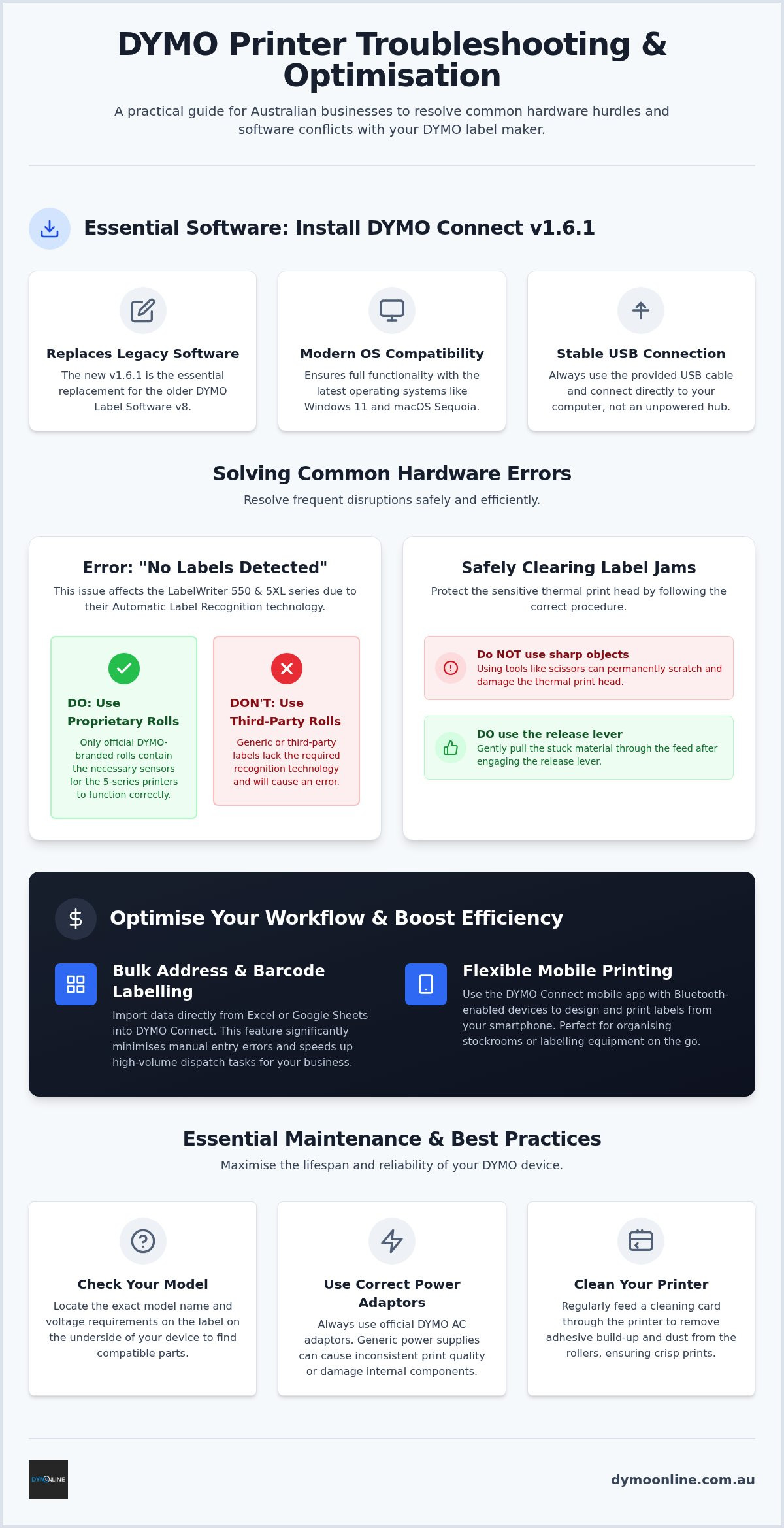
Hardware disruptions can halt productivity in an instant. The most frequent query we receive regarding dymo support involves the "No Labels Detected" error on the LabelWriter 550 and 5XL series. Unlike legacy models, these machines utilise Automatic Label Recognition technology. This system relies on internal sensors to identify the label size and type automatically. If you encounter this error, ensure you're using proprietary rolls equipped with the necessary sensors, as third-party alternatives lack the required technology for the 5 series to function.
Resolving Label Recognition and Feed Jams
When a label jam occurs, don't use sharp objects like scissors to clear the path. Doing so can permanently scratch the sensitive thermal print head. Instead, use the release lever to gently pull the stuck material through the feed. For assistance with specific error codes, our Dymo troubleshooting guide provides deep-dives into resolving complex hardware hangs. To maintain your machine, simply feed a cleaning card through the printer to remove adhesive build-up and dust from the rollers.
Portable units like the Rhino 5200 or LabelManager 210D often face power-related issues. If your device fails to power on or the screen fades during a print run, it's usually a sign of battery depletion or a faulty AC adapter. An expert review of the Dymo LabelWriter highlights that thermal printers require consistent power to drive the motor and heat the print head simultaneously. If standard dymo support resources don't restore your machine, feel free to contact our technical team for further guidance on hardware maintenance.
Optimising Your Workflow with DYMO Connect Software
Reliable dymo support extends beyond physical hardware to the digital tools that drive your labelling tasks. For modern systems, installing DYMO Connect for Desktop v1.6.1 is essential. This version replaces the legacy DYMO Label Software v8, providing enhanced compatibility with Windows 11 and macOS Sequoia. If your computer doesn't recognise your LabelWriter via USB, ensure you're using the provided cable and try a different port on the computer rather than an unpowered hub. A stable connection is the foundation of a productive office environment.
Efficiency remains a priority for Australian warehouses and medical administration centres. You can import data directly from Excel or Google Sheets into the software to handle bulk address labelling or barcode runs. This feature significantly minimises manual entry errors and speeds up high-volume dispatch times. For those using Bluetooth-enabled devices, the DYMO Connect mobile app provides the flexibility to design and print labels directly from a smartphone. This is particularly useful for staff who need to organise stockrooms or label equipment while away from a fixed workstation.
Setting Up DYMO Connect for Australian Business Needs
To ensure your hardware operates at peak performance, visit our software page to find the correct version for your operating system. Modern software allows you to customise your output with complex barcodes and company logos to better organise your workspace and improve brand consistency. For a deeper look at how these digital tools interact with the latest hardware, consult our guide on the Dymo LabelWriter 550 to understand software-hardware synergy. Proper software configuration ensures that your printer remains a dependable asset for your business.
Maximising Your Labelling Efficiency
Achieving a seamless workflow requires the right combination of updated software and high-quality hardware components. By installing the latest version of DYMO Connect and ensuring you use proprietary rolls for the LabelWriter 5 series, you can eliminate common recognition errors and keep your operations moving. Regular maintenance, such as using cleaning cards and verifying power requirements, further extends the life of your equipment. Since 2009, DymoOnline has provided specialist Australian dymo support and an extensive range of LabelWriter and Rhino industrial products to businesses nationwide.
If you need further technical guidance or specific product advice, our team is ready to assist with same-day dispatch available for orders in major metropolitan areas. Visit DYMOOnline for authentic DYMO supplies and expert advice to ensure your labelling system remains a reliable asset. It's easy to maintain a productive environment when you have the right expertise behind you.
Frequently Asked Questions
How do I fix a label recognition error on a DYMO 550 or 5XL?
To fix a label recognition error on these models, you must ensure you're using proprietary rolls that contain the required internal sensors. The 550 and 5XL series utilise Automatic Label Recognition technology to detect the specific label size and type. If the sensors cannot identify the roll, the printer will refuse to function. Always verify that the roll is seated correctly in the spool.
Where can I download the latest DYMO Connect software for Australia?
You can download the latest version of DYMO Connect for Desktop v1.6.1 directly from the DymoOnline software page. This version is required for modern operating systems like Windows 11 and macOS Sequoia. Accessing local dymo support ensures you receive the correct software build for Australian hardware variants, which is essential for maintaining a stable connection between your PC and LabelWriter.
Why is my DYMO printer skipping labels or feeding them incorrectly?
Incorrect feeding often occurs due to adhesive build-up on the internal rollers or a misaligned label roll. You should use a cleaning card to remove dust and residue from the thermal print head and rollers. Additionally, check that the label guide is snug against the roll to prevent the material from shifting, which can cause the sensors to skip or misread the label gaps.
How do I contact DYMO support in Australia for a warranty claim?
For warranty claims and technical dymo support, you can contact the specialist team at DymoOnline via their dedicated contact page. As an Australian owned and operated business since 2009, they provide expert guidance for the LabelWriter and Rhino ranges. If your hardware requires assessment, the team will guide you through the return process according to Australian consumer law and manufacturer guidelines.

Article by
DymoOnline Team
The DYMOOnline Team provides practical guidance for Australian businesses, warehouses, retailers, offices, schools, healthcare workplaces and home users who rely on accurate, efficient labelling. DYMOOnline specialises in DYMO label makers, DYMO label printers, label tapes, label rolls, shipping labels, address labels, barcode labels and labelling accessories, helping customers choose the right labelling products for organisation, mailing, inventory, filing, pricing and workplace efficiency.
General Information
This article is provided as general information only to help customers compare and choose DYMO label makers, label printers, label tapes, label rolls, shipping labels, address labels, barcode labels and related labelling supplies. Product details, specifications, compatibility, availability, pricing and suitability may vary. Always check the individual product page, manufacturer information, printer model compatibility and label size requirements before purchasing or using a product.


