
DYMO Support Australia: The Expert Guide to Troubleshooting and Assistance
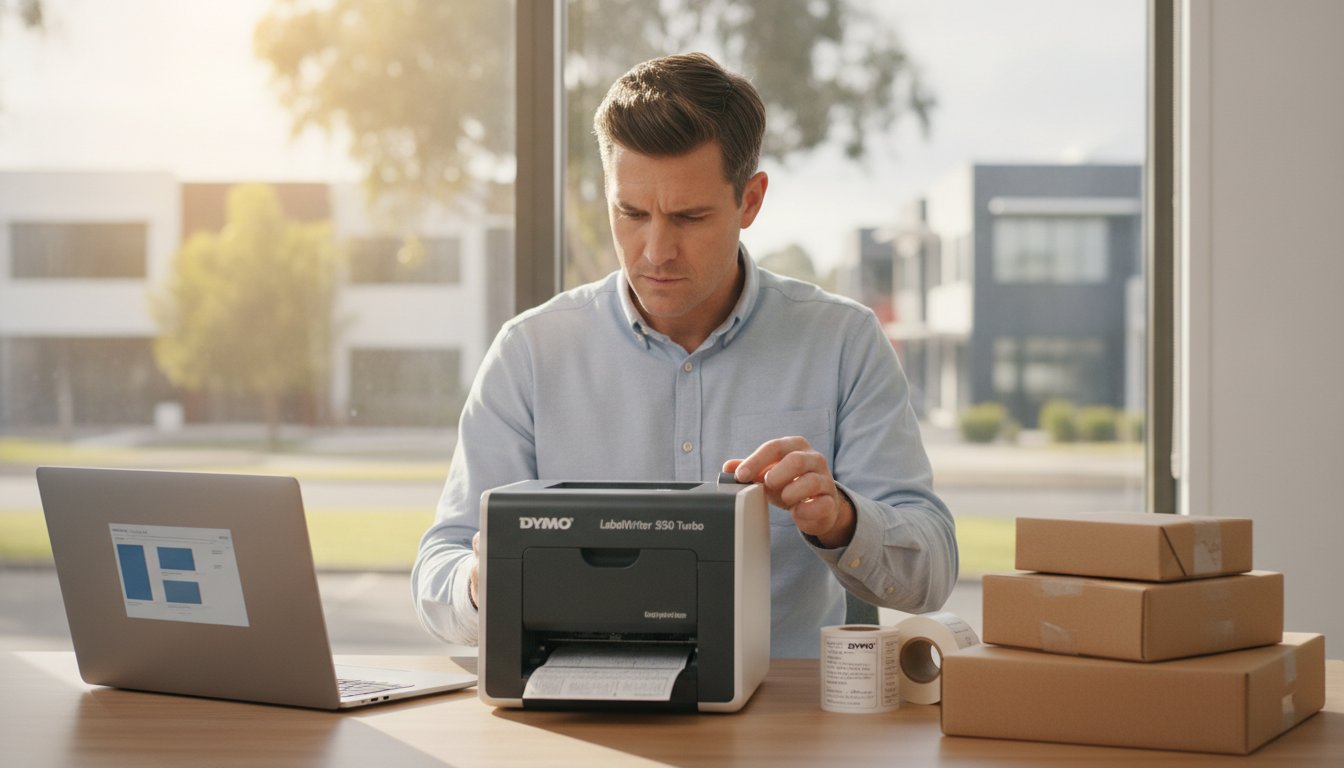
You're in the middle of a busy Monday morning dispatch when your LabelWriter 550 Turbo suddenly stops recognising your shipping labels. It's a frustrating bottleneck that many Australian warehouse managers and small business owners know all too well. For a specialised Australian boutique like Lingerie Seduction Australia, any delay in printing shipping labels can disrupt the carefully managed customer journey. When technical glitches occur, finding reliable dymo support shouldn't be another hurdle in your workday. We understand that your business relies on efficient labelling to maintain momentum; any disruption to your printing environment can impact your productivity and customer satisfaction.
This expert guide provides a clear roadmap for Australian businesses to resolve technical issues, access the correct software downloads, and navigate warranty claims with confidence. You'll find practical instructions on updating to DYMO Connect version 1.6, troubleshooting hardware faults, and understanding how Australian Consumer Law protects your purchase. Whether you're managing a medical clinic, a busy warehouse, or a home office, this information ensures your equipment remains a reliable partner in your daily organisation.
Key Takeaways
- Identify the most appropriate software version for your device, ensuring seamless compatibility between DYMO Connect and your specific Windows or macOS environment.
- Resolve frequent hardware interruptions, such as the "Label Not Found" error, with practical troubleshooting steps designed for the LabelWriter 5 series.
- Access specialised dymo support through Australian experts to navigate complex technical issues and ensure you are using the correct supplies for your printer model.
- Learn how to maintain professional print quality and equipment longevity by following correct print head cleaning procedures for your LabelWriter or Rhino machines.
- Understand your entitlements under Australian Consumer Law regarding repairs and replacements for faulty labelling hardware.
Understanding DYMO Support Options for Australian Businesses
When your labelling workflow encounters a technical hurdle, knowing where to turn for dymo support can make the difference between a minor pause and a significant operational delay. The support landscape in Australia is divided into two primary avenues: official manufacturer channels and specialised local suppliers. While the global manufacturer provides the foundational technical infrastructure, Australian businesses often find that local expertise offers a more direct path to solving niche problems specific to our regional market.
Manufacturer vs. Specialist Supplier Support
Official manufacturer support is typically the best route for complex warranty claims or deep-seated firmware issues. However, for daily operational queries, specialised Australian suppliers like DymoOnline often provide faster, more practical answers. This local focus is particularly vital for the Australian medical and retail sectors, where specific labelling standards for patient files or shelf-edge pricing must be met without delay. DymoOnline operates as a dedicated Australian resource, ensuring that customers receive advice tailored to local business environments.
Mega Office Supplies handles the fulfilment and customer support for DymoOnline, leveraging years of logistical experience to assist with setup queries and product selection. This partnership ensures that when you're looking for LabelWriter assistance or industrial advice, you're speaking with someone who understands the Australian supply chain. Specialist support often bridges the gap between a generic help manual and the real-world application of a printer in a dusty warehouse or a sterile clinic.
The Support Ecosystem: Manuals, Software, and Helpdesks
Accessing the right resources is the first step in troubleshooting. The Dymo Corporation maintains a global help centre where you can find the latest versions of DYMO Connect and legacy DYMO Label software. If you're using older hardware like the LabelWriter 450, finding the correct legacy drivers is essential, as newer software versions may not always provide full backwards compatibility. DYMO support is a multi-tiered system of documentation and technical aid. This ecosystem covers everything from handheld units like the LabelManager 160 to high-volume shipping tools like the LabelWriter 5XL and heavy-duty Rhino industrial machines.
For most users, the local technical guides provided by Australian specialists offer a more streamlined experience than navigating global forums. These resources focus on common local issues, such as integrating printers with Australian-specific postage software or ensuring compatibility with local network security protocols. By choosing a local specialist, you gain access to a professional knowledge base that prioritises your time and specific labelling requirements.
Troubleshooting Common DYMO Hardware and Connectivity Issues
Hardware glitches shouldn't derail your warehouse or office workflow. One of the most frequent requests for dymo support involves the "Label Not Found" error specific to the newer LabelWriter 550 and 5XL series. This occurs because these machines utilise Automatic Label Recognition technology. If the printer cannot detect the authentic RFID chip on the roll, it will refuse to print. Ensure you're using genuine DYMO labels to maintain seamless operation; third-party alternatives lack the necessary sensors to communicate with the hardware.
Maintaining professional print quality is equally critical. Over time, adhesive residue and paper dust can build up on the thermal print head. To clean it, unplug the power and use a specialised cleaning card or a lint-free cloth lightly dampened with isopropyl alcohol. Gently wipe the print head to remove debris. This simple maintenance task prevents streaking and ensures your barcodes remain scannable, which is essential when using digital tools for business to manage logistics and inventory.
Connectivity issues often stem from power fluctuations or port conflicts. If your computer fails to recognise a USB-connected printer, avoid using unpowered USB hubs. Plug the cable directly into the computer's primary port. For portable units like the LabelManager 160, a flashing light often indicates low battery or a tape jam. Always replace the entire set of batteries with fresh alkaline cells to ensure the motor has enough torque to feed the tape through the cutter mechanism.
Resetting Your LabelWriter for Peak Performance
A hard reset can often clear persistent memory errors in the LabelWriter 5 series. To perform this, disconnect the power cable, hold down the form feed button, and reconnect the power while continuing to hold the button for five seconds. If you encounter a label jam, use the release lever to create space. Never use metal objects like scissors to clear a jam, as this can permanently scratch the sensitive thermal elements. Using the correct official AC adapter is also vital; generic power supplies often provide inconsistent voltage that leads to "ghost" error codes.
Industrial Support: Keeping the Rhino Series Operational
In rugged Australian worksites, the Rhino 4200 and 5200 are designed for durability, yet they still require proper battery management. For printers used in warehouses or outdoors, heat is the primary enemy of battery longevity. Avoid leaving your Rhino unit in a hot vehicle, as this degrades the lithium-ion cells. If the device fails to power on despite being charged, check the battery contacts for oxidisation and clean them with a dry cloth. For a deeper look at managing these rugged devices, read our article on Industrial Labelling Mastery with the Dymo Rhino Series.
If these troubleshooting steps don't resolve your hardware concerns, you can contact our support team for expert assistance with your specific model.
Software and Compatibility: Maximising Your Labelling Efficiency
Software is the bridge between your data and a physical label. Choosing the right version is the most common reason users seek dymo support, especially when transitioning to newer operating systems like Windows 11 or macOS Sonoma. For those using the latest hardware, DYMO Connect for Desktop (version 1.6) is the recommended platform. It offers a modern interface and better integration with current security protocols, which is particularly helpful when installing drivers on restrictive Australian corporate networks. If you're managing legacy devices, you might still require DYMO Label Software v8, but it's essential to check compatibility before attempting an installation.
High-volume tasks, such as printing LW Address Labels, are significantly faster when you import data directly from Excel or Outlook. This feature eliminates manual entry and reduces the risk of delivery errors. While technical glitches can occur during these imports, they're usually resolved by ensuring your software and OS are fully synchronised. Keep in mind that your rights under Australian Consumer Law regarding warranties cover both the hardware and the reasonable expectation that the provided software remains functional for its intended purpose.
DYMO Connect vs. DYMO Label v8
The primary difference lies in hardware support. The 5 series machines, including the LabelWriter 550, are designed to work exclusively with DYMO Connect to unlock features like Automatic Label Recognition. You can organise your label templates within the software to minimise design time, saving your most frequent layouts for immediate access. For a deeper look at how this software integrates with modern hardware, see The Ultimate Guide to the Dymo LabelWriter 550. If you encounter driver installation failures, check that your local admin rights allow for new print spooler entries.
Addressing Label Recognition in the 5XL and 550
The technical reality of Automatic Label Recognition (ALR) technology has changed how we interact with our printers. The LabelWriter 5 series uses RFID technology to detect label size and type by reading a small chip embedded in the genuine DYMO label roll. This synchronisation ensures the software automatically adjusts your margins and print settings, preventing wasted labels. Without this hardware-software handshake, the printer won't engage. This makes genuine DYMO labels an essential component of your technical setup rather than just a consumable choice. If your software doesn't recognise the roll, a quick restart of the dymo support service in your computer's "Services" menu often fixes the communication break.

Warranty, Returns, and Australian Consumer Law
When you invest in hardware like the LabelWriter 550 Turbo, you expect long-term reliability. However, if a device fails, understanding your legal protections in Australia is essential. While the manufacturer provides a standard warranty, all products sold in Australia are also covered by the Australian Consumer Law (ACL). This means your rights to a repair, replacement, or refund are often broader than what is stated in a global manual. These guarantees apply regardless of any additional manufacturer's warranty and ensure that goods are fit for purpose and of acceptable quality.
Under the ACL, the remedy depends on whether the issue is a major or minor failure. A major failure occurs when the printer cannot be used for its primary task, is significantly different from the description, or is unsafe. In these instances, you have the right to choose between a replacement or a full refund. For minor technical glitches, such as a software conflict that can be resolved with dymo support, the supplier may choose to provide a repair or a software patch. Distinguishing between these two helps you manage your expectations when dealing with technical assistance.
Registering Your Product for Peace of Mind
Registering your device on the official portal is a straightforward step that solidifies your access to dymo support. Most DYMO products come with a standard two-year warranty, which is extended by an additional year upon registration. Keeping your tax invoice from DymoOnline is critical; this proof of purchase is the primary document required to validate the age and origin of your machine. Beyond warranty claims, registration ensures you receive notifications for critical firmware updates that maintain compatibility with new operating system releases, helping you avoid software-related downtime.
Navigating the Australian Return Process
If you suspect your unit is faulty, the first step is a professional assessment. Unlike global helpdesks that may have long wait times, contacting the DymoOnline team allows for a local review of the issue. If a return is necessary, ensure the printer is packed securely in its original packaging or a sturdy equivalent to prevent transit damage. In Australia, warranty repairs or replacements typically take between 7 to 14 business days, depending on your location and the specific model, such as a Rhino 5200 or a LabelManager 210D.
If you believe your device is faulty and requires a warranty assessment, get in touch with our Australian support team to begin the claims process.
Why Specialist Support Matters: Choosing DymoOnline
Choosing a labelling partner is about more than just finding the right price; it's about ensuring you have access to a professional knowledge base when things don't go as planned. DymoOnline is operated by Mega Thing Pty Ltd, a business with over a decade of experience in the Australian market. This longevity means our team understands the specific requirements of local industries, from the high-volume needs of retail distribution centres to the precision required in medical administration. By choosing a local specialist, you avoid the frustration of global helpdesk queues and receive dymo support that's grounded in the Australian business context.
Our nationwide shipping ensures that whether you're in a metro centre or a regional town, you have access to genuine hardware and supplies. This local presence is backed by a commitment to transparency and accountability, providing a level of business integrity that transient online resellers cannot match. We don't just sell a box; we provide a stable, long-term partnership for your organisational needs. Our expertise helps you navigate everything from initial setup to complex network integrations, ensuring your labelling environment remains stable.
The Value of Genuine DYMO Supplies
One of the most effective ways to reduce technical issues is to use authentic consumables. Non-genuine tapes and labels often use inferior adhesives that can lead to significant buildup on the print head and rollers. Over time, this residue causes sensor errors and can eventually lead to hardware failure. To maximise the lifespan of high-performance machines like the LabelWriter 5XL, authentic DYMO labels are essential. If you've already encountered issues with print quality or label feeding, our Dymo Troubleshooting Guide offers expert solutions to help you restore your printer to peak performance.
Tailored Solutions for Australian Sectors
Different environments demand different tools. We assist Australian schools with durable labelling for classroom equipment and help medical clinics organise patient files with high-contrast D1 Standard Tapes. If your team works in the field, we provide expert advice on why a Rhino industrial unit might be more suitable than a standard LabelManager for cable flagging or heat shrink applications. This specialised knowledge ensures you aren't just buying a product, but the right solution for your specific task. We focus on building your confidence so you can select the right supplies for your specific printing environment.
Contact the DymoOnline team for expert labelling advice to ensure your business stays organised and efficient.
Securing Your Labelling Efficiency with Local Expertise
Maintaining a reliable labelling system requires a combination of technical knowledge and the right supplies. By ensuring your software is correctly synchronised with your hardware and prioritising genuine consumables, you can avoid common technical bottlenecks. Reliable labelling is the backbone of efficient logistics and administration. Whether you're managing a medical clinic or a high-volume warehouse, having access to expert dymo support ensures that technical interruptions remain brief and manageable.
DymoOnline has been operated by Mega Thing Pty Ltd since 2009, providing Australian businesses with specialist knowledge of the entire DYMO range. We provide nationwide shipping from local warehouses and practical advice tailored to our regional market. If you're facing a persistent hardware fault or need guidance on software compatibility, our team is ready to assist. You can move forward with confidence, knowing your organisational tools are backed by over a decade of local expertise.
Browse Genuine DYMO Printers and Get Expert Local Support
Frequently Asked Questions
How do I contact DYMO support in Australia?
Official technical dymo support in Australia is accessed via the toll-free number 1800 633 868. This manufacturer-direct line is available for hardware diagnostics and firmware troubleshooting during standard Australian business hours. For queries regarding product selection, bulk quotes, or order-specific assistance, you can contact the DymoOnline team directly through our website. Our local experts can help you choose the right supplies for your specific model and industry.
Why is my DYMO LabelWriter 550 not recognising my labels?
The LabelWriter 550 series uses Automatic Label Recognition (ALR) to detect the size and type of labels through an RFID chip in the roll. If you aren't using genuine DYMO labels, the printer will fail to recognise the media and refuse to print. Ensure your roll is a genuine product and is seated properly against the left-hand guide to allow the sensor to read the chip correctly.
Where can I download the latest DYMO Connect software for Windows 11?
You should download the latest DYMO Connect software directly from the official manufacturer's support portal to ensure compatibility with Windows 11. The current recommended version is 1.6, which provides the necessary drivers for the LabelWriter 5 series and LabelManager units. Always uninstall older software versions before installing new software to prevent driver conflicts on your corporate network and ensure a smooth setup.
What is the warranty period for DYMO printers in Australia?
DYMO printers sold in Australia typically come with a two-year manufacturer's warranty that can be extended to three years upon product registration. Independent of this, you are protected by the Australian Consumer Law, which guarantees that your printer must be fit for purpose and of acceptable quality. You should keep your DymoOnline tax invoice as your primary proof of purchase for any future claims or repairs.
Can I use generic labels in my DYMO printer without voiding the warranty?
Using generic labels does not automatically void your warranty under Australian law, but it will prevent the LabelWriter 550 and 5XL from functioning due to the required RFID sensors. Additionally, if a third-party label causes physical damage, such as adhesive leaking onto the print head, that specific repair may not be covered under the manufacturer's warranty. Using genuine supplies ensures your hardware remains in peak condition.
How do I clean my DYMO print head to fix poor print quality?
To clean the print head, use a lint-free cloth lightly dampened with isopropyl alcohol or a specialised DYMO cleaning card. Gently wipe across the thermal element while the printer is unplugged to remove adhesive residue and dust. Regular cleaning prevents horizontal white lines and ensures your shipping labels remain scannable by Australian couriers. This simple maintenance task can significantly extend the life of your labelling equipment.
What should I do if my DYMO printer is not showing up on my computer?
If your computer fails to detect the printer, first ensure the USB cable is plugged directly into a primary port on the PC rather than an unpowered hub. You should also check the Windows Services menu to ensure the DYMO Print Framework is running. Restarting this service often resolves communication breaks between the software and the hardware, allowing your device to be recognised by the operating system.
How do I register my new DYMO printer for support?
You can register your new printer on the official DYMO website by providing your serial number and proof of purchase. This process is essential for accessing the extended warranty and receiving notifications about critical firmware updates. Having your device registered streamlines the dymo support process if you ever need to lodge a technical query or a warranty claim. It also ensures you stay informed about software improvements.

Article by
DymoOnline Team
The DYMOOnline Team provides practical guidance for Australian businesses, warehouses, retailers, offices, schools, healthcare workplaces and home users who rely on accurate, efficient labelling. DYMOOnline specialises in DYMO label makers, DYMO label printers, label tapes, label rolls, shipping labels, address labels, barcode labels and labelling accessories, helping customers choose the right labelling products for organisation, mailing, inventory, filing, pricing and workplace efficiency.
General Information
This article is provided as general information only to help customers compare and choose DYMO label makers, label printers, label tapes, label rolls, shipping labels, address labels, barcode labels and related labelling supplies. Product details, specifications, compatibility, availability, pricing and suitability may vary. Always check the individual product page, manufacturer information, printer model compatibility and label size requirements before purchasing or using a product.
Latest News
Dymo 4XL Driver Download & Install Guide Australia (2026)
Imagine you have a surge of orders ready for Australia Post, but your printer is suddenly unrespon...
Best DYMO Barcode Printers: 2026 Australian Expert Guide
A single unreadable barcode can halt an entire Australian supply chain, costing your business prec...
DYMO Printer Drivers: 2026 Australian User Guide
Why does your computer suddenly claim your LabelWriter doesn't exist the moment you have fifty urg...
Genuine DYMO D1 Labels: The Ultimate Australian Buyer’s Guide
A single jammed cassette or a set of peeling labels can cost your business far more in lost produc...
Dymo Rhino vs Panduit Label Makers: The Best Choice for Australian Trades in 2026
You might assume that spending significantly more on a high-end label maker guarantees a better re...
Small Business Label Printer Australia: The 2026 Guide to Automated Labelling Systems
Imagine spending your Monday morning handwriting fifty delivery addresses, only to have several parc...