
Best DYMO Barcode Printers: 2026 Australian Expert Guide
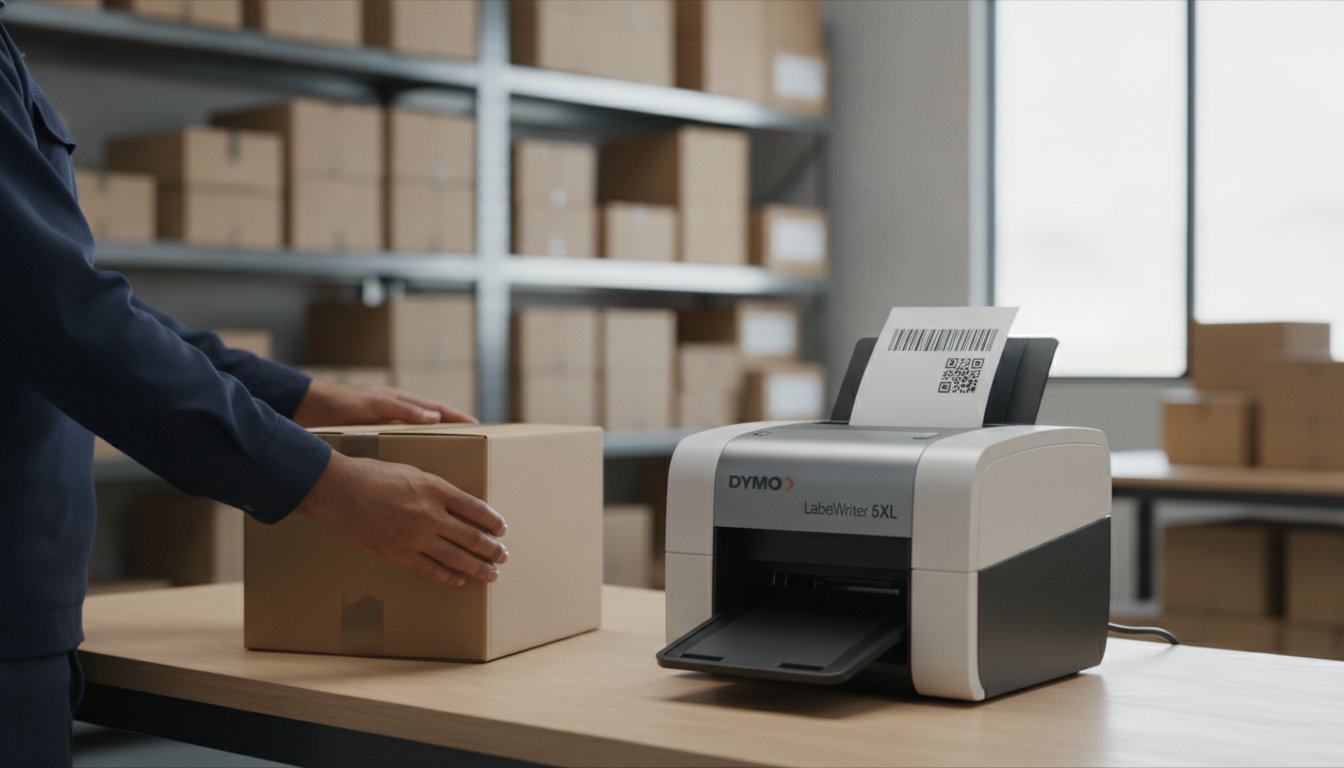
A single unreadable barcode can halt an entire Australian supply chain, costing your business precious time and reputation at the point of sale. You've likely dealt with the frustration of a courier rejecting a parcel or a retail scanner failing due to a faded, poorly aligned label. It's an avoidable drain on resources that many local warehouse managers and shop owners face daily. Finding the best dymo printer for barcodes is the most effective way to ensure every scan works the first time, every time.
This 2026 expert guide provides a clear path through the latest DYMO range to help you select a reliable solution. We'll examine the high-speed LabelWriter 550 Turbo, the wide-format 5XL for shipping, and the rugged Rhino series for industrial tasks. You'll learn how to integrate these tools with Australian carrier standards and GS1 requirements. From avoiding label waste to mastering QR code generation, we've analysed the hardware that keeps your operations moving.
Key Takeaways
- Learn how direct thermal technology ensures smudge-free barcodes that comply with Australian retail and logistics standards without the cost of ink or toner.
- Identify the best dymo printer for barcodes based on your volume needs, comparing the wide-format LabelWriter 5XL with the high-speed 550 Turbo.
- Discover how Automatic Label Recognition in the 5 Series eliminates calibration errors and prevents expensive label wastage in your warehouse or shop.
- Understand how to use DYMO Connect for Desktop to generate scannable QR codes and Code 128 barcodes that integrate seamlessly with your existing business workflow.
Why DYMO is the Professional Choice for Barcode Labelling in Australia
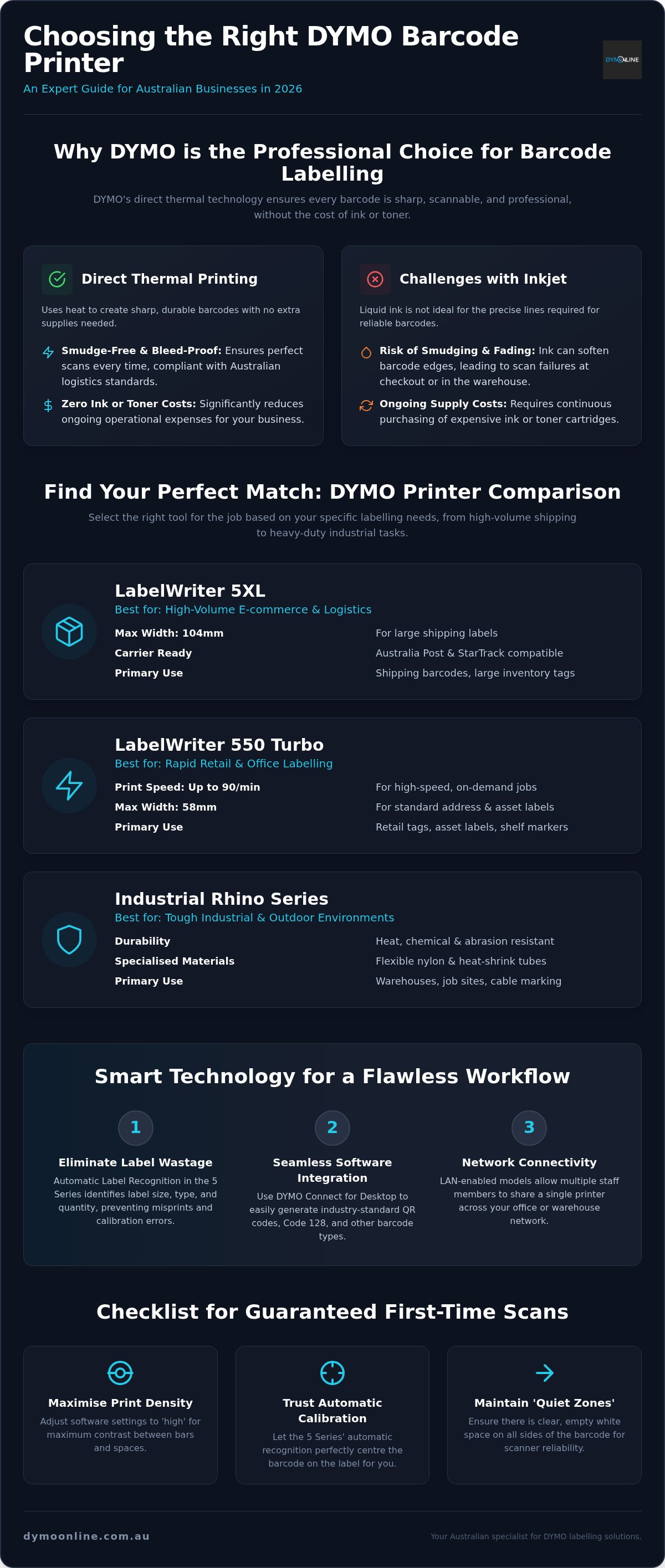
Australian businesses require absolute reliability. When you're searching for the best dymo printer for barcodes, you aren't just buying a machine; you're investing in a system designed for precision. DYMO has established itself as a leader by focusing on direct thermal technology. Unlike inkjet alternatives, a dedicated barcode printer uses heat to create images, ensuring that your EAN or QR codes won't smudge or bleed during transit through the Australian postal network.
Efficiency is further enhanced by the 'Automatic Label Recognition' feature found in the latest DYMO LabelWriter 5 Series. This sensor-driven technology identifies the label size, type, and quantity remaining. It eliminates the trial-and-error calibration that often leads to wasting expensive labels on misaligned prints. Selecting the best dymo printer for barcodes often comes down to how much time you save on setup and maintenance.
Thermal Printing vs Inkjet for Scannable Barcodes
Thermal print heads produce significantly sharper edges on barcode bars compared to liquid ink. Inkjet droplets naturally spread upon contact with paper, which can soften the edges of high-density codes and cause scan failures at retail checkouts. By removing the need for ink cartridges or ribbons, Australian businesses also reduce their ongoing operational costs. To maintain this level of scannability, using genuine DYMO labels is essential. These authentic consumables are engineered to protect the print head from adhesive build-up, ensuring every scan is successful from the first label to the last.
The Best DYMO Barcode Printers for 2026: Model Comparisons
Selecting the best dymo printer for barcodes depends entirely on your operational footprint. For e-commerce and logistics, the DYMO LabelWriter 5XL is the definitive standard. It handles large-format 104mm shipping barcodes required by major Australian carriers like Australia Post or StarTrack. If your workflow demands rapid retail labelling, the LabelWriter 550 Turbo offers superior speed for standard 58mm labels, printing up to 90 labels per minute.
For industrial applications, the Industrial Rhino Series provides the durability needed in Australian warehouses or outdoor sites. These units print barcodes on specialised materials like heat-shrink tubing or flexible nylon that withstands heat and abrasion. If you're unsure which hardware fits your specific site requirements, you can consult our specialist team for tailored advice.
Choosing Between the LabelWriter 550 Turbo and the 5XL
The primary differentiator is print width. The 5XL supports labels up to 104mm wide, making it essential for shipping labels and large inventory tags like EwayBill documents. Conversely, the 550 Turbo is optimised for standard 58mm widths. This makes it the best dymo printer for barcodes when producing small jewellery tags, asset labels, or shelf markers. While the 5XL is the flagship for logistics, the broader DYMO LabelWriter range includes LAN-enabled models for businesses needing shared network access. This connectivity allows multiple staff to print from different workstations without needing individual USB cables.
Essential Considerations for High-Quality Barcode Production
Hardware precision is only half the equation for a reliable logistics chain. Even the best dymo printer for barcodes requires the correct software and media to produce professional results. Using DYMO Connect for Desktop, you can generate industry-standard Code 128, QR codes, and Intelligent Mail barcodes with pixel-perfect accuracy. This software integration ensures your data is encoded correctly before it ever hits the label.
Australian businesses must also account for environmental challenges. Standard thermal paper is sensitive to heat and UV exposure. If your inventory sits in a sun-drenched warehouse or an outdoor yard, barcodes may fade and become unreadable. Finding the best dymo printer for barcodes is just the start; the longevity of your labels depends on your choice of material. To guarantee first-time scan success, follow this essential checklist:
- Print Density: Adjust your software settings to high density for maximum contrast between bars and spaces.
- Calibration: Use the 5 Series automatic recognition to ensure the barcode is perfectly centred on the label.
- Quiet Zones: Maintain clear white space around the barcode to help scanners lock on instantly.
Selecting the Right Label Material for Your Barcodes
For high-turnover retail items, Standard LW Labels provide a cost-effective solution. However, asset tracking in industrial centres demands Durable LW Labels. These specialised consumables feature stronger adhesives that won't peel off curved surfaces or textured packaging. They are engineered to withstand moisture and chemicals, ensuring your barcodes remain scannable for the duration of the product's life cycle.
Optimising Your Australian Barcoding Workflow
Precision in labelling is a non-negotiable requirement for modern Australian businesses. By choosing the best dymo printer for barcodes, you eliminate the risks of smudging and scan failures that often plague inferior systems. We've explored how direct thermal technology provides the high-contrast edges necessary for GS1 compliance. Whether your operations require the wide-format capabilities of the LabelWriter 5XL or the rapid retail output of the 550 Turbo, selecting the correct model is the first step toward warehouse efficiency.
Remember that maintaining this professional performance depends on using genuine DYMO labels to protect your print head and ensure scannability. As an authorised Australian stockist, we provide expert technical support for the entire 5 Series range. Contact our Australian DYMO specialists for expert barcode advice to ensure your labelling system remains a reliable asset for years to come.
Frequently Asked Questions
Can I print barcodes with a DYMO LabelWriter 550 Turbo?
Yes, the LabelWriter 550 Turbo is an excellent choice for barcoding in retail and office environments. It is often considered the best dymo printer for barcodes when speed is a priority, as it produces up to 90 labels per minute. The device handles standard barcode formats with high precision, ensuring that inventory tags are produced rapidly without sacrificing the sharp contrast required for reliable scanning.
Which DYMO labels are best for scannable barcodes?
Genuine DYMO LabelWriter (LW) labels are the superior choice for maintaining barcode integrity. While standard paper labels work well for indoor office use, Durable LW labels are better for items exposed to moisture or abrasion. Using authentic consumables ensures the thermal print head remains free from adhesive residue; this preserves the crispness of every barcode bar and prevents scan failures.
Does DYMO software support QR codes and 2D barcodes?
Yes, the latest DYMO Connect for Desktop software fully supports QR codes and various 2D barcode formats. This is crucial for Australian businesses preparing for the industry transition to 2D standards by 2027. The software allows you to customise the size and data content of your QR codes, making it easy to link customers to digital content or track complex warehouse assets.
Is thermal printing better than inkjet for retail barcodes?
Thermal printing is significantly better than inkjet for barcodes because it eliminates ink bleed. Inkjet droplets can spread on the label surface, blurring the edges of the barcode and causing errors at the checkout. Thermal heads use heat to create a precise, high-contrast image. This results in smudge-free barcodes that work reliably across all types of Australian point-of-sale scanners.
How do I ensure my DYMO barcodes are scannable by Australian carriers?
You should use the LabelWriter 5XL to meet the 104mm width requirements of major Australian carriers like StarTrack and Australia Post. It's often the best dymo printer for barcodes in logistics because it handles full-sized shipping labels. Ensure you use the correct carrier templates and maintain clear "quiet zones" around the barcode to prevent scanning issues during the automated sorting process.
Do I need special software to create barcodes with my DYMO printer?
You don't need to purchase additional software, as DYMO Connect for Desktop is provided with your machine. This application features built-in barcode generators for Code 128, EAN, and UPC formats. It allows you to import data directly from Microsoft Excel or Google Contacts, which streamlines the process of printing large batches of inventory barcodes for your shop or warehouse.

Article by
DymoOnline Team
The DYMOOnline Team provides practical guidance for Australian businesses, warehouses, retailers, offices, schools, healthcare workplaces and home users who rely on accurate, efficient labelling. DYMOOnline specialises in DYMO label makers, DYMO label printers, label tapes, label rolls, shipping labels, address labels, barcode labels and labelling accessories, helping customers choose the right labelling products for organisation, mailing, inventory, filing, pricing and workplace efficiency.
General Information
This article is provided as general information only to help customers compare and choose DYMO label makers, label printers, label tapes, label rolls, shipping labels, address labels, barcode labels and related labelling supplies. Product details, specifications, compatibility, availability, pricing and suitability may vary. Always check the individual product page, manufacturer information, printer model compatibility and label size requirements before purchasing or using a product.
Latest News
Best DYMO Barcode Printers: 2026 Australian Expert Guide
A single unreadable barcode can halt an entire Australian supply chain, costing your business prec...
DYMO Printer Drivers: 2026 Australian User Guide
Why does your computer suddenly claim your LabelWriter doesn't exist the moment you have fifty urg...
Genuine DYMO D1 Labels: The Ultimate Australian Buyer’s Guide
A single jammed cassette or a set of peeling labels can cost your business far more in lost produc...
Dymo Rhino vs Panduit Label Makers: The Best Choice for Australian Trades in 2026
You might assume that spending significantly more on a high-end label maker guarantees a better re...
Small Business Label Printer Australia: The 2026 Guide to Automated Labelling Systems
Imagine spending your Monday morning handwriting fifty delivery addresses, only to have several parc...
Australian Food Safety Label Requirements: A 2026 Compliance Checklist
Could your current food labels trigger a mandatory recall after 25 February 2026? It is a critical q...