
DYMO LabelManager 210D Review: The Versatile Choice for Australian Offices in 2026
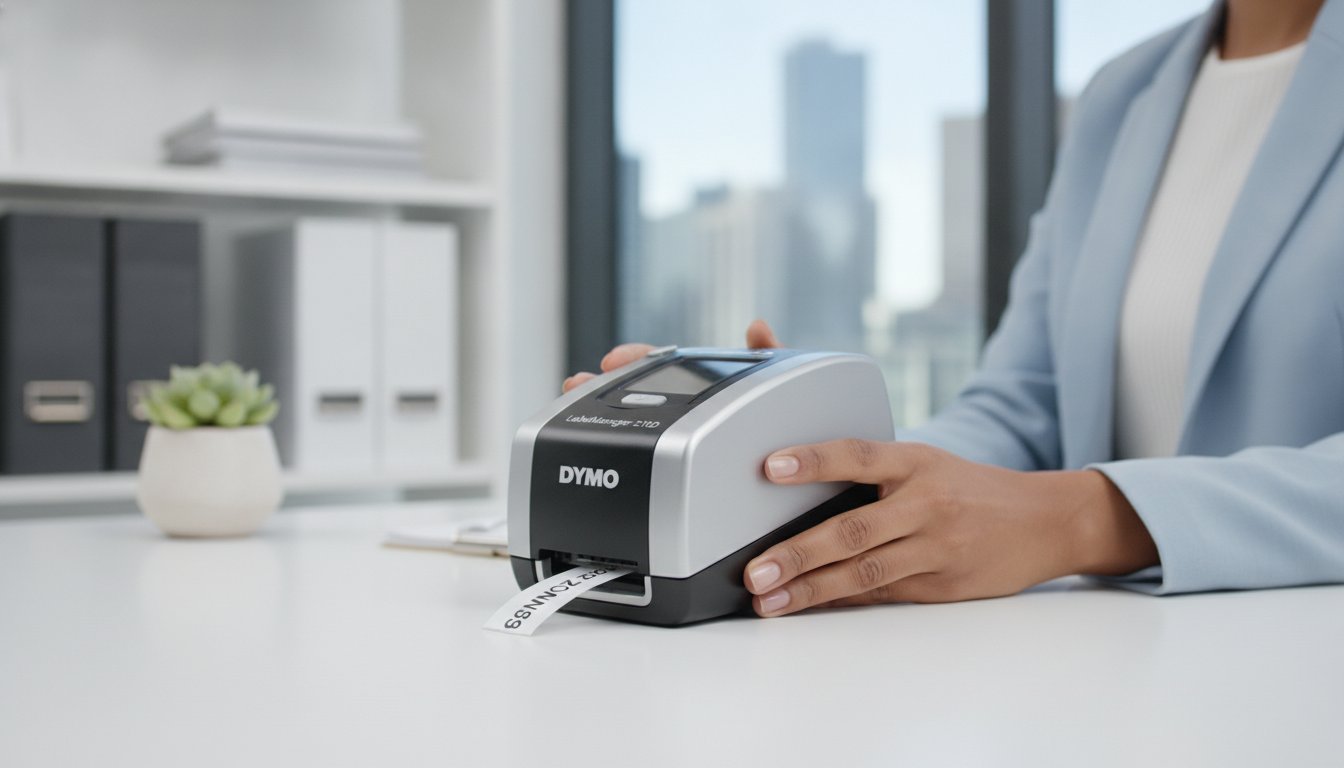
Investing in an oversized industrial labeller might actually hinder your office productivity more than a budget handheld model ever could. Many Australian office managers are tired of wrestling with tiny, non-QWERTY keyboards or wasting metres of expensive tape because a poor preview screen didn't show the layout correctly. If you've ever felt that entry-level devices are too flimsy but heavy-duty units are simply overkill, you aren't alone. This dymo labelmanager 210d review explores why this standalone machine remains a top-tier choice for Australian businesses seeking a balance of desktop power and portable ease in 2026.
You need a tool that offers the "Goldilocks" experience; not too basic, not too complex, but just right for daily administrative tasks. We'll look at the technical features that help you organise your workspace without the need for complex software or computer connections. You'll discover how the 210D performs with various D1 label rolls in diverse environments, from medical clinics to warehouse floors. This guide provides a clear breakdown of the machine's strengths, confirmed tape compatibility for local conditions, and advice on sourcing your unit from a specialist Australian online store like DYMOOnline.
Key Takeaways
- Learn how the computer-style QWERTY keyboard and standalone design eliminate the need for complex PC connections while maximising typing speed in busy office environments.
- This dymo labelmanager 210d review explains why the machine's hybrid design makes it stable enough for permanent desk use yet portable enough for stockroom auditing.
- Understand the technical compatibility with D1 Standard and Durable tapes, ensuring your labelling remains legible in harsh Australian warehouse conditions or medical administration settings.
- Discover how the dedicated "Smart Keys" allow you to format font sizes, bold text, and vertical layouts with a single touch, which helps to significantly reduce tape wastage.
- Compare the 210D against other models in the LabelManager range to determine if this 12mm-capable device is the right investment for your specific organisational requirements.
What is the DYMO LabelManager 210D?
The DYMO LabelManager 210D occupies a strategic middle ground within the world of professional organisation. As a mid-range thermal transfer printer, it bridges the gap between basic handhelds and high-end industrial machines. This dymo labelmanager 210d review focuses on the device's ability to produce crisp, durable labels without the ongoing expense or mess of traditional ink cartridges. It is a workhorse designed for longevity, making it a staple for Australian small businesses and medical centres that require reliable performance day after day.
Efficiency is built into its hybrid design. The machine features a wide, stable base that sits securely on an office desk, yet it remains lightweight enough to carry through a warehouse for on-the-spot auditing. Because it functions as a standalone label printer, you don't need to be tethered to a computer or worry about software compatibility issues. It relies on heat-sensitive technology to transfer text onto the label surface, ensuring the output is resistant to smudging and fading in typical office conditions.
To see the device in action and understand its physical footprint, watch this helpful overview:
The Evolution of the LabelManager Series
The 210D is a significant step forward in the DYMO LabelManager range. While older models often featured awkward, alphabetical keypads that slowed down the typing process, the 210D adopts a familiar QWERTY layout. This ergonomic shift allows staff to type labels as quickly as they would on a standard computer keyboard. Screen clarity has also improved. Users can see a more accurate preview of their text and formatting before they hit the print button. This feature is essential for saving money on label rolls, as it helps to minimise errors and wasted tape.
Who Should Choose the 210D?
Key Features: QWERTY Layout and Smart Keys
The standout feature of the 210D is undoubtedly its computer-style QWERTY keyboard. For Australian office workers accustomed to rapid typing, this layout is a significant advantage over the alphabetical keypads found on cheaper, entry-level models. It allows you to create labels at the same speed you would type an email, which helps to improve productivity and save time during busy administrative periods. This dymo labelmanager 210d review highlights how the physical interface is designed to minimise the learning curve for new staff members.
Formatting is handled through dedicated "Smart Keys" located just below the screen. These buttons provide one-touch access to font size adjustments, bold text, and vertical printing. Instead of digging through complex multi-level menus, you can change the look of your label instantly. This directness is a practical solution for high-volume environments where every second counts. Because you can see the formatting changes immediately on the large graphical display, you reduce the risk of printing a label that doesn't fit your requirements, ultimately saving money on tape rolls.
Repetitive tasks are made easier by the machine's internal memory function. The 210D can store up to nine frequently used labels, allowing you to recall standard templates for shelving, file folders, or safety warnings with a few keystrokes. This feature is particularly useful for retail managers or school administrators who need to produce identical labels at different times throughout the year. The "What You See Is What You Get" (WYSIWYG) display ensures that what appears on the screen is exactly what prints out, providing confidence before you commit to the final output.
Ergonomics and User Interface
The buttons offer a firm, tactile feel that provides clear feedback when pressed, which is essential for accuracy. Navigating the symbol library is straightforward; the menu system allows quick access to over 200 symbols and international characters. This makes the 210D versatile enough for specialised medical labelling or technical warehouse applications where specific icons are required to meet safety standards. The interface is clean and functional, prioritising direct action over aesthetic flair.
Powering Your LabelManager
For mobile use around the office or storeroom, the device requires six AA alkaline batteries. However, for permanent desktop stations, we recommend using a DYMO AC Adapter to ensure consistent power and eliminate the cost of replacement batteries. The machine also includes an auto-shutoff feature that preserves battery life by powering down after a period of inactivity. If you have questions about which power solution best fits your specific workflow, feel free to speak with our team for expert guidance.
Performance Comparison: 210D vs. Other LabelManagers
Choosing the right tool for your office requires understanding where each model sits in the hierarchy of the DYMO LabelManager range. While many reviews focus on a single device, this dymo labelmanager 210d review looks at how it stacks up against its closest siblings to help you make an informed decision. The 210D provides a resolution of 180 dpi, which is standard for the range, but its true value lies in its physical footprint and tape versatility. It supports 6mm, 9mm, and 12mm D1 tapes. This range makes it suitable for everything from slim file tabs to larger identification labels for storage bins. When you look at how the 210D compares to the best label makers of 2026, it consistently ranks as the "sweet spot" for Australian businesses that need a permanent desk station without the high cost of industrial features.
Weight and footprint are also key considerations. The 210D is designed to be stable on a desk, yet it weighs only about 800 grams without batteries. This balance of weight ensures it doesn't slide around while you are typing, but it won't strain your arm if you need to take it into the storeroom for an hour. It is a practical middle ground for those with limited desk space who still require a full QWERTY keyboard for efficient data entry.
210D vs. LabelManager 160
The primary distinction here is the shift from a handheld to a desktop-style interface. While the 160 is portable, the 210D provides a more robust platform for high-volume tasks. It features six font sizes and seven text styles, offering more creative control than its smaller sibling. The 210D’s larger graphical display is a significant upgrade, as it provides a clearer preview of multi-line labels. This helps to minimise errors and ensures your organisation remains consistent across the entire office. For those who find thumb-typing on a small device frustrating, the 210D is the logical next step.
210D vs. LabelManager 420P
The 420P is designed for users who require advanced professional graphics and the ability to connect to a computer. For most Australian SMEs, you must decide if that connectivity justifies the higher price point. The 210D operates perfectly as a standalone unit, whereas the 420P allows you to design labels on a PC or Mac screen. Additionally, the 420P includes a rechargeable battery pack. If your team frequently labels items away from a power source, the 420P might be worth the investment. However, for a fixed desk station, the 210D remains the more cost-effective and straightforward solution for daily labelling needs.
Labelling in Australia: Tape Durability and Uses
The performance of any labeller depends heavily on the quality of the media it uses. This dymo labelmanager 210d review wouldn't be complete without examining how the various tape options withstand the unique challenges of the Australian climate. For standard administrative tasks like filing or shelf identification, D1 Standard Tapes provide a cost-effective and reliable solution. However, if you're labelling items in a sun-drenched office or a dusty stockroom, switching to D1 Durable Tapes ensures your identification remains legible for years. These labels use thermal transfer technology, which means the text is physically fused onto the tape. It won't smudge like ink or fade under the harsh fluorescent lights common in Australian workplaces.
Adhesive Performance and Surfaces
D1 tapes are engineered to adhere to multiple surfaces, including plastic, powder-coated metal, and glass. To ensure a long-lasting bond, it's vital to clean the surface with a quick wipe of isopropyl alcohol to remove any oils or dust. A standout feature of these tapes is the "easy-peel" split backing. This design allows you to remove the protective layer quickly without fumbling. It saves significant time when you're preparing hundreds of labels for a warehouse audit or a large-scale filing project. The adhesive is strong enough to stay put but won't leave a messy residue if you need to reposition the label during application.
Environmental Resistance
The Australian sun is notoriously tough on plastics and adhesives. Standard D1 tapes offer impressive UV resistance to prevent yellowing or peeling in offices with large windows. For more extreme conditions, the durable range can handle temperature fluctuations found in cold storage units or hot shipping containers. They also offer resistance to water and common household cleaners, making them suitable for laboratory settings where minor chemical spills might occur. If you need assistance selecting the right tape grade for your specific environment, contact our specialists for technical advice regarding your application.

Final Verdict: Is the LabelManager 210D Right for You?
The LabelManager 210D is a robust solution for those who prioritise simplicity and tactile efficiency in their daily operations. This dymo labelmanager 210d review has demonstrated that the device is a superior choice for users who need more than a basic handheld but don't require the complexity of computer-integrated software. It's a reliable workhorse that handles the rigours of a busy Australian office with ease. While the lack of PC connectivity might be a hurdle for those needing high-end custom graphics, the standalone nature of the 210D is actually its greatest strength for most administrative tasks. It's ready to print the moment you turn it on.
Sourcing your hardware from a local specialist ensures you receive authentic equipment designed for our market. It's equally vital to use genuine D1 tapes to maintain the longevity of your machine. Third-party labels often use inferior adhesives that can leak or cause mechanical jams over time. By sticking with authentic supplies, you'll avoid common troubleshooting issues that can disrupt your workflow and potentially void your warranty. A professional environment deserves professional-grade consumables that won't peel off in the heat of an Australian summer.
The DYMOOnline Advantage
When you choose to source your equipment from an Australian specialist, you gain access to more than just a box. You get the full range of DYMO accessories, from AC adapters to specialised durable tapes, which general retailers often don't stock. Our team provides Australian-based support, ensuring you have expert guidance for any unique labelling project or technical query. We understand the specific needs of local warehouses, schools, and clinics. With fast nationwide shipping, your organisation can maintain its momentum without waiting for supplies to arrive from overseas.
Conclusion and Next Steps
The 210D remains the most versatile all-rounder for the majority of Australian professional environments. It strikes a perfect balance between price, performance, and ease of use. Before you make your final decision, quickly assess your weekly labelling volume. If you're printing hundreds of varied labels every single day, you might consider an industrial model from the Rhino series. However, for standard filing, equipment identification, and general organisation, the 210D is an unbeatable choice. Visit our LabelManager category page to secure your machine and start organising your workspace with professional precision today.
Streamline Your Office Organisation Today
The DYMO LabelManager 210D represents a strategic investment for any Australian workplace that values efficiency and professional presentation. By combining a familiar QWERTY keyboard with the durability of D1 thermal transfer tapes, it eliminates the common frustrations associated with budget labellers. This dymo labelmanager 210d review has highlighted how the machine serves as a reliable middle ground; it offers desktop stability and portable convenience without the need for complex computer software.
As an authorised supplier of genuine DYMO products, DYMOOnline provides the peace of mind that comes with authentic hardware and consumables. You'll benefit from nationwide shipping from our local warehouses and access to specialist Australian support for all your labelling projects. If you're ready to upgrade your organisational systems or need guidance on selecting the right tape rolls for your specific environment, reach out to our expert team for personalised assistance. Taking control of your workspace organisation is a simple step that yields long-term productivity gains for your entire team.
Frequently Asked Questions
Does the DYMO LabelManager 210D come with a battery or AC adapter?
The unit requires six AA alkaline batteries to operate as a portable device. It does not include an AC adapter in the standard box, although you can purchase a compatible DYMO AC Adapter separately for permanent desk use. This setup provides the flexibility to move between the office and the warehouse without being tethered to a power outlet.
What is the maximum tape width the LabelManager 210D can use?
This model supports three different tape widths: 6mm, 9mm, and 12mm. These options allow you to choose the right size for anything from slim file folders to larger storage bin labels. The 12mm width is generally the most popular choice for standard office identification tasks across Australian businesses.
Can I connect the 210D to my computer to print custom logos?
No, the 210D is a standalone device and cannot connect to a computer. If your workflow requires printing complex custom logos or importing data from spreadsheets, you should consider the LabelManager 420P or a model from the LabelWriter range. The 210D is specifically designed for quick, manual entry using its built-in QWERTY keyboard.
Are the labels for the 210D waterproof and fade-resistant?
D1 tapes used in this machine are highly resistant to water, UV light, and temperature fluctuations. Because the 210D uses thermal transfer technology, the text won't smudge or fade under standard Australian office lighting. This dymo labelmanager 210d review confirms that these labels remain legible even in humid environments or sun-drenched storerooms.
How do I fix a tape jam in my LabelManager 210D?
To clear a jam, first turn the device off and open the rear cassette compartment. Carefully remove the tape cassette and check for any stray pieces of label stuck to the print head or the rubber roller. You can clean the print head with a cotton bud dipped in isopropyl alcohol to remove adhesive residue before re-inserting the tape and resuming your task.
Does the 210D support multiple lines of text on a single label?
Yes, the 210D allows you to print up to two lines of text on a single label. This feature is particularly useful on 9mm and 12mm tapes where you might need to include both a name and a department or a product code and a date. You simply press the 'Return' key on the keyboard to start a second line.
What is the difference between D1 Standard and D1 Durable tapes?
D1 Standard tapes are designed for indoor office applications like filing and shelving. D1 Durable tapes feature a much stronger industrial-grade adhesive and are resistant to abrasion, chemicals, and more extreme temperatures. Choosing the durable option is advisable for labels that will be handled frequently or used in harsher warehouse conditions.
Can I use generic or compatible tapes in the LabelManager 210D?
While third-party options exist, we strongly recommend using only genuine DYMO D1 tapes to ensure the best results from your dymo labelmanager 210d review. Genuine tapes are manufactured to precise specifications that protect the internal print head from damage and prevent common feeding issues. Using authentic supplies helps to maintain your machine's warranty and ensures consistent print quality.

Article by
DymoOnline Team
The DYMOOnline Team offers practical guidance for Australian businesses, warehouses, retailers, offices, schools, healthcare workplaces, and home users who rely on accurate, efficient labelling. DYMOOnline specialises in DYMO label makers, DYMO label printers, label tapes, label rolls, shipping labels, address labels, barcode labels, and labelling accessories, helping customers choose the right labelling products for organisation, mailing, inventory, filing, pricing, and workplace efficiency.
General Information
This article is provided as general information only to help customers compare and choose DYMO label makers, label printers, label tapes, label rolls, shipping labels, address labels, barcode labels, and related labelling supplies. Product details, specifications, compatibility, availability, pricing, and suitability may vary. Always check the individual product page, manufacturer information, printer model compatibility, and label size requirements before purchasing or using a product.
Latest News
How to Clean a DYMO Print Head: Maintenance Guide
Imagine you're preparing a batch of urgent shipping labels for an afternoon pickup, only to find eac...
DYMO Labels: A Complete Guide to Selecting the Optimal Labelling Solution
Last Wednesday, an operations manager discovered that hundreds of shipping labels had lost their gri...
Dymo 4XL Driver Download & Install Guide Australia (2026)
We agree that navigating the choice between DYMO Connect and the legacy Label Software feels unnec...
Best DYMO Barcode Printers: 2026 Australian Expert Guide
A single unreadable barcode can halt an entire Australian supply chain, costing your business prec...
DYMO Printer Drivers: 2026 Australian User Guide
Why does your computer suddenly claim your LabelWriter doesn't exist the moment you have fifty urg...
Genuine DYMO D1 Labels: The Ultimate Australian Buyer’s Guide
A single jammed cassette or a set of peeling labels can cost your business far more in lost produc...