
DYMO LabelWriter 5XL Review: Australia’s Wide-Format Shipping Specialist in 2026
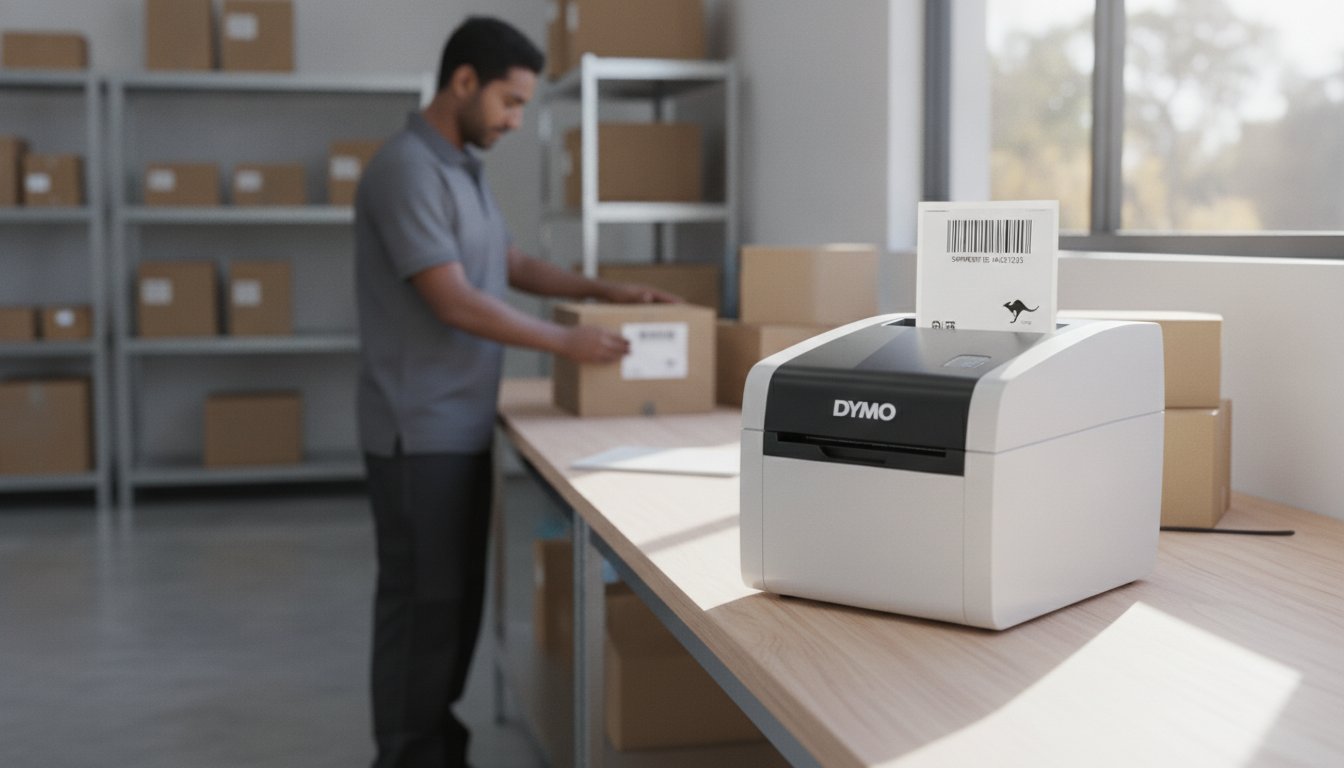
What if your shipping printer could tell you exactly how many labels remain on a roll before you commit to a fifty-parcel dispatch? For many Australian e-commerce operators, the decision to invest in new hardware often involves weighing the cost of genuine consumables against the promise of a jam-free workflow. This dymo labelwriter 5xl review provides a technical, field-tested evaluation of how this wide-format specialist handles the specific demands of the local logistics landscape in 2026, especially as businesses prepare for the upcoming July postage rate adjustments.
We recognise the common frustrations involving software compatibility with StarTrack or Australia Post and the valid concerns regarding the "locked" label system. You've likely searched for a reliable, "set and forget" solution that integrates with platforms like Shopify while producing professional, high-resolution labels every time. By drawing on the technical expertise at DYMOOnline, we will examine the printer's automatic label recognition, its 53-label-per-minute speed, and its overall reliability in a busy warehouse environment. This analysis aims to give you the clarity needed to decide if the 5XL is the right tool to help you organise your shipping and minimise downtime.
Key Takeaways
- Discover why the 5XL is the essential wide-format successor for Australian businesses requiring standard 104mm x 159mm shipping labels.
- Understand the practical benefits of Automatic Label Recognition technology, which tracks your remaining label rolls to prevent mid-batch printing errors.
- This dymo labelwriter 5xl review breaks down the 300 dpi print quality and high-speed performance required for professional warehouse dispatch.
- Learn how to integrate the latest Dymo Connect software with your existing Windows or Mac setup for a more efficient and professional labelling workflow.
- Evaluate the long-term reliability of the 5XL ecosystem to ensure your labels meet the professional requirements of major Australian courier networks.
The Wide-Format Powerhouse: First Impressions of the LabelWriter 5XL
The LabelWriter 5XL arrives as the successor to the 4XL, which previously set the standard for high-volume dispatch. This wide-format specialist is built specifically for 104mm x 159mm labels, commonly referred to as the 4x6 inch standard. Inside the box, Australian businesses will find the printer, a power adapter, a USB cable, and starter rolls to begin immediate testing. It retains the core benefit of direct thermal printing, which means it requires no ink or toner; a critical advantage for logistics managers looking to minimise ongoing costs. Looking back at the Dymo Corporation history, this model represents the most significant shift in their desktop line, moving toward a more integrated hardware and software ecosystem.
To better understand how this hardware performs in a real-world setting, watch this detailed unboxing and review:
Desktop Footprint and Build Quality
While the 5XL is designed for large labels, its physical footprint is surprisingly compact. It occupies significantly less space than a traditional laser printer, making it ideal for crowded packing benches or small office centres. The chassis is constructed from a durable polycarbonate, finished in a professional charcoal and silver aesthetic that feels sturdy enough for daily warehouse use. One practical improvement is the front-facing power button, which allows for easier access compared to older models. The internal roll holder mechanism has also been refined to minimise lateral label movement, ensuring that every print is perfectly aligned and reducing the risk of costly jams during a long print run.
For businesses that require more than just compact printing, ensuring the accuracy of your weighing equipment is just as critical for a streamlined workspace; Independent Scale Service offers professional support for industrial weighing systems across Australia.
Wide-Format Capabilities for Australia
The primary reason to choose the LabelWriter 5XL over standard models is its ability to handle 104mm wide media. These large shipping labels are the gold standard for Australian couriers such as StarTrack and TNT. While the standard LabelWriter 550 is excellent for address labelling, it cannot accommodate the wide-format requirements of international and domestic parcel services. This dymo labelwriter 5xl review finds that the machine offers exceptional versatility; it can print a standard address label just as easily as a full-sized shipping document. This flexibility allows businesses to use a single device for their entire outbound logistics workflow.
Automatic Label Recognition: Innovation or Limitation?
The most discussed feature in any dymo labelwriter 5xl review is undoubtedly the RFID-based Automatic Label Recognition (ALR). While some critics focus on the inability to use third-party supplies, this technology provides a level of operational precision that previous models lacked. By embedding a sensor in the printer that communicates with the chip in genuine DYMO labels, the machine instantly identifies the exact size, type, and colour of the loaded roll. This eliminates the "trial and error" phase of printing, which often leads to misaligned text or wasted materials.
A significant practical advantage is the "No More Waste" promise. Traditional thermal printers often require a manual feed or a test print that sacrifices the first label to ensure alignment. The 5XL uses its internal sensors to position the first label perfectly every time. This efficiency is particularly valuable for small Australian businesses where every cent counts toward the bottom line. It creates a "set and forget" experience that older 4-series models couldn't quite match.
The Technical Benefits of Genuine Sensors
When you drop a new roll into the 5XL, the Dymo Connect software updates your screen immediately with the correct template. This seamless communication means you don't have to manually select label dimensions from a list of hundreds. If you are preparing a dispatch and need to ensure your packaging meets Australian product labelling requirements, this auto-formatting feature ensures your barcodes and text remain within the printable boundaries. Using genuine sensors also protects the print head from the abrasive adhesives and dust often found in inferior, generic label rolls. This protection is vital for maintaining long-term reliability and crisp print quality.
Inventory Management at a Glance
The 5XL tracks exactly how many labels are left on your current roll. This "Labels Remaining" feature is displayed directly in the software, allowing you to see if you have enough stock for a 200-parcel batch before you start. In busy Australian warehouses with shared workstations, this prevents the frustration of a print job stopping halfway through because the roll ran out. It minimises downtime and allows for proactive restocking. This level of transparency is a major step forward for high-volume users who cannot afford delays during peak dispatch periods. If you're unsure which label rolls are best suited for your specific courier requirements, you can contact our specialist team for tailored advice.
Software and Integration: Powering Australian E-commerce
The efficiency of a shipping specialist relies as much on its software as its hardware. While older models relied on the legacy v8 software, the LabelWriter 5XL utilises the modern Dymo Connect for Desktop platform. As of June 2026, version 1.6 provides a streamlined user interface that simplifies the transition from screen to label. It's designed to work natively with Windows 11 and the latest macOS versions, ensuring that Australian businesses don't face the driver conflicts common with older thermal technology.
Bulk labelling tasks are managed through direct integration with Microsoft Word and Excel. This allows you to import contact lists or product data directly into pre-formatted templates without manual data entry. If you're moving from an older 4-series machine and find the new interface unfamiliar, this Dymo Troubleshooting Guide provides expert solutions to common setup hurdles. This dymo labelwriter 5xl review notes that the software's ability to auto-detect label rolls significantly reduces the time spent on manual configuration and prevents formatting errors before they occur.
Australian Shipping Platform Compatibility
Printing from local logistics providers is straightforward. For Australia Post MyPost Business and eParcel, you can simply download your shipping labels as a PDF and print directly to the 5XL. The printer is also fully compatible with Sendle, eBay Australia, and Amazon AU. If a specific platform doesn't have a direct "Print" button for Dymo, the "Screen Grab" tool within Dymo Connect allows you to capture any label on your screen and scale it perfectly to fit your 4x6 shipping labels. This versatility ensures you aren't locked into a single courier's ecosystem, allowing you to choose the most cost-effective shipping partner for every parcel.
Network Connectivity and Sharing
One of the standout features of the 5XL is its built-in LAN/Ethernet port. Unlike many smaller thermal printers that rely solely on USB, the 5XL can be plugged directly into your router or network switch. This allows it to function as a shared resource for an entire office or warehouse team. Multiple users can send print jobs to the machine simultaneously; the internal processor handles the queue without the buffer overloads that often plague cheaper alternatives. It's a professional-grade solution for teams that need to maximise their hardware utility across various workstations without requiring a dedicated PC to act as a print server.
Print Quality and Speed: Benchmarking the 5XL
The LabelWriter 5XL isn't just about physical size; it's a high-performance engine for your dispatch desk. In this dymo labelwriter 5xl review, we look at the raw data: it prints up to 53 standard 4-line address labels per minute. While wide-format 4x6 labels print at a different rate due to their larger surface area, the throughput remains significantly higher than traditional inkjet or laser alternatives that require time to warm up. The 300 x 300 dpi resolution ensures every character is legible and every barcode is sharp. This resolution is achieved through a durable thermal head rated for thousands of print cycles, making it a reliable partner for growing Australian retailers who need consistent output day after day.
If your business primarily handles standard envelopes and small parcels without needing the wide 104mm format, you might consider the LabelWriter 550 Turbo instead. However, for those shipping through major courier networks, the 5XL's ability to maintain clarity across a larger surface area is indispensable. It's built to handle the rigours of a professional environment where downtime isn't an option.
Barcode Scannability and Clarity
StarTrack and Australia Post sorting centres rely on high-speed automated scanners. If a barcode is fuzzy or lacks contrast, the parcel is diverted for manual sorting, causing unnecessary delays in your delivery timeline. The 5XL's 300 dpi output produces the deep blacks and crisp edges required for "first-time" scan success in these high-volume environments. 300 dpi is the industry standard for professional logistics labelling in 2026. This precision minimises the risk of shipping errors that can hurt your customer satisfaction ratings and impact your bottom line. Every label produced by this machine meets the professional standards required for domestic and international freight.
Performance Under Pressure
Unlike older models that might struggle with heat buildup during long runs, the 5XL features improved thermal management systems. It can process bulk jobs of 100 or more labels without needing a "cool down" period, which is essential during peak periods like Black Friday or the Christmas rush. The operation is remarkably quiet, often described as "whisper-quiet" compared to older, clunkier thermal models that can be disruptive in a small office centre. To keep this performance consistent, regular maintenance is key. We recommend using a cleaning card or a lint-free cloth with isopropyl alcohol to remove tiny amounts of adhesive residue from the print head every few rolls. This simple step ensures that your print quality doesn't degrade over years of heavy service. If you're scaling your operations and need a technical breakdown of how to maintain your equipment, you can contact our specialist team for support.

The Verdict: Is the Dymo 5XL Right for Your Business?
This dymo labelwriter 5xl review concludes that the machine is the premier choice for Australian e-commerce sellers who require 104mm x 159mm shipping labels as a daily necessity. It provides a level of reliability that home-based eBay or Etsy sellers and small warehouse operators need to maintain a professional image. While the requirement for genuine labels remains a point of discussion, the stability of the hardware and the precision of the Automatic Label Recognition system offer significant peace of mind. It's a tool built for those who value their time and cannot afford the disruptions caused by manual calibration or label jams.
If your workflow consists solely of printing small address labels or filing tags, the 5XL might be more machine than you require. In those instances, a LabelManager or a standard LabelWriter 550 would be a more efficient investment. However, for anyone navigating the complexities of modern logistics, the "Genuine Dymo Ecosystem" ensures business continuity by protecting the print head and reducing the likelihood of technical failures during peak dispatch times. It represents a long-term partnership for your logistics needs rather than just a transient hardware purchase.
Pros and Cons for the Australian Market
The strengths of the 5XL lie in its wide-format support, stable network connectivity via the LAN port, and the intuitive nature of its automatic label detection. Accessing local Australian support from specialists like DymoOnline adds another layer of security for professional users. On the other hand, users must account for the ongoing cost of genuine labels and the initial learning curve associated with the Dymo Connect software. When evaluating long-term costs, it's vital to weigh the expense of genuine rolls against the potential cost of downtime, misprinted labels, or printer repairs caused by inferior third-party supplies. For most professional operations, the reliability of the 5XL far outweighs the cost of the consumables.
Where to Buy Genuine DYMO in Australia
For businesses looking to secure this wide-format specialist, DymoOnline stands as the leading specialist source for both the 5XL hardware and bulk label supplies. Purchasing from a dedicated local provider ensures you receive authentic products designed for the Australian market. Many businesses in major Australian metros can benefit from same-day shipping options, which is essential when a sudden surge in orders leaves your packing bench short on supplies. If you require bulk pricing for a larger operation or need specific technical advice regarding your labelling environment, the expert team at DymoOnline is available to assist. You can contact our team directly to discuss your specific requirements and ensure you have the right tools for your dispatch tasks.
Future-Proofing Your Australian Dispatch Workflow
Choosing the right wide-format printer is a critical step in building a resilient e-commerce operation. As explored in this dymo labelwriter 5xl review, the machine offers a precise balance of speed, resolution, and intelligent label tracking. Whether you're shipping locally via Australia Post or managing international freight, the 300 dpi clarity and 104mm width ensure your parcels meet professional standards every time. It's a reliable solution that allows you to focus on business growth rather than troubleshooting hardware.
At DYMOOnline, we prioritise business continuity by providing only genuine DYMO products and labels. Our specialist Australian support team is here to help you navigate the transition to the 5-series ecosystem, ensuring you get the most out of your hardware investment. With nationwide shipping from our local warehouses, you can keep your packing bench fully stocked and ready for any surge in order volume. If you need assistance with bulk pricing or specific technical requirements, contact our expert team today to discuss the best labelling strategy for your business. We look forward to helping you streamline your shipping process and achieve a more efficient dispatch environment.
Frequently Asked Questions
Can the Dymo 5XL print standard-sized address labels?
Yes, the 5XL is highly versatile and accommodates a wide range of label sizes. While it's famous for wide-format shipping labels, it handles widths from 12.7mm up to 104mm. This means you can easily switch between standard address labels, file folder labels, and large dispatch documents on the same machine. The internal guides adjust to keep smaller rolls centred and stable during the print process.
Do I really have to use genuine DYMO labels with the 5XL?
Yes, the 5-series printers require authentic rolls to function. Each genuine roll contains an RFID chip that the printer's internal sensor must detect before it will initiate a print job. This dymo labelwriter 5xl review highlights that while this prevents the use of generic supplies, it ensures the printer knows exactly which label size is loaded and how many remain. It also protects the print head from damage caused by low-quality adhesives.
Is the Dymo 5XL compatible with Australia Post MyPost Business?
Yes, the 5XL works seamlessly with Australia Post MyPost Business and eParcel platforms. You simply generate your shipping labels as a PDF and select the 5XL as your printer. If the label doesn't perfectly align with your 104mm x 159mm stock, the Dymo Connect software includes a "Screen Grab" tool. This allows you to capture the label on your screen and scale it for a professional, high-resolution finish every time.
What is the difference between the Dymo 4XL and the 5XL?
The 5XL introduces LAN connectivity and Automatic Label Recognition, features which the 4XL lacks. While both print 4x6 labels, the 5XL is faster and integrates with the modern Dymo Connect software rather than the legacy v8 version. The most significant change is the 5XL's requirement for chipped labels. This ensures your software always matches your hardware settings, though it removes the ability to use third-party label rolls used by the older 4XL model.
Can I share the Dymo 5XL over my office network?
Yes, the 5XL includes a built-in Ethernet/LAN port specifically for network sharing. This allows you to connect the printer directly to your router or network switch rather than a single computer. Any authorised user on your local network can then send print jobs to the machine. This is a significant upgrade for Australian warehouses where multiple staff members need access to a single wide-format printer from different workstations throughout the day.
Does the Dymo 5XL require ink or toner cartridges?
No, the 5XL uses direct thermal printing technology and never requires ink or toner. The printer uses a heated print head that reacts with the heat-sensitive coating on the labels to create text and barcodes. This makes it a cost-effective solution for high-volume shipping. You don't have to worry about smudging or expensive cartridge replacements; the only ongoing cost for your business is the purchase of genuine thermal label rolls.
What happens if I try to use generic labels in the 5XL?
The printer will not recognise the roll and the software will display a "No Label Detected" error. Because the 5XL relies on an RFID sensor to identify the label type and count, it simply won't feed or print on rolls that lack the official chip. This dymo labelwriter 5xl review confirms that trying to bypass this system can lead to frustration and downtime. Sticking with authentic supplies is the only way to ensure consistent printer operation.
Is Dymo Connect software free to download and use?
Yes, the Dymo Connect for Desktop software is completely free for all users. You can download the latest version, currently v1.6 as of June 2026, directly from the official Dymo website for both Windows and macOS. The software is regularly updated to maintain compatibility with the latest operating systems. It includes all the tools needed to design custom templates, import data from Excel, or capture screen grabs for your shipping labels.

Article by
DymoOnline Team
The DYMOOnline Team provides practical guidance for Australian businesses, warehouses, retailers, offices, schools, healthcare workplaces and home users who rely on accurate, efficient labelling. DYMOOnline specialises in DYMO label makers, DYMO label printers, label tapes, label rolls, shipping labels, address labels, barcode labels and labelling accessories, helping customers choose the right labelling products for organisation, mailing, inventory, filing, pricing and workplace efficiency.
General Information
This article is provided as general information only to help customers compare and choose DYMO label makers, label printers, label tapes, label rolls, shipping labels, address labels, barcode labels and related labelling supplies. Product details, specifications, compatibility, availability, pricing and suitability may vary. Always check the individual product page, manufacturer information, printer model compatibility and label size requirements before purchasing or using a product.
Latest News
Dymo 4XL Driver Download & Install Guide Australia (2026)
Imagine you have a surge of orders ready for Australia Post, but your printer is suddenly unrespon...
Best DYMO Barcode Printers: 2026 Australian Expert Guide
A single unreadable barcode can halt an entire Australian supply chain, costing your business prec...
DYMO Printer Drivers: 2026 Australian User Guide
Why does your computer suddenly claim your LabelWriter doesn't exist the moment you have fifty urg...
Genuine DYMO D1 Labels: The Ultimate Australian Buyer’s Guide
A single jammed cassette or a set of peeling labels can cost your business far more in lost produc...
Dymo Rhino vs Panduit Label Makers: The Best Choice for Australian Trades in 2026
You might assume that spending significantly more on a high-end label maker guarantees a better re...
Small Business Label Printer Australia: The 2026 Guide to Automated Labelling Systems
Imagine spending your Monday morning handwriting fifty delivery addresses, only to have several parc...