
How to Choose and Use DYMO Printing Labels: The Complete Australian Guide for 2026
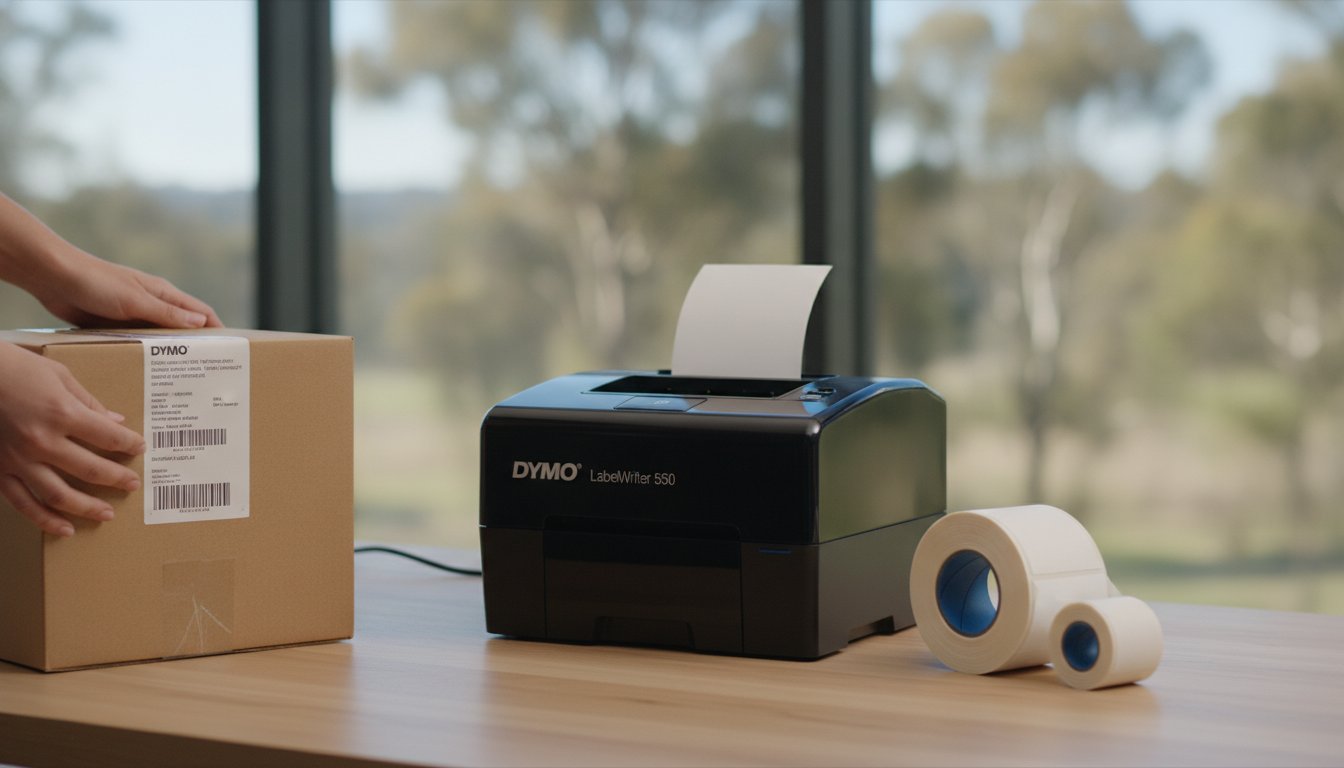
Your high-performance printer is only as reliable as the roll of media you feed into it. If you've ever dealt with a jammed LabelWriter 550 or watched your address labels peel off a parcel in the humid Queensland heat, you know that not all dymo printing labels are created equal. It's incredibly frustrating when a simple organisational task turns into a technical troubleshooting session because of a compatibility error or poor adhesive quality.
We've designed this guide to help you master the entire DYMO ecosystem so you can achieve professional results without the guesswork. You'll learn exactly how to match genuine supplies to your specific Australian industry requirements, ensuring your labels stay stuck and your hardware remains jam-free. We'll examine the technical differences between LW, D1, and Rhino formats, explain the automatic recognition technology in the latest 5-series printers, and provide practical steps to optimise your workflow for 2026 and beyond.
Key Takeaways
- Understand how direct thermal technology eliminates the need for ink or toner while identifying the specific applications for LW rolls, D1 tapes, and Rhino industrial supplies.
- Discover how the Smart Chip in the LabelWriter 550 and 5XL models automatically recognises label sizes and tracks remaining stock to prevent printing errors.
- Learn to select the right dymo printing labels by evaluating the "life of the label" and choosing between standard paper or durable plastic-based materials.
- Master the essential loading and alignment steps required to maintain a streamlined, jam-free workflow across all your labelling tasks.
- Identify cost-effective ways to manage your supplies through bulk ordering and value packs without compromising on the reliability of genuine DYMO products.
Understanding DYMO Printing Labels: The Technology Behind the Stick
The mechanics of a label printer are remarkably straightforward yet highly specialised. Unlike standard office printers that rely on liquid ink or powdered toner, DYMO machines utilise heat to generate crisp, smudge-proof text. This technology is not just a matter of convenience; it's a fundamental shift in how Australian businesses manage their logistics and administrative tasks. Selecting the correct dymo printing labels requires a basic grasp of how your specific machine produces the text and which media format it accepts. This thermal approach has been a central pillar throughout the history of the DYMO Corporation, evolving from simple manual embossers to the sophisticated RFID-enabled systems used in modern warehouses and offices.
Direct Thermal Printing is the process of creating images on heat-sensitive labels without ink.
To better understand how these machines operate in a real-world setting, watch this helpful video:
Direct Thermal vs. Thermal Transfer: What You Need to Know
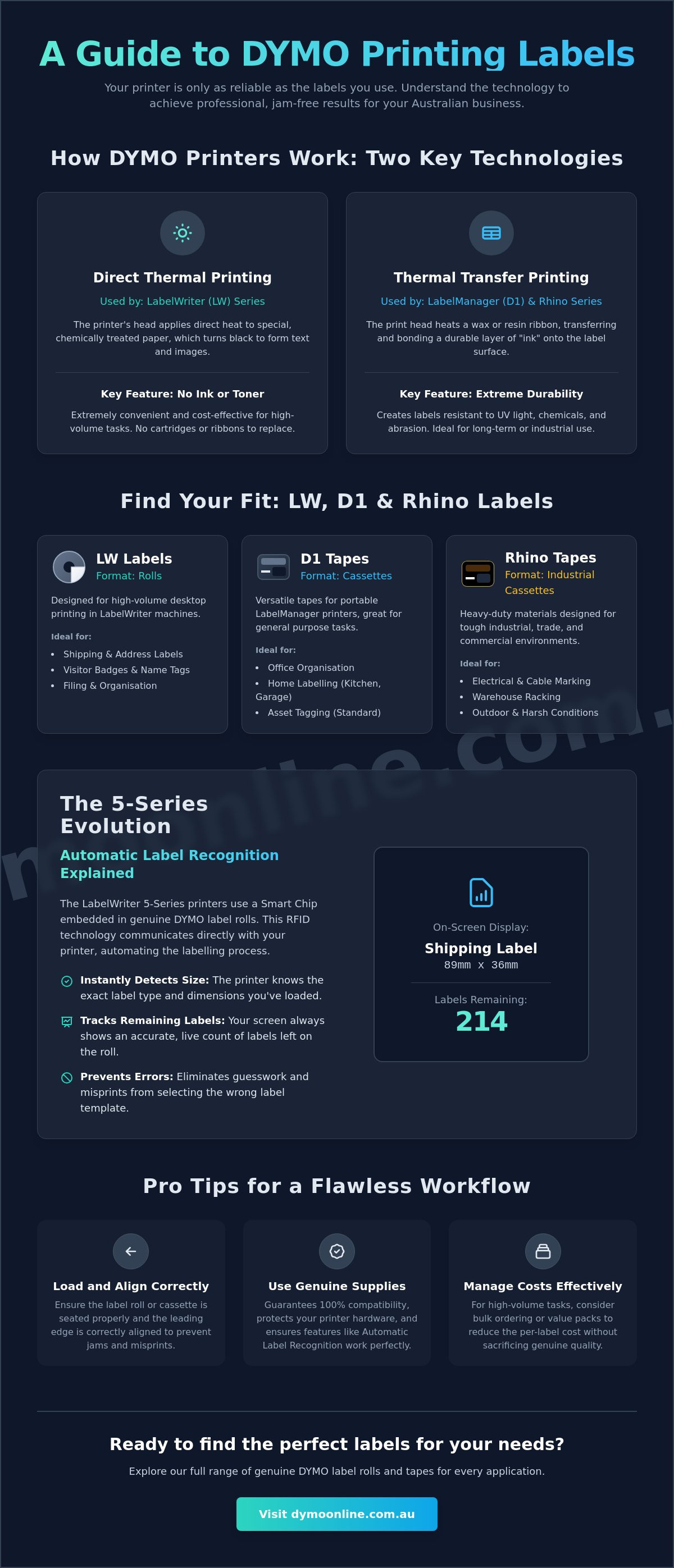
LabelWriter (LW) models use direct thermal technology. The labels themselves are coated with a heat-sensitive chemical layer that turns black when it passes under the print head. This makes them ideal for indoor applications like shipping labels or visitor badges. Because there are no ribbons or cartridges to replace, the cost-saving benefits for your dymo printing labels are immediate. You won't ever need to worry about ink drying out or toner running low in the middle of a large print run.
Conversely, LabelManager (D1) and Rhino tapes utilise a thermal transfer process. Here, the printer heats a thin ribbon inside the cassette, transferring the "ink" onto the tape surface. This creates a more durable bond that's resistant to UV light, chemicals, and abrasion. While both methods eliminate the need for traditional toner, the ribbon system in D1 and Rhino tapes provides the longevity required for industrial environments or long-term file labelling. It's a robust solution for items that might be exposed to the harsh Australian sun or cleaning chemicals in a medical lab.
Identifying Your Label Type: LW, D1, or Rhino?
Recognising which supplies you need is easy once you know what to look for. LabelWriter (LW) labels always come on a circular roll with a central core. They're designed for high-volume desktop use, such as printing hundreds of address labels in a single session. These rolls are typically white paper, though durable plastic versions exist for specific applications.
D1 and Rhino supplies are housed in self-contained plastic cassettes. These are rectangular and slide directly into portable units. A common mistake is assuming all small labels are interchangeable, but hardware constraints are strict. For instance, a DYMO LabelManager 160 cannot use LW rolls because its internal bay is specifically shaped for D1 cassettes. Rhino tapes look similar to D1 cassettes but are often made of heavy-duty materials like flexible nylon or heat-shrink tubing for electrical work. Always check your printer's model name before ordering to ensure the format matches the machine's intended ecosystem.
The 5-Series Evolution: Automatic Label Recognition Explained
The introduction of the LabelWriter 550, 550 Turbo, and 5XL marked a definitive change in the Australian labelling landscape. These machines moved away from the optical sensors of previous generations, adopting a sophisticated RFID-based system known as Automatic Label Recognition. When you load a roll of genuine dymo printing labels, the printer instantly identifies the exact size and type of media without any manual input. This technology relies on a small Smart Chip embedded in the core of each roll, which communicates directly with the internal sensor of the 5-series hardware. While traditional thermal printing has seen significant advances in thermal paper technology to improve environmental safety and image stability, the 5-series focuses on operational precision. If a roll lacks this specific chip, the printer will simply refuse to print, a design choice intended to eliminate the common errors associated with generic or incompatible supplies.
The DYMO Connect software leverages this data to provide a seamless user experience. As soon as the roll is inserted, the software updates the layout on your screen to match the physical dimensions of the label. This eliminates the trial-and-error process of choosing templates, ensuring that your text and barcodes are always perfectly centred. It's a practical solution for busy Australian offices that can't afford to waste time on misaligned prints or manual configuration.
Why Genuine Labels Matter for the LabelWriter 550 and 5XL
Using non-genuine supplies in these newer machines is no longer just a risk to print quality; it's a technical impossibility. The Smart Chip acts as a digital handshake between the hardware and the media. By using genuine DYMO 5XL labels, you guarantee that the printer's tension and heat settings are optimised for that specific material. This is particularly vital for protecting the delicate print head. Inferior adhesives found on generic rolls can often leak or "bleed" under the heat of the print head, leading to permanent damage and costly machine replacements.
Real-Time Tracking: Never Run Out Mid-Job
One of the most valuable features for high-volume Australian logistics centres is the "labels remaining" counter. Because the printer tracks every rotation of the roll, the software displays the exact number of labels left in real time. This allows warehouse managers to accurately predict when they will need more label rolls, preventing the sudden downtime that occurs when a roll runs out in the middle of a large shipping batch. If you need assistance determining which 5-series rolls are best for your specific volume, feel free to speak with our technical team for tailored advice.
Matching Labels to Your Application: Standard vs. Durable
Choosing the right media for your task involves a simple framework we call the "life of the label". You must determine how long the label needs to remain legible and what environmental stressors it will face during that time. A shipping label on a cardboard box only needs to survive a few days of transit, whereas a barcode on a warehouse rack or a medical sample tube might need to last for years. While local compliance is paramount for commercial goods, looking at international benchmarks like U.S. packaging and labeling standards can help Australian businesses establish a professional baseline for their internal inventory and safety systems. The material and adhesive you select for your dymo printing labels will ultimately dictate whether your organisational system succeeds or fails under pressure.
Everyday Office Labelling: LW Standard and D1 Tapes
Standard paper-based LW labels are the most cost-effective solution for indoor environments where items are handled frequently but not exposed to moisture or extreme heat. These are perfect for address labelling, visitor badges, and temporary price tags in a retail centre. If you need to organise files or storage bins, D1 tapes offer a step up in versatility. These plastic-based tapes come in a variety of colour combinations, allowing you to colour-code your office equipment or data cables for quick identification. Because they use the thermal transfer process described earlier, the text won't fade as quickly as paper alternatives when exposed to indoor lighting. They're a reliable, middle-ground option for dymo printing labels that need to look professional and stay in place on smooth, flat surfaces; for more demanding plastic bonding requirements in heavy-duty settings where standard tapes may not suffice, you can discover Bondrite Adhesives Ltd for high-performance solutions.
Heavy-Duty Requirements: Industrial and Durable Solutions
Harsh Australian conditions demand a more robust adhesive and a tougher face sheet. In a warehouse or workshop, standard labels often peel or yellow due to UV exposure and fluctuating temperatures. This is where "Durable" LW labels and industrial cassettes become necessary. These are engineered with a high-tack adhesive that bonds to challenging surfaces like textured plastic or powder-coated metal. For specialists in electrical or data comms, Rhino Industrial IND labels are the primary choice. These materials, including flexible nylon and heat-shrink tubing, are designed to wrap tightly around cables without flagging at the edges. They resist moisture, common cleaning solvents, and the intense heat often found in Australian industrial sheds. By matching the adhesive strength to the application, you ensure your critical safety and tracking information remains intact for the entire lifecycle of the asset.
Step-by-Step: How to Load and Print DYMO Labels Correctly
Loading your printer correctly is the most effective way to ensure a smooth, uninterrupted workday. While DYMO machines are built for durability and ease of use, a small error during the initial setup can lead to misaligned text or mechanical stalls. Proper alignment prevents 90% of common DYMO printing label jams. Whether you're using a LabelWriter 550 or an older 450 model, the physical principles of media alignment remain the same across the entire desktop range. Taking an extra few seconds to seat the roll properly will save you significant time in troubleshooting later.
Loading Your Printer: Avoiding Common Jams
Following a consistent physical setup routine is the key to maintaining your hardware. Most feeding issues stem from the roll not being seated correctly on the internal spool. Follow these steps for a reliable setup:
- Step 1: Open the printer cover and remove the spool. Slide the label roll onto the spool so that the labels feed from the bottom. It's vital to ensure the roll is pressed firmly and is flush against the side of the spool to prevent it from wobbling or drifting during the print cycle.
- Step 2: Place the spool back into the printer cradle. Feed the leading edge of the first label into the feed slot. Continue pushing the paper gently until the internal motor "grabs" the media and pulls it forward.
- Step 3: Once the printer has taken the roll, press the form-feed button on the front of the machine once. This advances the roll to the start of the next label, allowing the internal sensors to calibrate the exact position of the die-cut edges for your dymo printing labels.
Software Setup: Designing Your First Label
Designing your layout is just as important as the physical loading process. After installing the latest version of DYMO Connect, the software should automatically detect your printer model. You'll need to select the template that matches the specific dimensions of your DYMO labels. This ensures that the software's digital canvas perfectly mirrors the physical label in your machine.
For Australian businesses managing high-volume shipping or database management, the "Import Data" feature is indispensable. This allows you to pull contact details or SKU numbers directly from an Excel spreadsheet, enabling rapid bulk printing without manual data entry. If you find your text looks slightly faint or your barcodes aren't scanning correctly, navigate to the print settings and adjust the print density. Increasing this setting provides a sharper, darker image by applying slightly more heat to the heat-sensitive dymo printing labels. Mastering these basic steps will significantly extend the life of your hardware and reduce media waste. If you're experiencing persistent hardware issues despite following these steps, you can contact our support team for technical assistance.
Optimising Your Workflow with Genuine DYMO Supplies
Establishing a reliable labelling system requires more than just high-quality hardware; it necessitates a commitment to the entire supply chain. For Australian businesses, the logical choice is to use genuine media that guarantees consistent performance across every print run. Selecting genuine dymo printing labels is a strategic decision that protects your equipment and ensures your administrative processes remain uninterrupted. While third-party alternatives might appear cost-effective initially, the true cost of printer downtime, wasted media, and potential head damage often far outweighs any upfront savings. By focusing on a "system-first" approach, you can transition from reactive troubleshooting to a streamlined, professional workflow that supports your business growth.
Bulk Buying and Value Packs for Australian Businesses
Efficiency in high-volume environments like warehouses and medical centres is often dictated by how well you manage your consumables. One of the most effective ways to lower your operational costs is through the use of Value Packs. These curated sets provide a range of commonly used sizes at a reduced rate, making them ideal for new office setups or seasonal retail surges. For logistics operations that process hundreds of parcels daily, Bulk DYMO labels offer the lowest cost-per-label by providing larger quantities in a single shipment.
Managing your inventory effectively is just as important as the purchase price. We recommend a "buffer stock" strategy, where you always keep at least one spare roll for every active printer in your facility. This simple habit prevents workflow interruptions when a roll unexpectedly runs out mid-job. To support this need for speed, we provide rapid shipping options across the country, including same-day dispatch for major Australian metropolitan areas. This ensures that your specialised labelling supplies arrive exactly when they're needed, keeping your dispatch lines moving without delay; for businesses looking to enhance their brand presence, Micro Printing offers custom packaging and commercial printing solutions that complement your internal systems.
Accessing Expert Support and Genuine Accessories
Maintaining your printer's longevity involves more than just the labels; it includes the use of authorised power supplies and cleaning components. Using the correct DYMO accessories, such as genuine AC adapters, ensures your machine receives stable power and prevents electronic failures. If you do encounter a complex technical hurdle, having access to a local knowledge base is invaluable. Our detailed Dymo troubleshooting guide provides expert solutions for common 5-series and LabelWriter 450 scenarios, helping you resolve issues without needing on-site repair.
By sourcing your dymo printing labels from a specialised Australian provider like DymoOnline, you gain more than just a product; you gain a partner with deep technical expertise in the labelling ecosystem. We understand the specific requirements of Australian industries, from seafood labelling regulations to industrial data comms standards. Explore our full range of genuine DYMO printing labels at DymoOnline today.
Future-Proofing Your Australian Labelling Workflow
Mastering your labelling ecosystem is about more than just sticking a name on a box. It's about understanding the synergy between your hardware and the specialised media it requires. By matching the correct dymo printing labels to your specific environmental conditions and utilising the automatic recognition features of the 5-series printers, you eliminate the technical friction that often slows down busy dispatch lines. Whether you're managing a medical facility in Melbourne or a warehouse in Perth, these professional standards ensure your tracking data remains legible and your hardware stays operational for years to come.
As a specialist Australian supplier since 2009, we're dedicated to helping you find the most efficient solution for your task. We provide nationwide shipping with same-day metropolitan options to ensure you're never left waiting for critical supplies. Our team offers expert technical support for all DYMO products to help you maintain a high-performance printing environment. We look forward to helping you optimise your organisational systems with confidence and precision.
Browse Australia’s largest range of genuine DYMO printing labels
Frequently Asked Questions
Can I use generic labels in my DYMO LabelWriter 550 or 5XL?
No, you cannot use generic labels in the DYMO LabelWriter 550 or 5XL models. These printers utilise Automatic Label Recognition technology that requires a genuine Smart Chip to function. If you attempt to use non-genuine dymo printing labels, the software will display an error and the machine will refuse to print.
How do I fix a label jam in my DYMO printer?
Start by turning off the printer and disconnecting the power source. Use the label release lever to take the pressure off the rollers, then gently pull the jammed labels out through the front or back of the machine. It's vital to avoid using scissors, letter openers, or any metal tools to clear the jam, as these can permanently scratch the delicate thermal print head.
What is the difference between DYMO D1 and IND labels?
D1 labels are designed for general office organisation and are compatible with the LabelManager series. IND (Industrial) labels are specifically engineered for Rhino printers and feature more robust materials like flexible nylon, vinyl, or heat-shrink tubing. While D1 tapes are excellent for flat surfaces like files and bins, IND labels are built to wrap around curved cables and withstand harsher industrial environments.
Are DYMO labels waterproof and suitable for outdoor use?
Standard paper dymo printing labels are not waterproof and will degrade if exposed to moisture or liquids. However, the "Durable" LW range and IND vinyl tapes are moisture-resistant and can withstand damp conditions or light outdoor exposure. For long-term outdoor use in the Australian sun, vinyl-based industrial tapes provide the best resistance to UV fading and weathering.
Why is my DYMO printer not recognising the label roll?
This issue usually occurs if you're using a LabelWriter 5-series printer with a roll that lacks the required RFID Smart Chip. Ensure you've loaded a genuine roll manufactured after April 2020. If the roll is genuine and still not recognised, try re-seating it on the spool to ensure the chip is correctly aligned with the internal sensor.
How do I clean the print head on my DYMO LabelWriter?
You should clean the print head using a specialised DYMO cleaning card or a lint-free cloth dipped in isopropyl alcohol. Gently wipe the thin grey strip located inside the printer where the labels pass through the feed slot. Regular cleaning prevents adhesive buildup and ensures your text remains crisp and free from white streaks or faded sections.
Which DYMO labels are best for shipping packages in Australia?
The 104mm x 159mm Extra Large Shipping Labels are the standard choice for Australian couriers and Australia Post. These are designed specifically for the LabelWriter 5XL to accommodate full-sized shipping barcodes. If you're using a standard LabelWriter 550, the 54mm x 101mm shipping labels are suitable for smaller domestic parcels and satchels.
Can I print barcodes on standard DYMO address labels?
Yes, you can print high-quality barcodes on standard DYMO address labels. The thermal print heads offer a high resolution that's more than sufficient for 1D and 2D barcodes, including QR codes. Always use the dedicated barcode tool within the DYMO Connect software to maintain the correct scaling and density required for reliable scanning.

Article by
DymoOnline Team
The DYMOOnline Team provides practical guidance for Australian businesses, warehouses, retailers, offices, schools, healthcare workplaces and home users who rely on accurate, efficient labelling. DYMOOnline specialises in DYMO label makers, DYMO label printers, label tapes, label rolls, shipping labels, address labels, barcode labels and labelling accessories, helping customers choose the right labelling products for organisation, mailing, inventory, filing, pricing and workplace efficiency.
General Information
This article is provided as general information only to help customers compare and choose DYMO label makers, label printers, label tapes, label rolls, shipping labels, address labels, barcode labels and related labelling supplies. Product details, specifications, compatibility, availability, pricing and suitability may vary. Always check the individual product page, manufacturer information, printer model compatibility and label size requirements before purchasing or using a product.
Latest News
Small Business Label Printer Australia: The 2026 Guide to Automated Labelling Systems
Imagine spending your Monday morning handwriting fifty delivery addresses, only to have several parc...
Australian Food Safety Label Requirements: A 2026 Compliance Checklist
Could your current food labels trigger a mandatory recall after 25 February 2026? It is a critical q...
Choosing the Best Australia Post Shipping Label Printer for Your Business in 2026
We understand that as your order volume increases, you need a reliable australia post shipping label...
Asset Tag Printer: 2026 Australian Buying Guide
When an expensive piece of portable equipment goes missing from a job site or office, the real cost...
Asset Labelling Solutions for Australian Schools: The 2026 Buying Guide
Imagine walking into a classroom at the end of term only to find that dozens of new student laptops...
The Ultimate Guide to Professional Archive Box Labelling Systems
Imagine the frustration of an urgent compliance audit where the only thing standing between you and...