
Asset Tag Printer: 2026 Australian Buying Guide
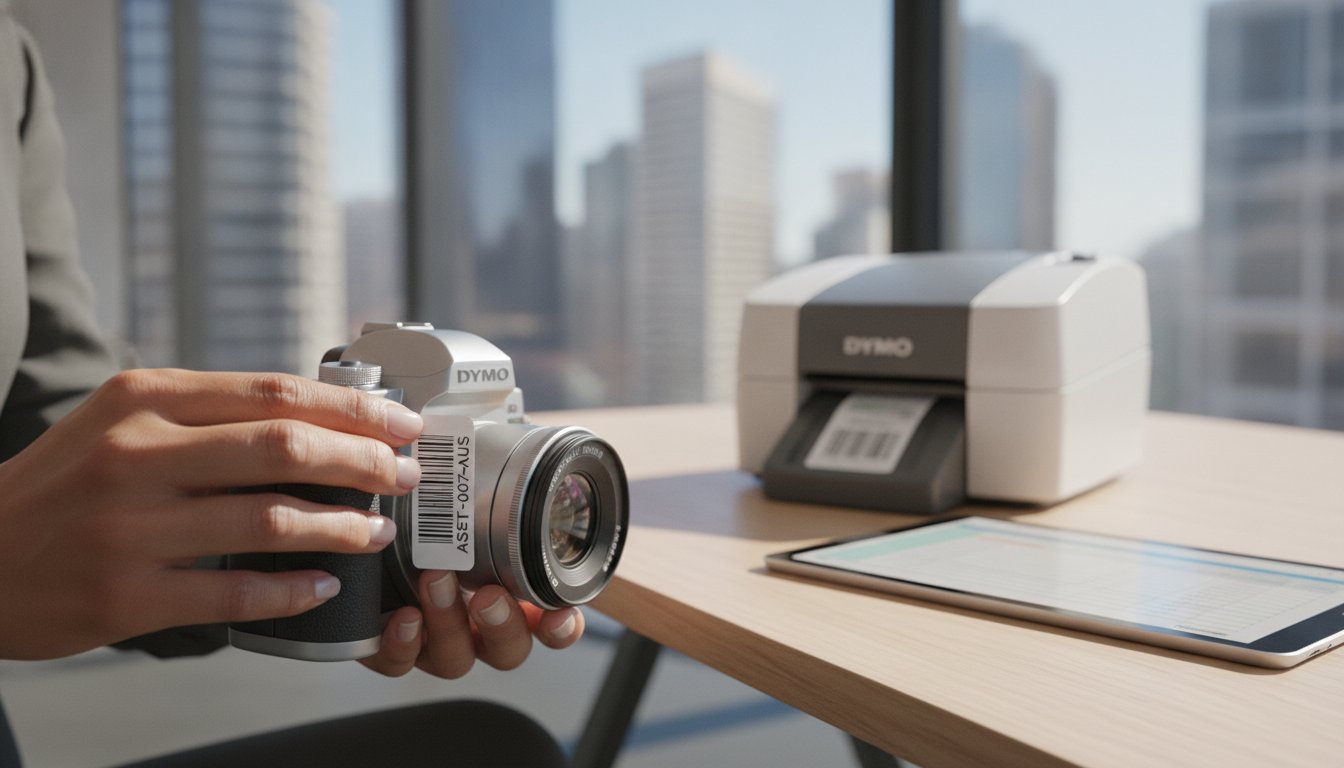
When an expensive piece of portable equipment goes missing from a job site or office, the real cost isn't just the replacement price; it's the lost productivity and administrative headache that follows. You've likely felt the frustration of finding a label has peeled off or faded beyond recognition just when you need to verify a serial number for tax depreciation. Finding the right asset tag printer small business owners can rely on shouldn't be a constant source of technical stress.
We agree that your time is better spent growing your company than wrestling with complex software or re-labelling the same gear every six months. This 2026 Australian buying guide is designed to help you choose a printer that organises your equipment, minimises loss, and streamlines your daily workflows. We will examine the latest professional hardware, from the versatile DYMO LabelWriter series to heavy-duty industrial models, ensuring you find a solution that balances durability with genuine value for money.
Key Takeaways
- Determine whether your work environment requires a high-speed desktop unit for office inventory or a portable industrial model for tagging machinery in the field.
- Discover how the right asset tag printer small business setup can minimise equipment loss through clear, standardised barcode identification and tracking.
- Compare the high-resolution capabilities of the LabelWriter 550 series with the rugged, heat-resistant durability of the Rhino Industrial range.
- Learn to build a centralised asset register that works seamlessly with your labelling format to simplify tax depreciation and equipment audits.
- Maximise the lifespan of your hardware by using genuine DYMO consumables that protect print heads and ensure labels remain legible for years.
What to Consider Before Investing in an Asset Tag Printer
Choosing the right asset tag printer small business operations require involves more than just picking the first model you see. You need to assess your specific workflow first. If you're managing a centralised office inventory, a high-speed desktop printer like the DYMO LabelWriter is the most efficient choice for batch printing. However, if your team is out in the field tagging fixed assets like air conditioning units or power tools, a portable handheld device is often the only practical solution.
Software integration is another critical factor. You should ensure your chosen asset tag printer small business setup works with your existing management software or allows for easy data import from spreadsheets. This makes generating unique barcodes and QR codes a seamless process rather than a manual chore. Finally, consider the total cost of ownership. While third-party labels might seem cheaper initially, using genuine DYMO labels protects the print head from damage and ensures the adhesive is suited to the specific surface you are tagging.
Durability vs. Cost: Finding the Right Balance
Standard paper labels often fail in asset tracking because they tear easily and the text fades when exposed to sunlight or cleaning chemicals. For equipment that needs to be tracked for several years, polyester or vinyl labels are the gold standard. These materials resist moisture, oils, and extreme temperatures; this makes them ideal for everything from medical devices to warehouse racking where durability is non-negotiable.
Barcode and QR Code Scannability
A tag is useless if your scanner can't read it. High print resolution is vital when printing small QR codes on compact items like smartphones or tablets. Thermal printing technology is particularly effective for this task. It uses heat to create the image, which eliminates the risk of ink smudging or running. This ensures your barcodes remain crisp and scannable throughout the entire lifecycle of the asset, even in busy industrial environments.
Best DYMO Asset Tag Printers for Small Business
While some providers suggest that expensive thermal transfer systems are the only way to track equipment, many Australian companies find that a direct thermal asset tag printer small business owners can maintain themselves is a more practical investment. For most office and light industrial applications, the DYMO ecosystem provides the durability required without the complexity of ink ribbons or toner. Choosing the right model depends on where your assets are located and how often you need to update your register.
Desktop Efficiency: The LabelWriter Series
The DYMO LabelWriter 550 is the preferred choice for centralised office inventory. It features automatic label recognition, which allows the software to identify the exact size and type of label loaded. This prevents printing errors and reduces waste. For larger assets that require detailed safety warnings or technical specifications, the LabelWriter 5XL provides a wider format, making it ideal for high-visibility tagging on bulky machinery or crates.
Industrial Strength: The Rhino Series
In environments where equipment is exposed to UV light, chemicals, or extreme temperatures, the DYMO Rhino Industrial range is the standard. These handheld units are designed for the field. They feature "hot keys" that automatically format labels for specific uses like wire wraps and flags. The Rhino 4200 and 6000+ models are particularly effective for tagging assets in warehouses or on construction sites where standard labels would quickly fail.
For on-the-spot tagging of new inventory as it arrives, the LabelManager series offers a portable, user-friendly solution. Regardless of the model you select, using genuine DYMO labels is critical. Non-genuine alternatives often leave adhesive residue that can damage the print head, potentially voiding your warranty and compromising the legibility of your barcodes. If you aren't sure which hardware fits your specific workflow, speak with our Australian support team for professional guidance.
How to Organise a Durable Asset Tagging System
Investing in an asset tag printer small business owners trust is only the first stage of effective inventory management. To truly minimise loss, you must establish a repeatable workflow. Start by building a centralised asset register. Whether you use a spreadsheet or dedicated management software, your register must link the physical tag to digital data such as the serial number, purchase date, and assigned staff member.
Standardising your tag format is equally vital. Every label should clearly display your business name, a unique identification number, and a scannable barcode. This uniformity ensures that any team member can identify equipment at a glance. To maintain the integrity of these tags, perform regular audits. A quarterly check of your equipment allows you to update locations and identify missing items before they become a permanent financial loss; for technical tools, this is also the ideal time to ensure they are properly calibrated by Zenith Sales & Calibrations Pty Ltd to guarantee accuracy.
Selecting the Correct Label Material
Matching the material to the environment is the best way to prevent labels from falling off. For office-based electronics and furniture, LabelWriter LW Durable labels provide a clean, professional look that resists fading. If your assets are located on-site or in a warehouse, use Rhino Industrial IND tapes. These materials are specifically designed to survive harsh conditions, including heat and chemical exposure.
Best Practices for Label Placement
Surface preparation is the most overlooked step in the tagging process. You should clean the application area thoroughly with isopropyl alcohol to remove any oils or grime. This step ensures a maximum adhesive bond that can last for years. When placing the tag, choose a spot that is easy to access with a scanner but tucked away from high-wear areas like handles or baseplates. For high-value security items, tamper-evident labels are a wise addition. These specialised tags leave a clear mark if someone tries to peel them off, acting as a strong deterrent against equipment theft or unauthorised swapping.
Secure Your Company Assets for the Future
Selecting an asset tag printer small business owners can trust is the foundation of a more organised and profitable operation. It's the most effective way to eliminate the risk of faded labels and lost equipment. Whether you choose the high-speed efficiency of the LabelWriter 550 for the office or the rugged portability of the Rhino series for the field, the result is a clearer view of your company assets and reduced administrative stress.
A successful tagging system requires both the right material and a standardised register. Using genuine consumables ensures your printer remains in peak condition while providing the adhesive strength needed for long-term tracking. As a genuine DYMO specialist, we provide expert Australian support and nationwide shipping to ensure you have the right tools for the job. Contact us to browse the full range of DYMO Asset Tag Printers at DymoOnline and find the right solution for your team.
Protecting your equipment is a simple step that pays dividends in operational efficiency and long-term peace of mind.
Frequently Asked Questions
What is the best asset tag printer for a small business in Australia?
The ideal asset tag printer small business owners should choose depends on their specific work environment. For centralised office inventory, the DYMO LabelWriter 550 is the most efficient option due to its high speed and automatic label recognition. If your assets are located on-site or in a warehouse, a handheld Rhino Industrial printer provides the necessary durability to withstand rough handling and environmental exposure.
Do I need thermal transfer or direct thermal for asset tags?
Direct thermal printing is the most cost-effective and practical choice for the majority of asset tagging needs. Unlike thermal transfer, it doesn't require expensive ink ribbons or toner; this simplifies maintenance for a busy team. While thermal transfer is used for extreme industrial heat, DYMO's direct thermal Durable range is engineered to resist moisture, oils, and sunlight, making it suitable for most Australian business assets.
Can I print barcodes and QR codes with a DYMO printer?
You can easily generate and print both barcodes and QR codes using the free DYMO Connect software. The software supports standard formats like Code 128 and QR codes, which are essential for integrating with your asset management register. Because DYMO printers use high-resolution thermal technology, the codes remain crisp and scannable even on smaller labels used for smartphones or tablets.
How long do DYMO asset tags last on office equipment?
When applied correctly to a clean surface, DYMO Durable labels are designed to last for several years on office equipment. These labels use a strong industrial-grade adhesive that resists peeling, even when exposed to common cleaning chemicals or frequent handling. For assets stored outdoors or in harsh conditions, using the Rhino Industrial range ensures the tags won't fade or degrade due to UV exposure or temperature fluctuations.

Article by
DymoOnline Team
The DYMOOnline Team provides practical guidance for Australian businesses, warehouses, retailers, offices, schools, healthcare workplaces and home users who rely on accurate, efficient labelling. DYMOOnline specialises in DYMO label makers, DYMO label printers, label tapes, label rolls, shipping labels, address labels, barcode labels and labelling accessories, helping customers choose the right labelling products for organisation, mailing, inventory, filing, pricing and workplace efficiency.
General Information
This article is provided as general information only to help customers compare and choose DYMO label makers, label printers, label tapes, label rolls, shipping labels, address labels, barcode labels and related labelling supplies. Product details, specifications, compatibility, availability, pricing and suitability may vary. Always check the individual product page, manufacturer information, printer model compatibility and label size requirements before purchasing or using a product.
Latest News
Asset Tag Printer: 2026 Australian Buying Guide
When an expensive piece of portable equipment goes missing from a job site or office, the real cos...
Asset Labelling Solutions for Australian Schools: The 2026 Buying Guide
Imagine walking into a classroom at the end of term only to find that dozens of new student laptop...
The Ultimate Guide to Professional Archive Box Labelling Systems
Imagine the frustration of an urgent compliance audit where the only thing standing between you an...
How to Print Address Labels from Excel: A Step-by-Step Guide for Australian Businesses
How much time did your team spend this week manually typing customer addresses into a template, on...
The Truth About Dymo Labels: Myth-Busting Genuine vs Generic in 2026
On a busy Monday morning, an Australian business owner discovers their printer has ground to a hal...
Best Address Label Printer for Mac in Australia: 2026 Buying Guide
Updating your macOS shouldn't feel like a gamble with your office hardware, yet many Australian prof...