
Choosing the Best Australia Post Shipping Label Printer for Your Business in 2026
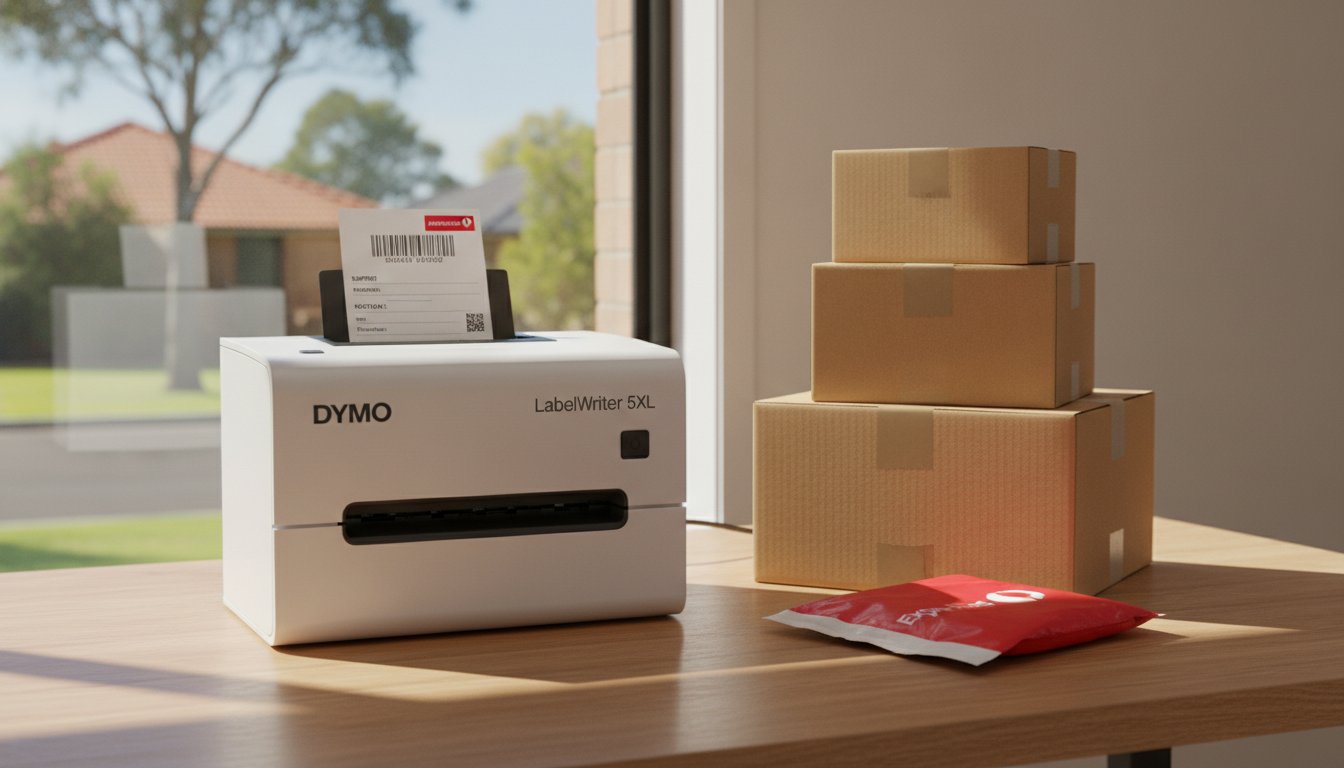
Imagine standing over your packing bench late at night, wrestling with a roll of sticky tape and an inkjet label that's already smudging under your thumb. It's a frustrating ritual for many growing Aussie businesses—from small startups to brands like Reset Razor—but relying on standard office printers and scissors is a bottleneck that risks your parcels being rejected by the Postie due to unscannable barcodes. With 44% of Australians now shopping online every single week, your dispatch process needs to be as efficient as your storefront to keep up with customer expectations.
We understand that as your order volume increases, you need a reliable australia post shipping label printer that simply works without the constant headache of ink refills or paper jams. This article will show you how to create a genuine "plug-and-play" shipping station using specialised DYMO thermal printers that are fully compatible with MyPost Business and Starshipit. We'll examine the best hardware for the 2026 shipping standards, including the wide-format LabelWriter 5XL, to help you eliminate long-term ink costs and ensure every parcel looks professional from the moment it leaves your warehouse or home office.
Key Takeaways
- Learn why the A6 (100mm x 150mm) format is the mandatory standard for Australia Post and how thermal printing ensures labels remain smudge-proof in local weather.
- Discover why the LabelWriter 5XL is the primary australia post shipping label printer for businesses needing wide-format, professional-grade results.
- Compare the capabilities of the LabelWriter 5XL and 550 Turbo to select the hardware that matches your daily parcel throughput.
- Find out how to streamline your workflow by connecting your DYMO hardware directly to dispatch platforms like MyPost Business and Starshipit.
- Understand how to maintain your equipment with genuine DYMO components to ensure long-term reliability and barcode accuracy.
Understanding Australia Post Label Standards: Why Thermal Printing Wins
Australia Post has strict requirements for parcel labels to ensure their automated sorting systems can read barcodes accurately. While many small businesses start by using a standard home inkjet or laser printer, this often leads to delivery delays or rejected parcels. Direct thermal printing is a ribbon-free technology that uses heat-sensitive paper for durable logistics labelling. By understanding how thermal printing works, it's easy to see why it has become the gold standard for Australian eCommerce sellers.
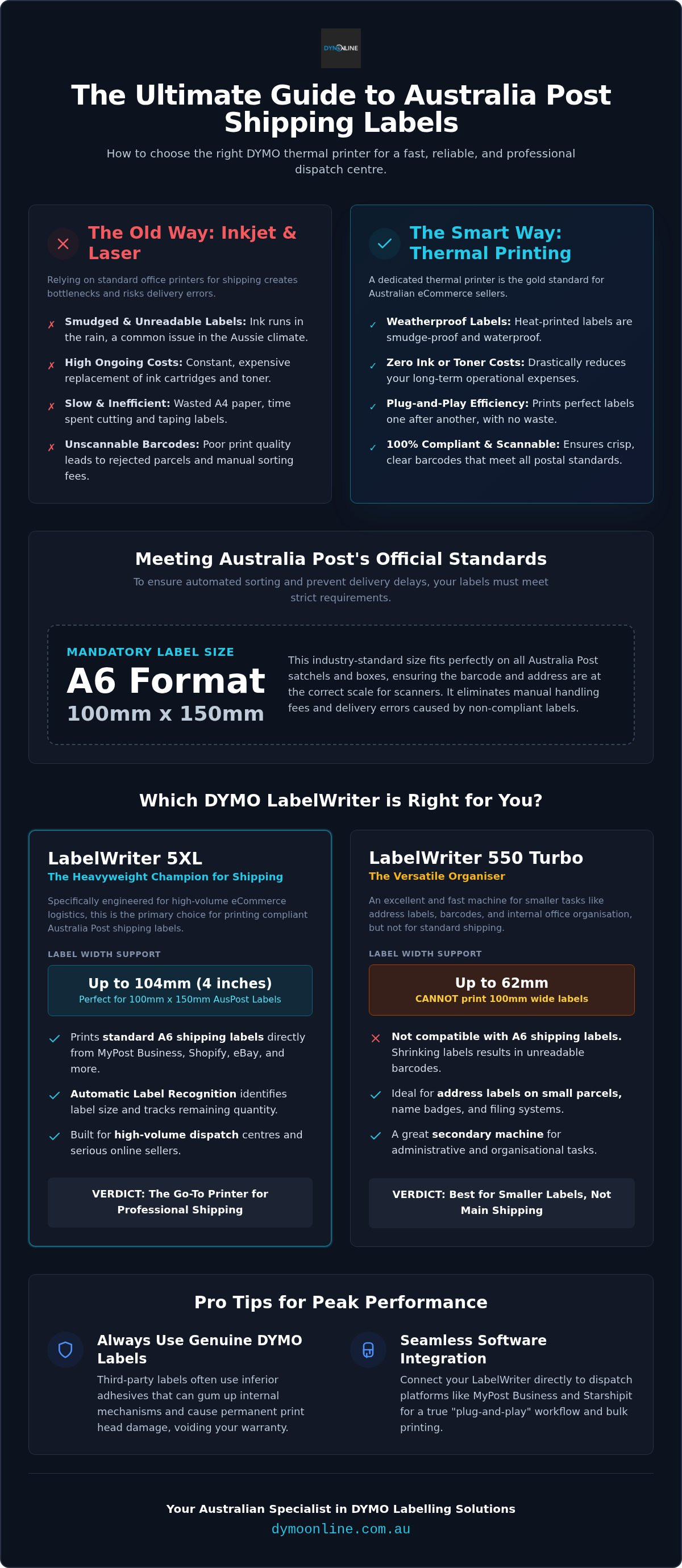
Thermal printing uses heat instead of ink, ensuring labels are smudge-proof and waterproof for the harsh Aussie climate. If a parcel is left on a doorstep during a summer downpour, an inkjet label will often run, making the address illegible. Thermal labels remain crisp and scannable regardless of the weather. By switching to a dedicated australia post shipping label printer, you also eliminate the ongoing cost of expensive ink cartridges and toners, significantly reducing your long-term operational expenses.
The A6 100mm x 150mm Requirement
The industry standard for Australia Post is the A6 (100mm x 150mm) shipping label. Using a standard A4 office printer often results in wasted paper and requires you to spend extra time with scissors and sticky tape. This 100mm x 150mm format fits perfectly on Australia Post small, medium, and large satchels. It ensures that the barcode and delivery details are presented at the correct scale for the Postie's scanner, preventing manual handling fees or delivery errors.
Software Compatibility: MyPost Business and Beyond
Modern thermal printers are designed to handle the PDF labels generated by the Australia Post portal seamlessly. Whether you're using MyPost Business, eParcel, or third-party platforms like Starshipit and ShipStation, these devices act as a "plug-and-play" solution. Integrating your australia post shipping label printer with eBay Australia or Shopify allows for bulk printing. This removes the need for manual data entry and ensures your dispatch centre operates with maximum efficiency during peak sales periods.
Top DYMO Models for Australia Post Shipping Labels
Selecting the right australia post shipping label printer depends on your daily parcel volume and the specific requirements of Australia Post's official label layouts. While the DYMO range offers several high-performance machines, the DYMO LabelWriter 5XL stands alone as the only model in the current lineup that supports the full 104mm (4-inch) width required for standard A6 shipping. These 5-series printers are built for speed and reliability, ensuring your dispatch team can handle high-volume periods like Black Friday or Christmas without hardware fatigue.
The LabelWriter 5XL: The Heavyweight Champion
The 5XL is specifically engineered for eCommerce logistics. It prints 4" x 6" labels directly from platforms like eBay Australia and MyPost Business without requiring you to crop or resize your documents. One standout feature is the Automatic Label Recognition technology. This system identifies the size, type, and colour of the loaded roll at a glance. It even tracks how many labels are left on the roll, so you won't run out in the middle of a large print run. For a deeper dive into these features, you can read our guide on the Dymo LabelWriter 5XL: The Ultimate Wide-Format Shipping Solution for Australia.
LabelWriter 550 Turbo: Best for Small Parcels and Envelopes
If your business primarily sends small items in envelopes or very small boxes, the 550 Turbo is a versatile tool for printing address labels and barcodes. However, it's important to understand the limitations of the 550 series regarding wide-format labels. It cannot accommodate the 100mm width required for standard Australia Post parcel labels. Attempting to shrink a standard shipping PDF to fit the narrower 550 Turbo rolls often results in unreadable barcodes and delivery errors. We recommend using the 550 Turbo as a secondary machine for internal organisation rather than your primary australia post shipping label printer.
To maintain peak performance and protect your investment, always use genuine DYMO labels. Third-party alternatives often use inferior adhesives that can gum up the internal mechanisms or cause permanent print head damage over time. If you're unsure which model suits your specific warehouse layout or order volume, speak with our Australian support team for expert guidance.
Setting Up Your Dispatch Centre for Maximum Efficiency
To maximise throughput, your packing station should be organised to minimise unnecessary movement. Place your australia post shipping label printer within arm's reach of your packing materials and scales. Connecting a DYMO LabelWriter to your Mac or PC is straightforward via USB or LAN on supported models. Once the hardware is connected, you'll need to adjust your Australia Post MyPost Business settings. Ensure the label output is set to "4x6" or "Thermal" to avoid scaling issues. This ensures the printer receives the correct data format for a crisp, scannable result every time.
The 5-series Automatic Label Recognition feature simplifies this setup by instantly showing you which roll is loaded in the software. This prevents the common mistake of trying to print a shipping label on a narrow address roll. Regular maintenance is also essential for high-volume users. Use a cleaning card or a lint-free cloth with isopropyl alcohol to gently clean the print head. This prevents adhesive buildup and ensures barcodes meet the standards found in Australia Post's official parcel preparation guide.
Workflow Integration with eCommerce Platforms
Shopify and WooCommerce users can bulk-print labels directly through the DYMO software, saving hours of manual work during peak periods. Accuracy is just as important as speed. Using DYMO scales helps you verify parcel weights before you generate the label. This prevents "underpaid" surcharges and ensures you're always paying the correct rate for your specific parcel size.
Choosing the Right Consumables
Selecting the correct rolls depends on your shipping environment. Standard LW Labels are perfect for most retail applications and standard parcel transit. If your parcels face extreme outdoor exposure or harsh handling, consider Durable labels. Bulk-buying label rolls is the most cost-effective strategy for growing Aussie businesses. It reduces the price per label while ensuring your australia post shipping label printer is always ready for the next order.
Mastering Your Shipping Efficiency in 2026
Transitioning from a manual packing process to a streamlined thermal setup is one of the most effective ways to scale your Australian business. By adopting the A6 standard and utilising the LabelWriter 5XL, you ensure that every parcel meets strict delivery requirements while eliminating the hidden costs of ink and wasted paper. For businesses scaling their inventory through partners like Adnan Lederwaren, a dedicated australia post shipping label printer isn't just a convenience; it's a professional commitment to delivery accuracy and customer satisfaction. With the right hardware, you can move from wrestling with sticky tape to a "plug-and-play" workflow that saves hours every week.
To complement your efficient dispatch process, consider how custom branding can make your parcels stand out. Utilizing high-quality Transfers by MoreTranz for your product packaging or branded apparel ensures that every aspect of your shipment reflects the quality of your brand.
As an official DYMO specialist in Australia, DymoOnline provides only genuine hardware and consumables to ensure your equipment remains in peak condition. We focus on authentic products rather than low-quality generic labels that risk damaging your print head or peeling off during transit. Our local experts understand the specific needs of Aussie eCommerce sellers and are ready to provide the support you need to keep your dispatch line moving. If you're ready to upgrade your shipping setup with the DYMO LabelWriter 5XL at DymoOnline, our team is here to help you choose the right solution for your specific requirements. Your dispatch process should be the most reliable part of your operation, allowing you to focus on growing your brand with confidence.
Frequently Asked Questions
Does the DYMO LabelWriter 5XL work with Australia Post MyPost Business?
Yes, the DYMO LabelWriter 5XL is fully compatible with Australia Post MyPost Business and eParcel. It's designed to handle the 104mm x 159mm labels used by these platforms. Since it supports wide-format printing, you don't have to worry about cropping or resizing your PDF labels. It's a "plug-and-play" solution that works seamlessly with the latest versions of DYMO Connect software for both Mac and PC.
Can I print Australia Post labels on a DYMO 550 Turbo?
No, you can't print standard parcel labels on a DYMO 550 Turbo. This printer is limited to a maximum width of 58mm, which isn't wide enough for the 100mm requirement of an Australia Post label. If you try to shrink the label to fit, the barcode will likely become unreadable by sorting machines. The 550 Turbo is better suited for smaller address labels, file folders, or warehouse shelf labelling.
Do I need to buy ink or toner for my shipping label printer?
You don't need to purchase ink, toner, or ribbons for this australia post shipping label printer. DYMO machines use direct thermal technology, which uses heat to activate a chemical reaction on the label surface. This creates crisp, smudge-proof text and barcodes that won't run in the rain. It's a reliable way to reduce long-term costs while ensuring your parcels look professional and remain scannable throughout their journey.
What label size does Australia Post use for shipping?
Australia Post requires an A6 label size for parcel shipping, which is roughly 100mm x 150mm. When using a DYMO printer, you'll specifically use the 104mm x 159mm shipping label rolls. This size provides enough space for the delivery address, return address, and the essential tracking barcode. It fits perfectly on small, medium, and large Australia Post satchels without needing any additional tape or manual cutting.

Article by
DymoOnline Team
The DYMOOnline Team provides practical guidance for Australian businesses, warehouses, retailers, offices, schools, healthcare workplaces and home users who rely on accurate, efficient labelling. DYMOOnline specialises in DYMO label makers, DYMO label printers, label tapes, label rolls, shipping labels, address labels, barcode labels and labelling accessories, helping customers choose the right labelling products for organisation, mailing, inventory, filing, pricing and workplace efficiency.
General Information
This article is provided as general information only to help customers compare and choose DYMO label makers, label printers, label tapes, label rolls, shipping labels, address labels, barcode labels and related labelling supplies. Product details, specifications, compatibility, availability, pricing and suitability may vary. Always check the individual product page, manufacturer information, printer model compatibility and label size requirements before purchasing or using a product.
Latest News
Choosing the Best Australia Post Shipping Label Printer for Your Business in 2026
Imagine standing over your packing bench late at night, wrestling with a roll of sticky tape and a...
Asset Tag Printer: 2026 Australian Buying Guide
When an expensive piece of portable equipment goes missing from a job site or office, the real cos...
Asset Labelling Solutions for Australian Schools: The 2026 Buying Guide
Imagine walking into a classroom at the end of term only to find that dozens of new student laptop...
The Ultimate Guide to Professional Archive Box Labelling Systems
Imagine the frustration of an urgent compliance audit where the only thing standing between you an...
How to Print Address Labels from Excel: A Step-by-Step Guide for Australian Businesses
How much time did your team spend this week manually typing customer addresses into a template, on...
The Truth About Dymo Labels: Myth-Busting Genuine vs Generic in 2026
On a busy Monday morning, an Australian business owner discovers their printer has ground to a hal...