
Genuine DYMO LabelWriter 450 Labels: The Ultimate Australian Compatibility Guide
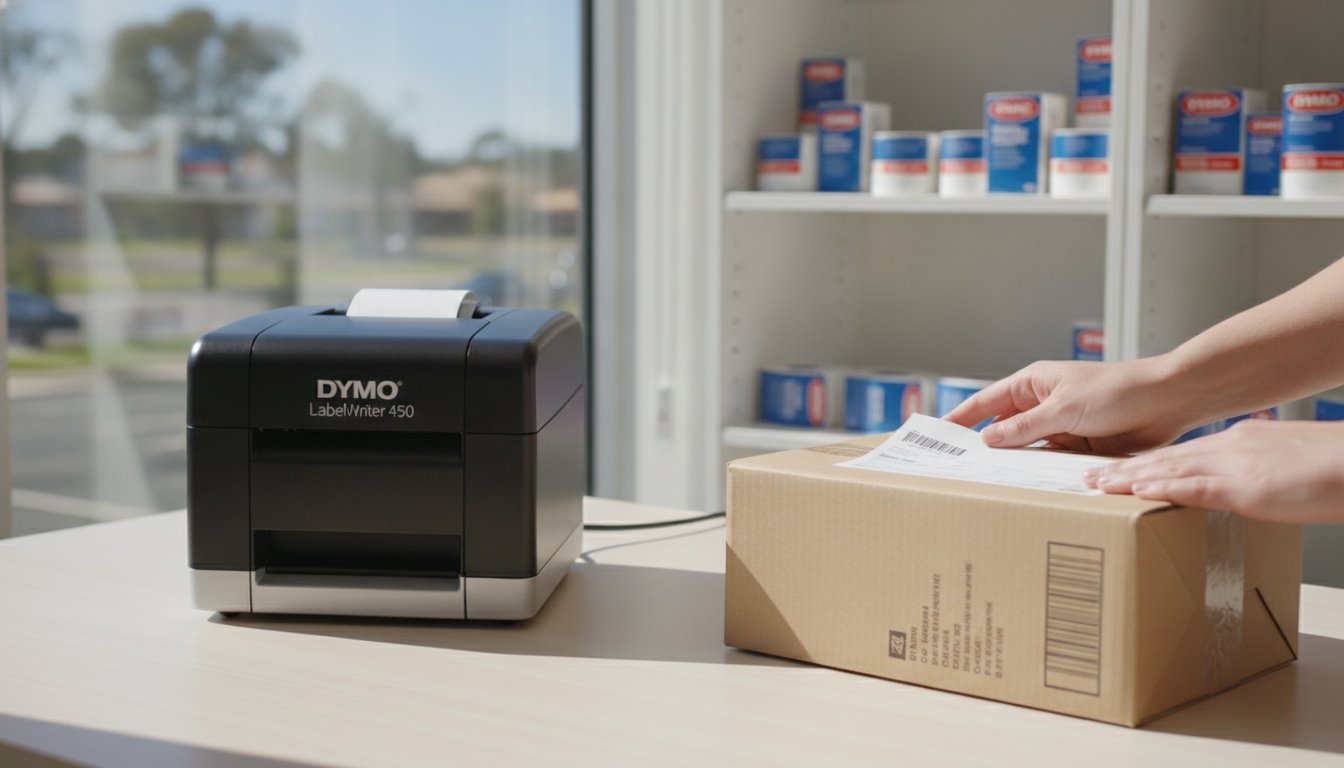
Why are thousands of Australian small businesses and warehouses still fiercely protecting their discontinued DYMO LabelWriter 450 units in 2026? The answer lies in the machine's unique flexibility, especially since newer models now require proprietary labels with embedded chips to function at all. You've likely experienced the frustration of trying to find dymo labelwriter 450 labels that actually stay stuck to your parcels without jamming the print head or causing software errors. It's a common pain point that leads to wasted stock and unnecessary downtime during a busy dispatch run.
We understand that maintaining a high-performance labelling system requires more than just a working printer; it requires technical certainty and the right consumables. This guide promises to clear the confusion regarding compatibility between the legacy 450 and the modern 550 series, ensuring you never buy the wrong roll again. We will examine the specific dimensions required for Australian shipping standards, discuss adhesive durability for local climates, and explain how to source genuine bulk supplies through specialists like DYMOOnline to keep your operations running smoothly.
Key Takeaways
- Understand the operational benefits of direct thermal technology and why the LabelWriter 450 remains a reliable staple for Australian businesses.
- Distinguish between legacy compatibility and the RFID requirements of newer models to ensure you select the correct label rolls for your specific hardware.
- Identify the precise dimensions of dymo labelwriter 450 labels needed for compliant Australian shipping and professional medical record management.
- Learn how to protect your printer’s internal components and maximise its service life by choosing genuine adhesive types that prevent jams.
- Access practical advice on organising high-volume inventory and sourcing reliable stock from specialised Australian online stores like DymoOnline.
Understanding the DYMO LabelWriter 450 Label Ecosystem
The DYMO LabelWriter 450 remains a cornerstone of Australian logistics and office administration. Despite the arrival of newer models, this printer is celebrated for its sheer reliability and cost-effective operation. The History of the DYMO Corporation shows a long commitment to direct thermal technology, which is the engine behind this machine's success. By using heat rather than consumables like ink, toner, or expensive ribbons, it simplifies the labelling process for warehouses and medical clinics alike.
Successful labelling depends on the specific chemical treatment of the media. When you select dymo labelwriter 450 labels, you're choosing paper or film that has been engineered to react precisely to the printer's thermal head. Finding the right roll involves more than just picking a size; you must match the width, length, and adhesive strength to the specific environment where the label will live. This ensures your barcodes remain scannable and your address labels stay firmly attached during transit across the country.
To better understand how these components work together in practice, watch this helpful video on loading your machine correctly:
The Science of Direct Thermal Labelling
Direct thermal labels contain a heat-sensitive coating that turns black when exposed to the print head's thermal elements. Genuine rolls ensure this coating is applied with surgical precision. Cheap, third-party alternatives often feature uneven coatings, which results in faded barcodes or patchy text that scanners can't read. Another critical technical feature is the black mark sensor located on the reverse of the roll. This sensor allows the printer to identify exactly where one label ends and the next begins, preventing the misalignment that leads to wasted stock.
Why Genuine Labels Matter for Your Print Head
The LabelWriter 450 is a thermal-only device that requires specific heat-sensitive media to function. Using non-genuine labels often introduces risks that aren't immediately visible. Many inferior products use adhesives that "ooze" under the heat of the print head, leaving a sticky residue that causes frequent jams. Genuine DYMO labels are manufactured to minimise friction, which protects the delicate print head from premature wear and tear. Over time, the cost of replacing a damaged print head far outweighs any minor savings found in unverified rolls. Protecting your LabelWriter investment starts with using high-quality, compatible media from specialists like DymoOnline, designed for high-volume Australian environments.
Exploring the Range: Varieties of DYMO LW 450 Labels
The versatility of the LabelWriter 450 is best demonstrated through the extensive selection of media available for different business tasks. While many users start with standard address labels for daily mail, the ecosystem extends to highly specialised rolls designed for industrial, retail, and medical settings. Recent advances in thermal paper technology have ensured that modern label rolls are safer and more efficient than ever, providing high-contrast results without the need for traditional inks. Selecting the correct dymo labelwriter 450 labels depends heavily on the intended environment and the surface the label must adhere to.
For Australian logistics, the large-format shipping labels (specifically the 99014 size) are essential. These 54mm x 101mm rolls are the standard for national courier services and local freight providers. They provide enough surface area for clear barcodes, return addresses, and tracking numbers. Beyond shipping, multi-purpose labels offer incredible flexibility for asset tracking and internal filing. These smaller rolls allow businesses to organise inventory with precision, ensuring that every piece of equipment is accounted for through durable barcode labelling.
Specialty applications often require unique shapes and materials. The 450 series supports everything from name badges for corporate events to small jewelry tags used by local boutiques. Appointment cards are another popular choice, allowing dental clinics and medical centres to print reminders that patients can stick directly onto their calendars. If you're unsure which adhesive is appropriate for your specific application, our team can help you identify the right supplies for your workplace.
Standard vs Durable Labels: When to Upgrade?
Standard labels are the foundation of most office setups. They're perfect for envelopes, temporary filing, and indoor signage where environmental stress is low. However, when labels are exposed to moisture, cleaning solvents, or heavy abrasion, standard paper won't suffice. DYMO LabelWriter Durable Labels are the logical upgrade for these environments. They feature an industrial-strength adhesive and a protective coating that prevents the print from fading or the material from peeling in humid Australian warehouses.
Specialty Labels for Australian Industries
Australian medical centres frequently utilise high-contrast appointment labels to manage patient flow and record-keeping. In the retail sector, removable labels are a necessity. These allow shop owners to price products clearly without leaving a sticky residue that might damage the item's packaging. For local warehouses, small barcode dymo labelwriter 450 labels are used for granular inventory management, allowing staff to scan items quickly during stocktakes. Each industry has a specific need, and the 450 series remains the most adaptable tool for meeting those requirements.
Compatibility Check: LabelWriter 450 vs 550 Labels
Many Australian business owners find themselves at a crossroads when upgrading their labelling hardware or purchasing new stock. The transition from the LabelWriter 450 to the 550 series introduced a significant technological shift that affects your choice of dymo labelwriter 450 labels. Unlike the newer 550, 550 Turbo, and 5XL models, the LabelWriter 450 does not require Automatic Label Recognition technology. This means the 450 series lacks the internal RFID reader that scans for a proprietary chip on the label roll.
While this makes the 450 more flexible with legacy stock, maintaining genuine quality remains paramount for the health of your machine. It's a common misconception that all labels are interchangeable across these generations. In reality, while 550-series labels (which contain the RFID chip) will function perfectly in a 450, older non-genuine labels designed for the 450 will trigger a "no label" error if placed in a 550 printer. Using genuine rolls ensures your 450 continues to feed accurately without the sensor errors that often plague inferior alternatives.
The RFID Difference Explained
The 550 series was designed to exclusively use genuine labels by requiring a chip to be present on every roll. The LabelWriter 450 relies on a more traditional method; it uses physical optical sensors to detect the black marks on the back of the label carrier. If you're using rolls with poor-quality backing paper or inconsistent markings, the printer will struggle to identify the start and end of each label. For those experiencing frequent alignment or feed issues, our Dymo Troubleshooting Guide provides expert solutions tailored for Australian users.
Protecting Your Legacy Hardware
Because the LabelWriter 450 is no longer in active production, preserving your existing units is a smart financial move. Maintenance becomes critical when replacement parts are harder to source. One of the most effective ways to extend the life of your machine is to avoid non-genuine consumables that can shed dust or leave adhesive residue on the internal rollers. Genuine DYMO LabelWriter Standard Labels are engineered to create minimal friction, protecting the delicate print head and motor. By choosing high-quality media, you ensure your legacy hardware continues to serve your warehouse or office for years to come.
Selecting Labels for Specific Australian Applications
Different Australian industries require distinct technical specifications for their labelling tasks. A warehouse in Melbourne has vastly different requirements compared to a dental clinic in Brisbane or a primary school in Perth. The flexibility of dymo labelwriter 450 labels allows for this high level of customisation, provided you select the correct media for the specific environment. Choosing the wrong adhesive or size can lead to logistics delays or administrative errors that slow down your entire operation.
Shipping and Logistics Standards
Logistics remains the backbone of many local businesses, where using the 54mm x 101mm label is the recognised standard for Australia Post and regional couriers. This specific size provides ample space for clear barcodes and tracking data, which is essential for automated sorting systems. If your labels are too small or the print contrast is low, your parcels may require manual handling, leading to delivery delays. For businesses with higher volume requirements or those needing wider labels for international freight, our Dymo LabelWriter 5XL Guide offers a deeper look at wide-format solutions.
Healthcare environments rely on the 450 series for pathology sample tracking and patient record management. In these settings, high-contrast dymo labelwriter 450 labels are vital to ensure that barcodes remain scannable under various lighting conditions. Accuracy in medical labelling is non-negotiable. Similarly, retailers utilise these printers for stockroom organisation and professional shelf-edge labels. A well-organised stockroom helps staff locate items quickly during peak periods, while clear pricing labels improve the customer experience on the shop floor.
Education providers, including schools and universities, use the 450 series to manage shared equipment and student files. Labelling laptops, science equipment, and library resources requires a material that can withstand frequent handling. By using genuine rolls with strong adhesives, schools can ensure that their asset tags remain intact for the duration of the academic year, reducing the need for constant re-labelling.
Office and Administrative Organisation
Effective administration often comes down to how well information is categorised. Colour-coding files with different label sizes can significantly improve a team's workflow and reduce the time spent searching for documents. Beyond simple filing, these machines are excellent for creating professional visitor badges at corporate reception centres. This ensures that security protocols are followed while maintaining a polished brand image. Even the staff kitchen or stationery cupboard benefits from clear, legible tags. If you need help choosing the specific roll for your industry, contact our specialist team for tailored advice on your labelling environment.

Where to Buy and How to Organise Your Label Inventory
Securing a reliable supply of dymo labelwriter 450 labels is the final step in maintaining a professional labelling system. While many general retailers carry limited stock, sourcing from a specialist Australian provider like DymoOnline ensures you receive genuine product designed for your specific printer model. This level of specialisation is critical for businesses that can't afford downtime caused by inferior, counterfeit rolls. By choosing a local specialist, you also gain access to technical expertise that generic resellers simply don't provide.
Inventory management for thermal media requires a proactive approach. High-volume users in warehouses and medical centres often find that their consumption rates fluctuate based on seasonal demand or patient intake. Establishing a consistent supply chain with a partner that offers same-day dispatch for major Australian metropolitan areas, including Sydney, Melbourne, and Brisbane, minimises the risk of operational bottlenecks. Reliable logistics ensure that your labelling tasks proceed without interruption, even during peak periods.
Maximising Value with Bulk Packs
For businesses looking to reduce their operational overheads, transitioning to Bulk DYMO Labels is a strategic move. Calculating your monthly usage allows you to order in quantities that lower the per-label cost significantly. We recommend auditing your label consumption over a 90-day period to establish an accurate baseline for your procurement needs. Ordering in bulk doesn't just save money; it provides the peace of mind that comes from having a buffer of stock on hand. Australian-based support teams are available to help you determine which bulk configurations best suit your specific LW 450 applications.
Label Storage and Maintenance Tips
Thermal labels are engineered with a heat-sensitive coating that requires careful storage to maintain its integrity. You must keep your rolls away from direct sunlight and high-heat environments, as prolonged exposure can cause the paper to yellow or the print to fade prematurely. It's also vital to avoid storing labels near chemical vapours, such as those from industrial cleaning agents, which can cause the thermal paper to darken and become unusable.
Maintaining your hardware is just as important as protecting your media. Regularly cleaning your LabelWriter 450 print head with a specialised cleaning card removes the microscopic dust and adhesive buildup that occurs over time. This simple maintenance task ensures crisp, high-contrast results and prevents the mechanical strain that leads to motor failure. By combining proper storage with routine hardware care, you maximise the lifespan of both your printer and your dymo labelwriter 450 labels.
Future-Proofing Your Australian Labelling Operations
Maintaining your LabelWriter 450 is a strategic decision that pays dividends through operational flexibility. By choosing genuine dymo labelwriter 450 labels, you're protecting a discontinued but highly capable print head from the residue and friction often caused by inferior alternatives. We've explored how the lack of RFID technology in these legacy units offers a unique advantage in 2026, provided you maintain the machine with technical precision and adhere to proper thermal storage practices.
Success in high-volume Australian environments depends on a stable supply chain and technical certainty. Sourcing your consumables from a dedicated professional ensures that every roll meets the required standards for barcode scannability and adhesive durability. Whether you're managing a medical clinic or a busy logistics hub, the right media remains the most cost-effective way to extend the service life of your hardware.
To ensure your warehouse or office remains fully operational with verified stock, contact the specialist team at DYMOOnline for expert guidance on your inventory needs. As an established Australian supplier, we provide only genuine DYMO products with fast nationwide shipping from our local warehouses. We look forward to helping you streamline your labelling workflow and maintain your equipment's peak performance.
Frequently Asked Questions
Do DYMO LabelWriter 450 labels work in the newer 550 series printers?
No, standard dymo labelwriter 450 labels will not function in the 550 series printers. The newer models, including the LabelWriter 550 and 5XL, utilize Automatic Label Recognition technology that requires a proprietary RFID chip on the roll. If you attempt to use older 450-style labels in a 550 model, the machine will display a "no label" error. However, the reverse is true; labels designed for the 550 series are backwards compatible and will work in your 450 unit.
How many labels are typically on a standard DYMO address label roll?
A standard roll of DYMO address labels (99010) typically contains 130 labels per roll. Other common sizes, such as the large address labels (99012), often feature 350 labels per roll. These quantities are the recognized standards for daily office mail across Australia. Always check the specific product code when ordering to confirm the count, as value packs or bulk configurations may offer different quantities to suit high-volume mailing runs.
Can I use third-party labels in my DYMO LabelWriter 450 without voiding the warranty?
Using third-party labels in your LabelWriter 450 does not automatically void the hardware warranty, but repairs for damage caused specifically by those labels won't be covered. Non-genuine media often leaves adhesive residue or generates excessive dust that can damage the thermal print head over time. To maintain your machine's reliability and ensure crisp print quality, we recommend using genuine dymo labelwriter 450 labels designed specifically for the thermal elements in your printer.
Why are my DYMO 450 labels coming out blank or very faint?
Blank or faint prints are usually caused by the label roll being loaded backwards or the thermal coating being compromised by heat or sunlight. Since the LabelWriter 450 uses direct thermal technology, there is no ink or toner to run out. If the roll is loaded correctly, the issue might be a dirty print head. Running a cleaning card through the machine can remove debris and adhesive buildup that prevents the thermal elements from making proper contact with the paper.
What is the largest label size the DYMO LabelWriter 450 can print?
The maximum print width for the standard DYMO LabelWriter 450 is 56mm. This allows the machine to accommodate the popular 54mm x 101mm shipping labels used by many Australian couriers and logistics providers. While this model is excellent for standard parcels and envelopes, it cannot print the extra-wide 104mm labels required for some international freight. For those wider applications, a wide-format printer like the LabelWriter 4XL or the newer 5XL would be the appropriate choice.
Are DYMO LabelWriter labels waterproof or suitable for outdoor use?
Standard paper labels are not waterproof and will degrade if exposed to moisture or extreme UV light. For environments where labels might face dampness or cleaning chemicals, you should opt for the Durable series made from tear-resistant polypropylene. These are moisture-resistant and feature a stronger adhesive, making them suitable for indoor storage in humid conditions or refrigerated environments. They aren't designed for permanent outdoor exposure in the harsh Australian sun, which can darken the thermal paper.
How do I change the label roll in my DYMO 450 without causing a jam?
To change the roll correctly, always use the label release lever to remove the old roll rather than pulling it through the front of the machine. Place the new roll on the spindle and slide the label guide firmly against the edge of the roll to prevent it from wandering. Insert the first label into the feed slot until the printer grips it, then press the form-feed button once to align the roll. This ensures the sensors correctly identify the starting position.
Where can I find the software for my LabelWriter 450 in 2026?
You can download the necessary drivers and software directly from the official DYMO website. The LabelWriter 450 is compatible with DYMO Label Software v.8 and the newer DYMO Connect for Desktop. Even in 2026, these applications continue to support legacy hardware on most modern operating systems. It's best to keep your software updated to ensure compatibility with the latest security patches and to maintain seamless integration with your office database or shipping platforms.

Article by
DymoOnline Team
The DYMOOnline Team provides practical guidance for Australian businesses, warehouses, retailers, offices, schools, healthcare workplaces and home users who rely on accurate, efficient labelling. DYMOOnline specialises in DYMO label makers, DYMO label printers, label tapes, label rolls, shipping labels, address labels, barcode labels and labelling accessories, helping customers choose the right labelling products for organisation, mailing, inventory, filing, pricing and workplace efficiency.
General Information
This article is provided as general information only to help customers compare and choose DYMO label makers, label printers, label tapes, label rolls, shipping labels, address labels, barcode labels and related labelling supplies. Product details, specifications, compatibility, availability, pricing and suitability may vary. Always check the individual product page, manufacturer information, printer model compatibility and label size requirements before purchasing or using a product.
Latest News
Genuine DYMO D1 Labels: The Ultimate Australian Buyer’s Guide
A single jammed cassette or a set of peeling labels can cost your business far more in lost produc...
Dymo Rhino vs Panduit Label Makers: The Best Choice for Australian Trades in 2026
You might assume that spending significantly more on a high-end label maker guarantees a better re...
Small Business Label Printer Australia: The 2026 Guide to Automated Labelling Systems
Imagine spending your Monday morning handwriting fifty delivery addresses, only to have several parc...
Australian Food Safety Label Requirements: A 2026 Compliance Checklist
Could your current food labels trigger a mandatory recall after 25 February 2026? It is a critical q...
Choosing the Best Australia Post Shipping Label Printer for Your Business in 2026
We understand that as your order volume increases, you need a reliable australia post shipping label...
Asset Tag Printer: 2026 Australian Buying Guide
When an expensive piece of portable equipment goes missing from a job site or office, the real cost...