
DYMO Jewellery Price Tag Printing: The Comprehensive 2026 Guide for Australian Retailers
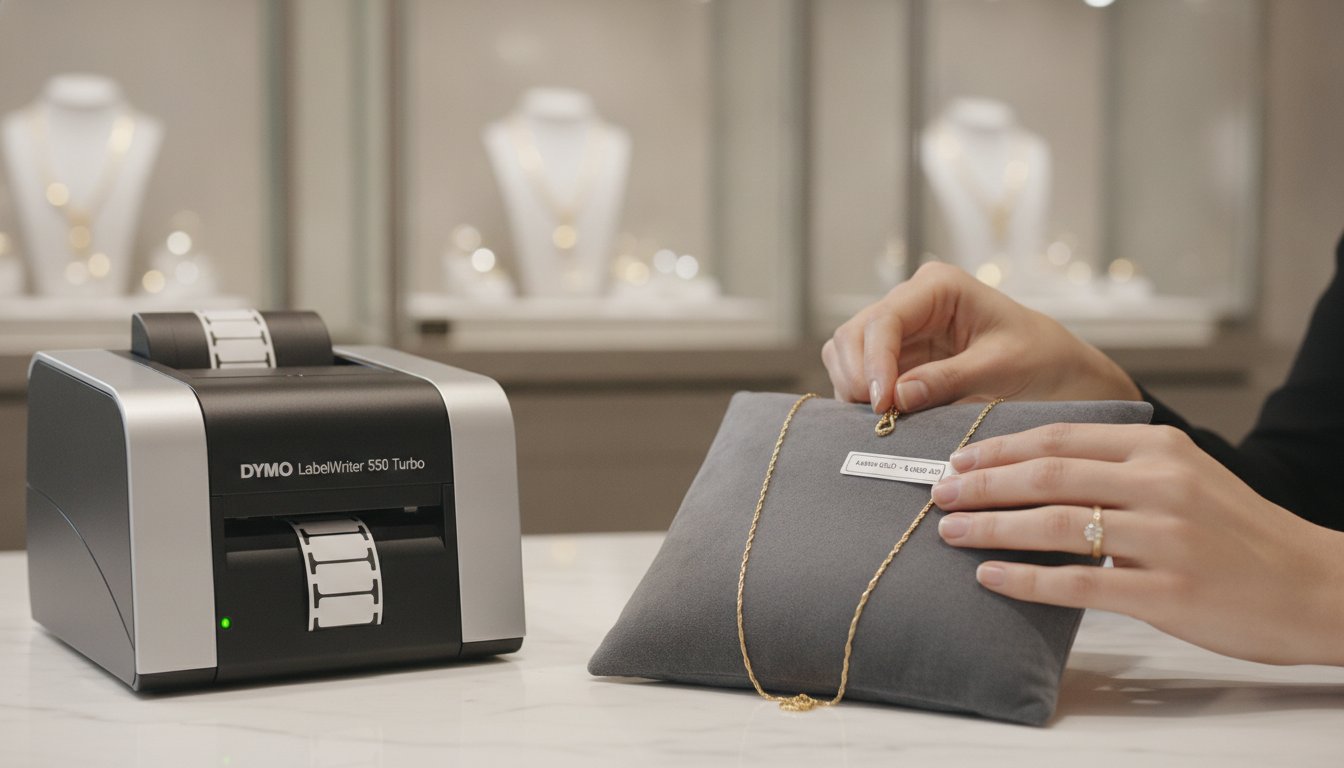
What if the very tags meant to display your prices are actually damaging your precious metals and gemstones? For many Australian boutique owners, the technical hurdle of dymo jewelry price tag printing extra labels often turns into a frustrating battle against messy adhesive residue and wasted rolls. It's a common struggle to maintain a premium aesthetic when small tags smudge or fail to align correctly in a LabelWriter 550 Turbo. You've likely felt the annoyance of a price tag sticking to a delicate gold chain or the confusion of choosing between 1-up and 2-up label formats during a busy stocktake.
We understand that professional presentation is non-negotiable in the Australian retail sector, where the average jewellery sale has recently climbed to $320. This guide provides the technical clarity you need to master your inventory labelling. You'll learn how to configure your LabelWriter for delicate items, maximise your roll capacity, and ensure every piece in your cabinet looks its absolute best. We'll explore the specific tag architectures that work for your workflow, from non-damaging barbell designs to efficient high-volume printing strategies for all your extra stock labels.
Key Takeaways
- Identify the specific technical differences between 10x19mm tags and barbell labels to ensure your delicate stock remains free from adhesive residue.
- Learn to configure the advanced sensors on the LabelWriter 550 series to automatically recognise small-format jewellery media and eliminate alignment errors.
- Maximise your inventory efficiency by utilising 2-up layouts, a vital strategy for dymo jewelry price tag printing extra labels during high-volume sales periods.
- Maintain professional transparency and comply with Australian Consumer Law requirements by replacing handwritten stickers with crisp, thermal-printed pricing.
- Protect your hardware and prevent common sensor failures by sourcing genuine DYMO supplies specifically designed for the Australian retail environment.
The Importance of Professional Jewellery Labelling in Australian Retail
In high-end Australian boutiques, the transition from handwritten stickers to digital precision isn't just about efficiency; it's about maintaining a standard of excellence. Handwritten tags often look cluttered and can smudge easily under showroom lights, which detracts from the perceived value of a premium piece. By adopting professional DYMO LabelWriter systems, retailers ensure that every ring, necklace, and bracelet carries a crisp, legible price that reflects the quality of the item itself. This approach to dymo jewelry price tag printing extra labels allows businesses to scale their inventory without sacrificing the boutique feel customers expect.
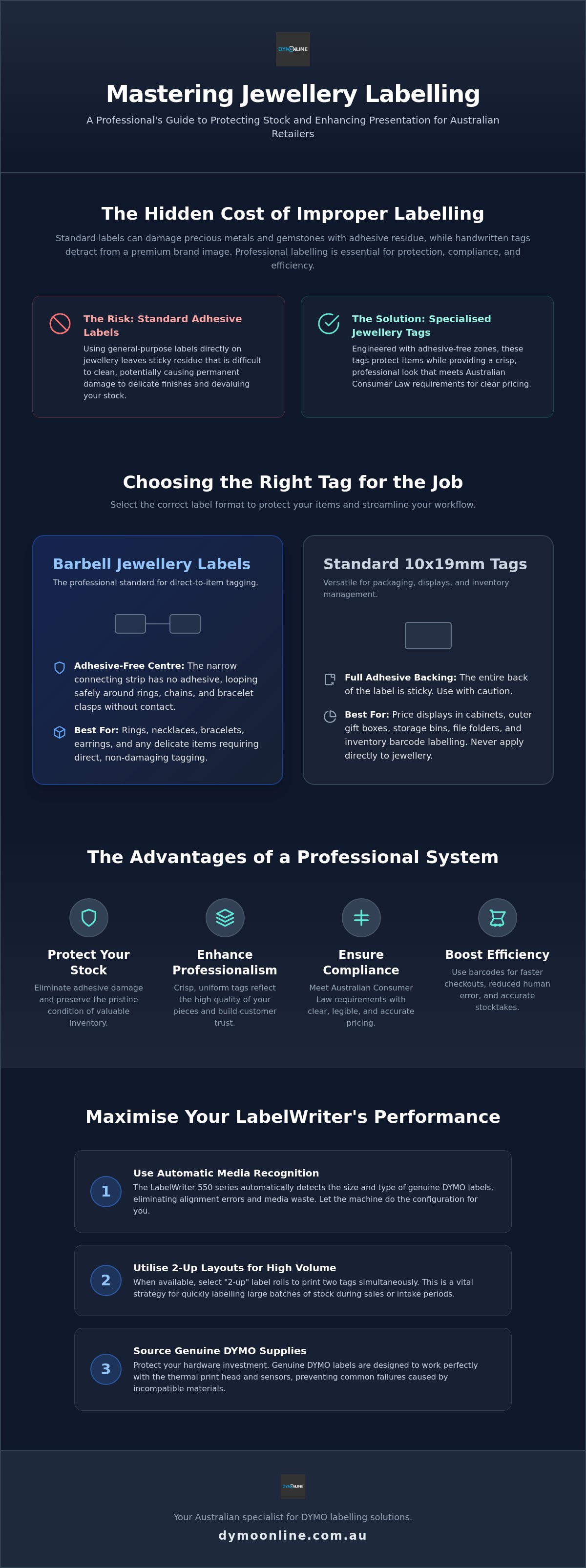
Compliance with Australian Consumer Law (ACL) is another critical driver for this shift. The ACL requires clear and transparent pricing, prohibiting misleading or deceptive conduct. Professional labelling ensures that GST-inclusive prices and unit costs are displayed accurately, leaving no room for customer confusion or regulatory scrutiny. This level of transparency builds immediate trust with shoppers who expect a seamless, professional experience when investing in fine jewellery. Protecting delicate materials like sterling silver, high-carat gold, and organic pearls is also a technical requirement. Standard adhesives can leave a stubborn, tacky residue that requires chemical cleaners to remove, potentially damaging the finish. Specialised jewellery labels use a "barbell" shape where the adhesive-free centre loop wraps around the item, keeping the sticky parts entirely away from the metal or stone.
To better understand how these templates are created for your business, watch this helpful video:
Inventory Accuracy and Barcoding
Modern Australian retailers are increasingly moving toward automated POS systems to manage complex stock levels. Small-format tags allow for the integration of SKU-specific barcodes, which significantly reduces human error during checkout and stocktakes. Thermal label printer technology is the industry standard here because it doesn't rely on ink or toner. This means the print won't fade or run when exposed to the intense heat and UV light often found in bright showroom displays, ensuring your inventory data remains scannable for the life of the product.
The Aesthetic Factor in High-End Retail
Aesthetics are vital in the luxury sector. A uniform look across your entire collection creates a cohesive brand identity that signals professional seniority. When you use small, precise thermal tags, you avoid the messy appearance of oversized labels hanging off petite items. Crisp black-on-white printing provides a neutral, high-contrast look that complements any metal or gemstone without distracting from the piece's natural beauty. This consistency helps to justify premium price points by presenting a polished, organised storefront to every visitor.
Choosing the Right Tags: 10x19mm vs. Barbell Jewellery Labels
Selecting the correct media is the most vital step in establishing a professional inventory system. Jewellery labels aren't merely smaller versions of standard office supplies; they're specialised thermal tags engineered with adhesive-free zones to protect the integrity of your stock. While standard labels might seem like a cost-saving measure, they often fail to meet the requirements of Australian product labelling laws regarding durability and legibility. For retailers managing high-volume stock, mastering dymo jewelry price tag printing extra labels requires a clear understanding of when to use a flat tag versus a barbell design.
The material of the tag is just as important as its shape. Australian showrooms often use intense halogen or LED lighting which can cause inferior third-party labels to yellow or fade within weeks. Genuine DYMO jewellery tags are manufactured from high-quality paper or plastic materials designed to resist this thermal degradation. This ensures your pricing remains crisp and black, maintaining the high-end aesthetic of your boutique and ensuring barcodes stay scannable for longer periods.
Understanding the Barbell Design
The barbell or "tail" tag is an essential tool for any business selling rings, earrings, or bracelets. Its unique architecture features two printable ends connected by a narrow, non-adhesive strip. This "tail" loops around the jewellery, allowing the tag to hang freely without the adhesive ever touching the metal or stone. To achieve a professional finish, align the two printable heads perfectly before pressing them together. This creates a symmetrical, double-sided tag that remains secure even during customer fittings. A common mistake is using standard address labels, which quickly leave a tacky residue on silver and gold. This requires time-consuming cleaning that can damage delicate surfaces or organic gems like pearls.
The 2-Up Horizontal Format
The 10mm x 19mm standard is frequently found in a "2-up" format. This means two labels sit side-by-side across the width of the roll. This ultra-compact shape is best for flat-surfaced items or as a hanging tag for necklaces. Because these rolls are structured with multiple columns, you must verify your printer's compatibility. Modern machines like the LabelWriter 550 series use internal sensors to detect these specific dimensions automatically. This ensures your text is perfectly centred every time, reducing the wastage of expensive media. If you're unsure which material suits your specific showroom environment, you can always speak with our technical team for tailored advice.
Printing Extra Labels: Techniques to Maximise Your DYMO Roll Capacity
High-volume Australian retailers understand that efficiency during peak sales periods like Christmas or the end-of-financial-year (EOFY) is essential. Managing back-stock requires a reliable system that can handle hundreds of items without constant roll changes. By mastering dymo jewelry price tag printing extra labels, you can significantly increase your throughput. The most effective way to achieve this is by utilising the 2-up label format. Unlike standard address labels that feed one by one, jewellery rolls often feature a side-by-side layout that allows you to print 1,500 or more tags from a single roll of media.
Switching from on-demand printing to a batch workflow is a proven strategy for established boutiques. When new inventory arrives, it's more efficient to print all required tags at once rather than one at a time. The "Extra Labels" feature within the DYMO Connect software is specifically designed for this purpose. It allows you to duplicate a single design across multiple labels, ensuring your back-stock is ready for the showroom floor in minutes. This method is particularly useful for popular items like sterling silver chains or simple gold studs where you may have dozens of identical pieces.
Software Shortcuts for High-Volume Printing
Automation is the key to managing large SKU lines without manual data entry. By importing a CSV file directly into your labelling software, you can generate unique price tags for an entire shipment in seconds. It's vital to format your text correctly to include mandatory information such as GST and country of origin. Given the petite size of jewellery tags, use a condensed sans-serif font to maintain legibility. Setting the "Number of Copies" before hitting print ensures your LabelWriter 550 Turbo runs continuously, allowing you to focus on other administrative tasks.
Reducing Waste and Misprints
In a busy retail environment, the cost of misaligned labels adds up quickly. Misprints don't just waste media; they waste time. This is why using genuine bulk DYMO labels is a non-negotiable for professional jewellers. Generic brands often lack the precise indexing required for multi-column rolls, leading to "skipped labels" or text that drifts off the edge of the tag. Always use the "Print Preview" function to verify your alignment and barcode clarity before committing to a bulk print run. This simple step ensures every tag is perfect, preserving your brand's professional image and preventing the frustration of re-printing hundreds of labels.
Step-by-Step Setup: Configuring Your LabelWriter for Delicate Pricing Tags
Achieving precision with small-format media starts with the correct hardware configuration. The LabelWriter 550 is the current standard for retailers who require consistent results with specialised jewellery media. Unlike previous generations, the 5-series incorporates Automatic Label Recognition. This technology uses internal sensors to identify the exact dimensions, type, and remaining count of the roll you've loaded. When you're managing dymo jewelry price tag printing extra labels, this automation eliminates the need for manual calibration. It ensures the printer knows exactly where each 10mm tag begins and ends, preventing the text from drifting off the printable area during high-volume runs.
Technical accuracy is vital when adjusting print density for ultra-fine barcodes on small jewellery tags. Because these tags are petite, the barcodes must be printed with high contrast to ensure they're scannable at the point of sale. You can adjust these settings in the printer preferences to ensure the thermal head delivers the exact amount of heat required for crisp, black lines. This prevents the "creeping" alignment issues that often plague high-volume print jobs, where the text slowly moves out of position over hundreds of labels. Maintaining a calibrated environment is the best way to protect your inventory's professional appearance.
Installing the Correct Drivers and Software
For most modern Australian retail environments, DYMO Connect for Desktop is the recommended software. It's compatible with Windows 10 and higher, providing a streamlined interface for complex inventory tasks. When setting up your first roll, select the template that matches your specific media, such as the 30373 or 10x19mm barbell. If your printer doesn't immediately recognise the roll, ensure the labels are fed correctly through the internal guides. For more advanced setup issues, refer to our Dymo Troubleshooting Guide.
Designing the Perfect Price Tag
Design constraints are tight on a tag that's only 10mm wide. Use a clean sans-serif font like Arial or Helvetica at 6pt to ensure every character is legible under showroom lighting. Position the price and GST-inclusive total in a high-contrast area, typically at the top of the tag. The SKU and barcode should be centred to allow for easy scanning with hand-held POS devices. Avoid using decorative or serif fonts, as these often appear cluttered on such a small surface. If you're unsure which printer configuration is best for your boutique's specific needs, contact our technical support team for expert guidance on hardware compatibility.
Sourcing Genuine DYMO Jewellery Supplies in Australia
Choosing the right supplier is as critical as choosing the right printer. While the market is flooded with compatible alternatives, Australian jewellery retailers frequently find that these third-party options lead to significant operational downtime. Modern hardware, specifically the LabelWriter 550 series, is designed to work exclusively with authentic media. Using non-genuine rolls often results in sensor errors because the printer cannot verify the label type or count. This is a vital consideration for businesses managing dymo jewelry price tag printing extra labels, as a "roll not detected" error can halt a major stocktake or sales preparation instantly.
Australian businesses choose DymoOnline because we function as a specialised local partner rather than a generic reseller. We maintain deep stock levels of authentic jewellery media to ensure your boutique never runs out of essential supplies. Whether you operate a single boutique in Melbourne or a nationwide retail chain, our distribution network provides rapid shipping to every corner of the country. For larger operations, bulk buying provides a structured way to manage costs while ensuring consistency across multiple store locations. This reliability is what allows retailers to focus on their customers rather than troubleshooting hardware failures.
Genuine Quality vs. Third-Party Risks
The technical risks associated with generic labels extend beyond software lockouts. Low-quality adhesives used in third-party tags can leak when subjected to the heat of the thermal print head, leading to permanent hardware damage. Authenticated DYMO supplies are engineered to withstand these temperatures without residue. Furthermore, the "Automatic Label Recognition" feature only functions with genuine rolls. This technology is the only way to ensure 100% accurate inventory counts within your software. Using authorised supplies also ensures your manufacturer warranty remains intact, providing peace of mind for your long-term investment.
Specialised Solutions at DymoOnline
Our catalogue extends beyond labels to include a full range of Dymo Accessories designed to optimise your retail workspace. For businesses that have expanded into e-commerce, the LabelWriter 5XL serves as a powerhouse solution, handling both tiny jewellery tags and large-format shipping labels from a single workstation. This versatility is essential for the modern Australian retail landscape where multi-channel selling is the norm. If you need assistance determining which rolls are compatible with your specific printer model, contact our Australian support team for expert advice on your retail labelling setup.
Elevating Your Retail Presentation and Efficiency
Mastering professional labelling is a vital step toward streamlining your boutique's operations and building long-term customer trust. By selecting the correct barbell or 10x19mm tags and configuring your LabelWriter 550 for precision, you eliminate the risks of adhesive damage and misaligned text. Efficiently managing your dymo jewelry price tag printing extra labels through batch printing and 2-up layouts ensures your business remains agile, especially during high-volume sales periods. This technical approach guarantees that your pricing is as polished as the jewellery it represents.
As an authorised DYMO supplier since 2009, DymoOnline provides the specialised knowledge required to keep your retail setup running smoothly. We offer specialist Australian support and nationwide same-day shipping options to ensure you're never left waiting for essential supplies. If you're ready to upgrade your inventory system or need help choosing the right media for your showroom, Shop Genuine DYMO Jewellery Labels at DymoOnline Australia and experience the difference that professional-grade supplies make. We look forward to helping you organise your business with confidence and precision.
Frequently Asked Questions
Can I use a Dymo LabelWriter 550 to print jewellery price tags?
Yes, the LabelWriter 550 is fully compatible with specialised jewellery media and is the preferred choice for modern retailers. It's designed to handle the 2-up format of 10mm x 19mm tags and the unique shape of barbell labels. The internal sensors automatically adjust to these small dimensions, ensuring your text is perfectly centred without the manual calibration required by older, legacy printing systems.
What is the difference between barbell and standard jewellery labels?
The primary difference is the adhesive layout and intended application. Barbell labels feature a non-adhesive "tail" in the centre, making them essential for rings and bracelets where glue should not touch the metal. Standard jewellery labels, such as the 10mm x 19mm flat tags, are fully adhesive-backed and are better suited for flat surfaces or as hanging tags for necklaces where the adhesive can be folded onto itself.
Why does my Dymo printer skip jewellery labels during a print run?
Skipping labels usually indicates a sensor synchronisation issue often caused by third-party media. Because jewellery tags are small, the printer relies on precise indexing marks to identify the gap between labels. If you're using genuine rolls and still experience skipping, ensure the labels are fed tightly through the internal guides and that the thermal print head is clean. Dirt or adhesive buildup on the sensors can also interfere with the detection of small-format tags.
How do I print extra copies of the same jewellery tag for back-stock?
You can generate additional tags by adjusting the "Number of Copies" field within the DYMO Connect application. For those managing high-volume stock, dymo jewelry price tag printing extra labels is a streamlined process that allows you to duplicate a single SKU design across an entire roll. This is particularly useful for back-stock items that don't require unique barcodes, ensuring your inventory is ready for the showroom floor without manual data entry.
Are Dymo jewellery labels safe for use on pearls and porous stones?
Dymo jewellery labels are safe for pearls and porous stones because the adhesive-free barbell centre is the only part that contacts the item. This design prevents chemical solvents from the adhesive from leaching into organic gems, which can cause permanent discolouration. As long as the printable ends are pressed together away from the stone, your delicate inventory remains protected from tacky residue and environmental damage during showroom display.
Do I need ink or toner to print Dymo price tags?
No, Dymo printers use direct thermal technology, which means you never need to buy ink or toner. The print head applies heat to a specialised coating on the label surface to create crisp black text and barcodes. This is a significant advantage for retail environments as it eliminates the risk of ink smudging on small price tags and reduces the ongoing maintenance costs associated with traditional ribbon-based printers.
What is the best font size for jewellery price tags?
The best font size for these petite surfaces is generally between 6pt and 8pt. Using a clean sans-serif font like Arial ensures that prices and SKU details remain legible under bright showroom lighting. While it's tempting to use smaller text to fit more data, you must maintain enough white space to ensure your POS scanners can accurately read the barcode without focal errors or misreads.
Will generic jewellery labels work in the newer Dymo 5-series printers?
Generic labels will not function in the newer LabelWriter 550 or 5XL models due to the integrated Automatic Label Recognition technology. These printers require an RFID chip found only in genuine DYMO rolls to identify the media type and count. Attempting to use non-genuine tags will trigger a "No Label" error, effectively locking the printer until an authentic roll is loaded to protect the internal thermal sensors.

Article by
DymoOnline Team
The DYMOOnline Team provides practical guidance for Australian businesses, warehouses, retailers, offices, schools, healthcare workplaces and home users who rely on accurate, efficient labelling. DYMOOnline specialises in DYMO label makers, DYMO label printers, label tapes, label rolls, shipping labels, address labels, barcode labels and labelling accessories, helping customers choose the right labelling products for organisation, mailing, inventory, filing, pricing and workplace efficiency.
General Information
This article is provided as general information only to help customers compare and choose DYMO label makers, label printers, label tapes, label rolls, shipping labels, address labels, barcode labels and related labelling supplies. Product details, specifications, compatibility, availability, pricing and suitability may vary. Always check the individual product page, manufacturer information, printer model compatibility and label size requirements before purchasing or using a product.
Latest News
DYMO Jewellery Price Tag Printing: The Comprehensive 2026 Guide for Australian Retailers
What if the very tags meant to display your prices are actually damaging your precious metals and...
DYMO Rhino Industrial 4200: The Essential Guide for Australian Trades
A label that peels off in the harsh Australian sun or loses its grip in a dusty warehouse isn't ju...
Genuine DYMO Labels: The Complete 2026 Guide for Australian Businesses
Why does your brand-new LabelWriter 550 refuse to print even though you've just loaded a fresh rol...
Dymo LabelManager 160 Review: The Ultimate Aussie Guide for 2026
Testing shows that using the QWERTY keyboard on the Dymo 160 to label 30 folders takes approximate...
DYMO 4XL Driver: The Complete Australian Guide to Installation and Troubleshooting
You've just packed a dozen orders and you're ready to dispatch, but your computer suddenly refuses...
DYMO Printer Drivers: The Complete Australian Guide to Software and Setup in 2026
Why does your DYMO printer suddenly stop communicating with your PC the moment you have fifty ship...