
DYMO LabelWriter 550 Software: The Complete Australian Guide for 2026
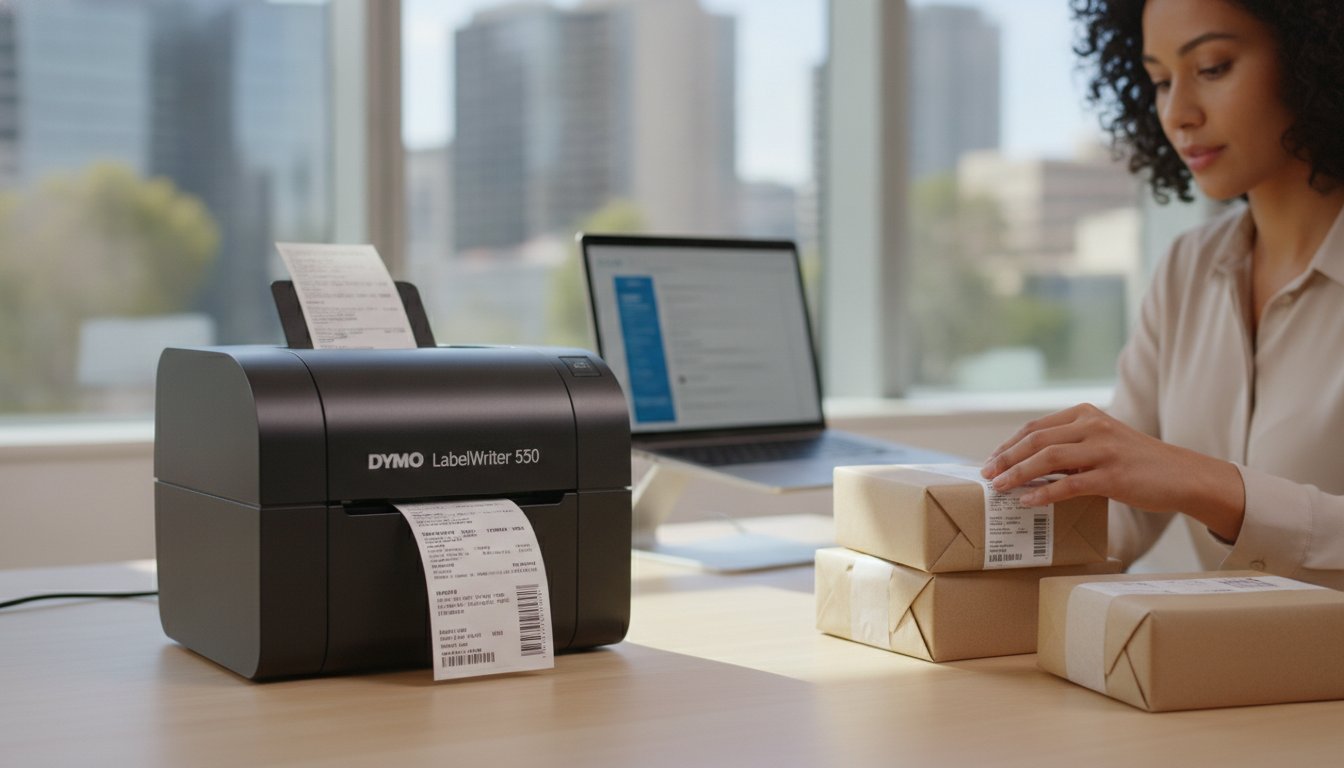
You've just unboxed your new printer, but instead of a crisp shipping label, you're staring at a "label not recognised" error on your screen. It's a common frustration for Australian office managers and small business owners who haven't yet mastered the specific nuances of the dymo labelwriter 550 software. Transitioning from the legacy v8 software to the modern DYMO Connect ecosystem can feel like a hurdle, especially when your warehouse or medical clinic depends on speed and precision to organise daily tasks.
We agree that technology should simplify your day, not add to your workload with technical roadblocks or "not genuine" alerts. This guide provides the expert guidance you need to master the DYMO Connect environment and ensure your installation on Windows or Mac is seamless from the start. You'll learn how to leverage the Automatic Label Recognition feature to minimise waste and how to correctly import Australian address formats from Excel for efficient bulk labelling. We'll walk you through the latest version 1.6.1 updates and advanced troubleshooting so you can maintain a professional, high-speed printing workflow without the stress.
Key Takeaways
- Understand the transition from legacy v8 software to DYMO Connect and why this modern interface is essential for the LabelWriter 550's sensor technology.
- Discover the correct installation sequence for dymo labelwriter 550 software to prevent common driver errors on both Windows and macOS.
- Learn how to resolve "Label Not Recognised" messages by utilising the Automatic Label Recognition features found in genuine DYMO labels.
- Optimise your administrative workflows by using the design wizard and Excel import tools to organise bulk Australian shipping runs.
- Gain peace of mind by sourcing authentic supplies from a specialised Australian store to maintain your printer's performance and technical support.
Understanding the DYMO Connect Software for LabelWriter 550
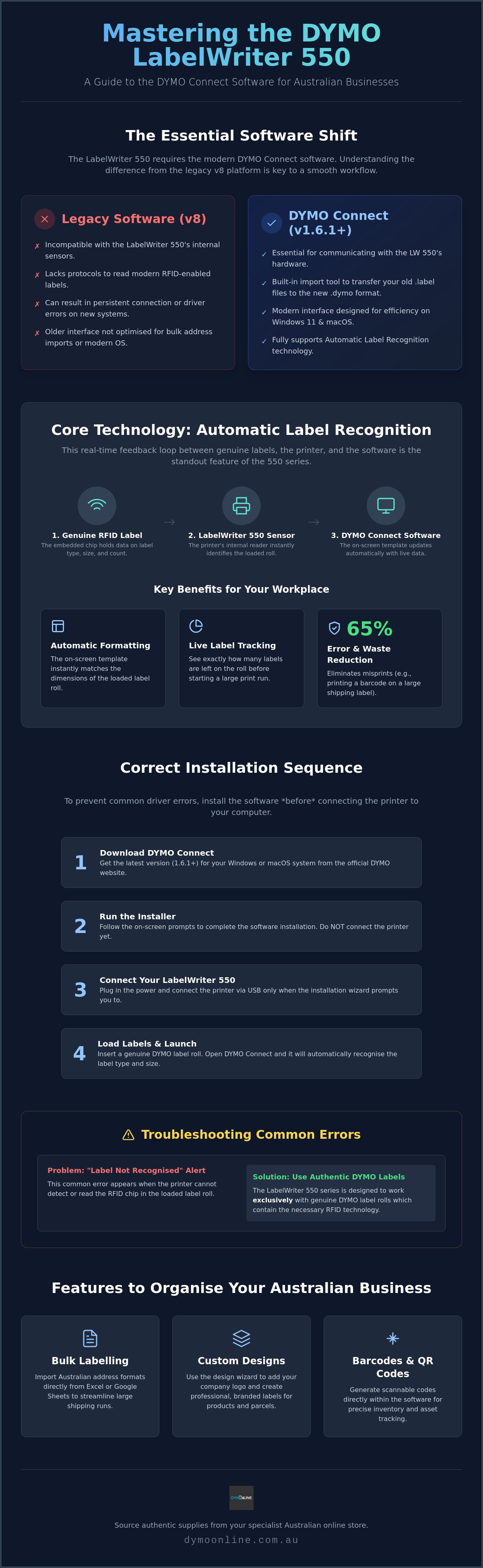
The shift to DYMO Connect for Desktop represents a fundamental change in how Australian businesses interact with their hardware. This isn't just a cosmetic update from the older DYMO Label Software v8; it's a complete rebuild designed to support the advanced internal sensors of the 550 series. For those running the latest operating systems like Windows 11 or macOS Sequoia, the dymo labelwriter 550 software version 1.6.1 is the essential driver that allows your computer and printer to communicate effectively. This version ensures that the high-resolution 300 dpi output is maintained across all your custom designs.
Understanding the Dymo Corporation history helps explain this evolution. As the brand moved toward smarter, more automated systems, they introduced RFID technology to eliminate the guesswork of label selection. This innovation ensures that the software knows exactly which DYMO LabelWriter roll is loaded, preventing the misprints that often plague older, less integrated systems. By synchronising the hardware and software so closely, the system can provide real-time data that was previously unavailable to the end user.
To better understand the setup process and the new software interface, watch this helpful video overview:
DYMO Connect vs. Legacy Software
Older versions of the DYMO software, specifically v8, lack the protocols required to talk to the 550's internal RFID reader. If you try to use legacy software, the printer simply won't respond or will show a persistent connection error. Transitioning is straightforward; DYMO Connect includes an import tool that allows you to bring your saved .label files into the new .dymo format. This ensures your existing designs for address labels or filing systems remain accessible while you benefit from a cleaner, more modern design interface that is better suited to high-volume Australian office environments.
The Role of Automatic Label Recognition
The standout feature of the dymo labelwriter 550 software is the real-time feedback loop between the printer and your screen. Inside every genuine roll is a small RFID chip that the software reads instantly. This provides three major benefits for busy Australian workplaces:
- Automatic Formatting: The software automatically adjusts the on-screen template to match the exact dimensions of the loaded roll.
- Live Tracking: You can see exactly how many labels are left on the roll, which is critical before starting a large bulk print run for shipping.
- Error Prevention: It eliminates the risk of printing a small barcode on a large shipping label, which can reduce label waste by up to 65%.
This level of synchronisation requires the desktop version of the software for full functionality. While a mobile app exists for wireless models, the desktop suite remains the powerhouse for those needing to organise complex databases or manage industrial-scale labelling tasks.
Key Features to Organise Your Australian Business Labelling
The dymo labelwriter 550 software serves as a central hub for business efficiency, moving beyond simple text entry to offer a sophisticated design suite. For Australian retailers and warehouse operators, the ability to generate scannable barcodes and QR codes directly within the interface is a major advantage. This functionality allows for precise inventory tracking without needing third-party graphic design tools. By integrating your company logo into the design wizard, you ensure that every shipping label or price tag carries your brand's professional identity.
Clear and consistent labelling is often a matter of operational compliance. Just as manufacturers follow EnergyGuide label requirements to maintain industry standards, Australian businesses can use the software's built-in templates to ensure their internal tracking meets local requirements. This established approach to organisation helps build trust with clients and streamlines logistics across the supply chain.
Bulk Printing and Data Integration
Managing large-scale mailing lists for regional distribution across Australia requires a system that eliminates manual entry. The dymo labelwriter 550 software handles this through a robust Excel integration tool. To link your data, simply select the "Import Data" option and choose your spreadsheet; you can then map specific columns to fields on your label template. For smaller tasks, the "Smart Paste" feature allows you to highlight an address in an email or document and instantly format it for a LW address label. This process significantly reduces the risk of typos and ensures that bulk shipping runs are processed with minimal delay.
Industry-Specific Templates
The software includes a library of pre-set templates tailored for various Australian sectors. In medical administration, clear and accurate pathology labelling is vital. The software provides high-contrast layouts that remain legible even on smaller vials. For schools and corporate offices, the visitor management templates allow for the rapid printing of professional name badges. Retailers can also create custom price tags that include both pricing and inventory barcodes in a single pass. You can explore how these features have made the DYMO LabelWriter 550: Australia’s Office Standard for local businesses. If you need assistance choosing the right supplies for your specific application, our team at DymoOnline is ready to provide expert technical guidance.
Troubleshooting Automatic Label Recognition and Software Errors
The most frequent hurdle users encounter with the 550 series is the "Label Not Recognised" error message. This isn't a random glitch; it's a specific signal from the dymo labelwriter 550 software that it cannot detect the required RFID chip in the label roll. Unlike previous models that used optical sensors to detect gaps, the 550 series performs a digital handshake with the roll. If this communication fails, the software will disable the print function to prevent potential damage or misfeeds. While this can be frustrating, it's a feature designed to ensure that every label you print is perfectly aligned and formatted for the specific media you've loaded.
Sensor maintenance is another vital factor in keeping your hardware and software in sync. Over time, paper dust or adhesive residue can accumulate on the internal RFID reader and the thermal print head. If the software frequently shows an offline status or fails to update the label count, a physical clean is often the solution. We recommend using a DYMO cleaning card or a lint-free cloth with a small amount of isopropyl alcohol to gently wipe the sensor path. This simple step often restores the connection and ensures the dymo labelwriter 550 software can accurately report live data from the printer.
The Importance of Genuine DYMO Labels
The 550 series was engineered to work exclusively with authentic supplies. Using genuine LW standard labels is the only way to enable the full suite of software features, such as automatic sizing and real-time count tracking. Non-genuine or "compatible" labels lack the embedded RFID chip, which means the software won't recognise the roll and the printer will refuse to engage. Beyond software compatibility, authentic rolls use high-quality adhesives that won't bleed under the heat of the thermal print head, protecting your equipment from long-term mechanical failure and maintaining the clarity of your shipping labels.
Software Connectivity and Driver Issues
If your printer appears as "Offline" on an Australian office network or a modern Windows PC, the issue often lies with the USB port or the print spooler. Modern computers with USB 3.0 ports can occasionally experience handshake delays with printer drivers. If you're experiencing intermittent drops, try connecting the printer to a USB 2.0 port or using a powered USB hub. For persistent software hangs during large bulk print jobs, you may need to clear the Windows print spooler. You can do this by stopping the "Print Spooler" service in your system settings, deleting the cached files in the "PRINTERS" folder, and restarting the service. If problems continue, a clean uninstallation of DYMO Connect followed by a fresh installation of version 1.6.1 is the most reliable way to resolve deep-seated driver conflicts.
How to Install and Minimise Setup Time for Your LabelWriter
The most critical rule for a successful setup is simple: install the software before you touch the USB cable. This prevents your operating system from assigning a generic, non-functional driver to the device. By downloading the latest version of the dymo labelwriter 550 software, currently version 1.6.1, you ensure that all necessary communication protocols are pre-staged for the Windows or macOS handshake. Once the installation wizard confirms completion, you can connect the power and USB cables; the system will then automatically recognise the hardware and link it to the design suite.
After the physical connection is established, load your genuine DYMO labels into the feed path. The 550 series uses an internal RFID reader to instantly sync with the software, which you will see reflected on your screen as the correct label template appears. To finish the setup, press the form-feed button on the front of the unit. This calibrates the printer, ensuring perfect alignment for your first print and every subsequent job in your queue.
Installation on Windows vs. macOS
Modern security protocols can sometimes interfere with the driver installation. On Windows 11, you may need to temporarily allow an exception in Windows Defender or your chosen antivirus software to let the dymo labelwriter 550 software write to the system registry. For those using macOS Sequoia, it is essential to grant "Full Disk Access" within the Privacy and Security settings. This allows DYMO Connect to save your custom templates and access the printer's local database. Always verify that your Australian regional settings are set correctly in the software preferences; this ensures that date formats follow the DD/MM/YYYY standard and measurements use the metric system for precise margin control.
Setting Up the LabelWriter 550 Turbo for Network Printing
The LabelWriter 550 Turbo offers LAN connectivity, making it a reliable choice for shared Australian office environments. To configure network printing, connect the printer to your router via an Ethernet cable. Within the DYMO Connect interface, navigate to the "Add Network Printer" section. The software will scan your local network to find the device's unique IP address. If the automatic scan fails, you can manually enter the IP address, which is often found by printing a status report directly from the machine. Maintaining a stable network connection is vital for busy retail or medical settings where multiple workstations need to access a single high-speed printer. If you encounter persistent network discovery issues, our team can provide direct technical support to help stabilise your local configuration.
Maximising Efficiency with Genuine Labels from DymoOnline
Sourcing your supplies from a specialised Australian partner ensures that your hardware and software stay in perfect alignment. At DymoOnline, we understand that the dymo labelwriter 550 software is only as effective as the consumables you feed into the machine. Because the software uses an RFID chip to unlock advanced features like live count tracking and auto-formatting, using anything other than genuine rolls defeats the purpose of the 550's intelligent design. Our role as an established supplier is to provide the reliability you need to keep your logistics moving without technical interruptions or "label not recognised" alerts.
High-volume Australian businesses also benefit from our bulk purchasing options, which provide a consistent supply of authentic media while reducing the administrative burden of frequent reordering. This is particularly useful for retailers and schools that require a steady stream of name badges or price tags across multiple workstations. By maintaining a stock of authentic rolls, you ensure that the software always has the data it needs to calibrate the print head correctly, which extends the life of your equipment and maintains professional print quality.
Expert Support for Australian Businesses
Our team offers deep technical knowledge that goes beyond simple order fulfilment. We help Australian businesses navigate the complexities of template design and data integration, ensuring your dymo labelwriter 550 software is configured for maximum throughput. For warehouses and medical centres where downtime isn't an option, we offer the advantage of same-day delivery in major Australian metro areas. This ensures your labelling workflows never stall due to a lack of authentic rolls. If you encounter specific software hurdles, our DYMO Troubleshooting Guide provides expert solutions tailored to the local business environment.
Choosing the Right Supplies for Your Software
Selecting the correct media for your specific software template is the final step in a professional setup. If your environment involves exposure to chemicals or moisture, matching your software design to Durable LW labels ensures your barcodes remain scannable in harsh conditions. For those managing heavy-duty logistics, the software scales perfectly for use with the LabelWriter 5XL, allowing you to print wide-format shipping labels with the same high-resolution clarity as standard address rolls. By choosing genuine supplies from a specialist provider, you protect your print head from the adhesive bleed common in third-party products and ensure your software runs perfectly every time you hit print.
Future-Proof Your Business Labelling Today
Mastering the dymo labelwriter 550 software is the foundation of a reliable office or warehouse environment. By following the correct installation sequence and utilising the modern DYMO Connect interface, you eliminate the common technical roadblocks that stall productivity. The synergy between your software and genuine RFID-equipped label rolls is what enables the system's most advanced features; this includes live count tracking and automatic template formatting that prevents costly misprints.
Choosing the right partner for your labelling needs provides the peace of mind that comes with expert support and authentic product quality. As a specialist Australian supplier, we provide nationwide shipping through Mega Office Supplies and deep technical knowledge to ensure your printing operations remain efficient and error-free. If you're ready to upgrade your hardware or need assistance selecting the correct media for your specific application, contact our specialist team at DymoOnline today for professional advice. We look forward to helping you achieve a seamless and professional labelling workflow.
Frequently Asked Questions
Where can I download the DYMO LabelWriter 550 software for free?
You can download the dymo labelwriter 550 software for free directly from the official DYMO website. It's essential to select the "DYMO Connect for Desktop" version that matches your operating system, whether you're using Windows 10 or later, or macOS 14 and above. This ensures you have the latest drivers and security patches for your Australian office environment.
Does the DYMO LabelWriter 550 work with older versions of DYMO Label Software?
No, the LabelWriter 550 is not compatible with the older DYMO Label Software v8. This printer series requires the modern DYMO Connect ecosystem to interface with its internal RFID sensors. If you have legacy label designs, you'll need to import them into the new software suite to continue printing with your 550 series hardware.
How do I fix the "Out of Labels" error in the software when the roll is full?
An "Out of Labels" error on a full roll usually indicates a communication failure between the software and the label's RFID chip. Ensure you're using genuine dymo labelwriter 550 software compatible rolls, as third-party alternatives lack the necessary sensor technology. If the roll is authentic, try re-seating the labels or cleaning the internal sensor path with a cleaning card to restore the digital handshake.
Can I use the DYMO Connect software on my smartphone or tablet?
DYMO Connect is available as a mobile app, but the standard LabelWriter 550 requires a USB connection to a desktop or laptop. While the 550 Turbo model offers LAN connectivity for network use, the mobile app is primarily designed for use with Bluetooth-enabled models. For most Australian small businesses, the desktop version provides the robust database tools needed for bulk shipping and inventory tasks.
How do I import my Outlook contacts into the DYMO 550 software?
You can import Outlook contacts by using the "Import Data" feature within the DYMO Connect interface. The software allows you to map fields from your Outlook address book directly to your label template, which is ideal for organising large mailing runs. This process eliminates manual data entry and ensures that your Australian regional address formats remain consistent across all printed materials.
What is the difference between DYMO Connect and DYMO ID software?
DYMO Connect is the standard design suite for office-based printers like the LabelWriter and LabelManager series. In contrast, DYMO ID is specialised software for industrial labelling, specifically designed for the Rhino 6000+ and other heavy-duty tools. While both offer professional design capabilities, DYMO ID focuses on complex wire wraps and heat-shrink tubing templates rather than standard office address labels.
Why is my DYMO software not detecting the LabelWriter 550 via USB?
Detection issues often occur if the printer was connected to the PC before the software installation was complete. To fix this, disconnect the USB cable, uninstall the current drivers, and perform a fresh installation of the dymo labelwriter 550 software. Once the software confirms it's ready, reconnect the USB cable to a direct port on your computer rather than a non-powered USB hub.
Can I design barcodes using the DYMO Connect software?
Yes, designing barcodes is a core feature of the DYMO Connect software. The interface includes a dedicated barcode object tool that supports multiple formats, including EAN, Code 128, and QR codes. This allows Australian retailers and warehouse managers to generate scannable inventory labels and price tags without needing additional third-party design software.

Article by
DymoOnline Team
The DYMOOnline Team provides practical guidance for Australian businesses, warehouses, retailers, offices, schools, healthcare workplaces and home users who rely on accurate, efficient labelling. DYMOOnline specialises in DYMO label makers, DYMO label printers, label tapes, label rolls, shipping labels, address labels, barcode labels and labelling accessories, helping customers choose the right labelling products for organisation, mailing, inventory, filing, pricing and workplace efficiency.
General Information
This article is provided as general information only to help customers compare and choose DYMO label makers, label printers, label tapes, label rolls, shipping labels, address labels, barcode labels and related labelling supplies. Product details, specifications, compatibility, availability, pricing and suitability may vary. Always check the individual product page, manufacturer information, printer model compatibility and label size requirements before purchasing or using a product.
Latest News
DYMO LabelWriter 550 Software: The Complete Australian Guide for 2026
You've just unboxed your new printer, but instead of a crisp shipping label, you're staring at a "...
DYMO Rhino 5200: The Expert Guide to Industrial Labelling in Australia (2026)
Imagine finishing a complex switchboard installation in the 40-degree Queensland heat, only to ret...
The Ultimate Guide to the DYMO LetraTag LT-100H Label Maker: Australia’s Home Organisation Favourite
How much time do you spend each week rummaging through identical pantry containers or hunting for...
DYMO Jewellery Price Tag Printing: The Comprehensive 2026 Guide for Australian Retailers
What if the very tags meant to display your prices are actually damaging your precious metals and...
DYMO Rhino Industrial 4200: The Essential Guide for Australian Trades
A label that peels off in the harsh Australian sun or loses its grip in a dusty warehouse isn't ju...
Genuine DYMO Labels: The Complete 2026 Guide for Australian Businesses
Why does your brand-new LabelWriter 550 refuse to print even though you've just loaded a fresh rol...