
DYMO LabelManager 160 Review: Portable Labelling for Australian Workspaces in 2026
How much time do you lose each week searching for an unlabelled power adapter or a specific file tucked away in a cluttered cabinet? It’s a common frustration in Australian workspaces, where the desire to stay organised often clashes with the slow, clunky experience of using older labelling tools. If you’ve ever struggled with a cramped ABC keyboard or felt confused by tape compatibility, you aren't alone. This dymo labelmanager 160 review examines how this handheld device simplifies the process, offering a fast and efficient path to a professional environment. We’ll show you how its QWERTY layout and versatile D1 tapes provide the reliability needed for everything from home offices to busy warehouses. You’ll learn about its practical features, power options, and how to select the right supplies to ensure your labels remain legible and secure over the long term.
Key Takeaways
- Organise your workspace more effectively by using the QWERTY keyboard and one-touch smart keys for rapid, intuitive text formatting.
- This dymo labelmanager 160 review highlights how to select authentic D1 tapes in various widths and colours to ensure high-quality, durable results.
- Learn to balance portability and stationary use by utilising AAA batteries or an optional AC adapter for consistent labelling performance.
- Access expert technical advice and support for the 2+1 year warranty extension by choosing a specialist Australian supplier for your labelling needs.
Efficiency and User Experience: The QWERTY Advantage
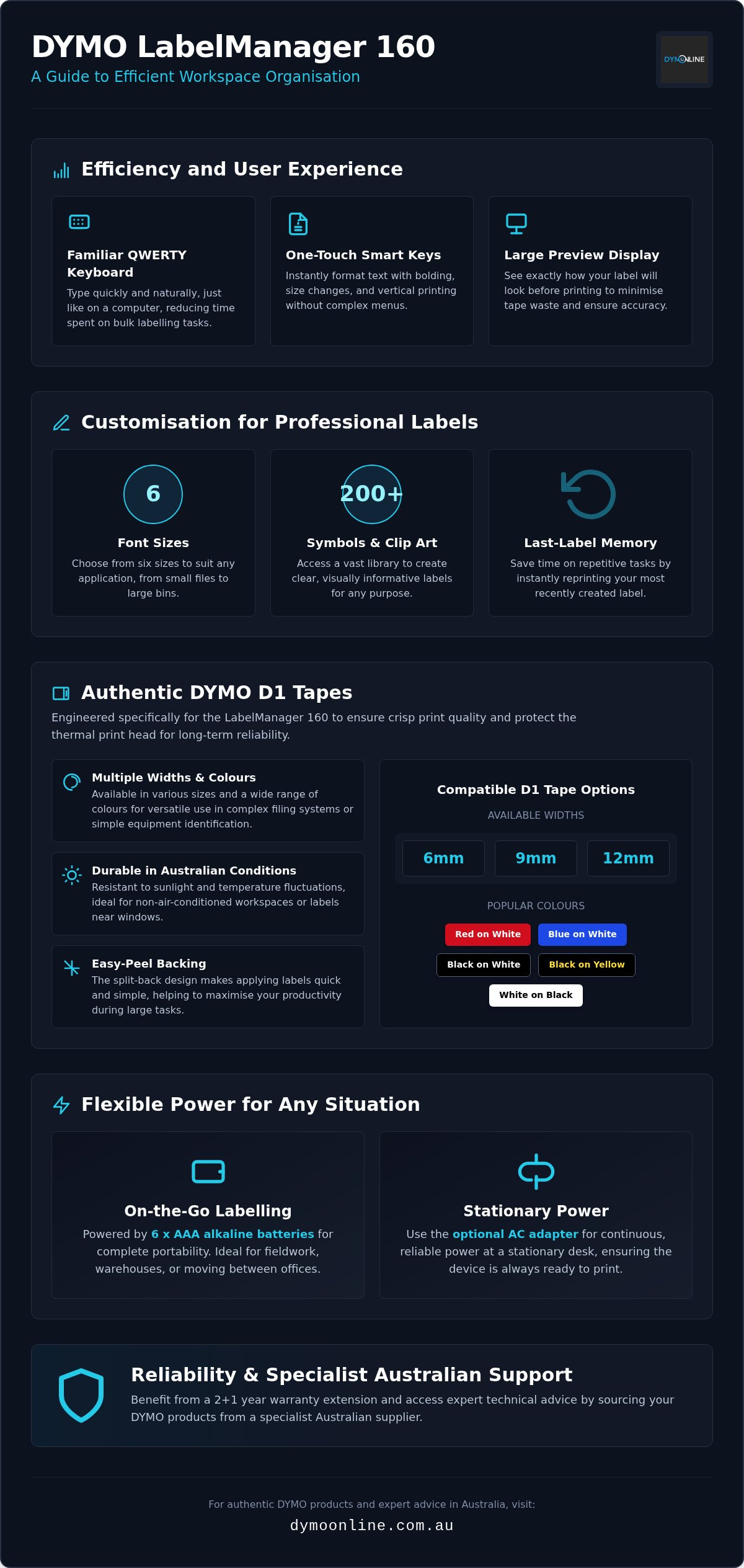
The QWERTY keyboard layout is a significant feature for Australians who need to organise their workspace quickly and intuitively. Unlike older models with alphabetic layouts, this familiar computer-style arrangement allows users to type naturally, which reduces input time during bulk labelling tasks. This dymo labelmanager 160 review defines the device as a versatile, portable solution for both home offices and small business environments. As a product from the Dymo Corporation, it carries a reputation for reliability in professional settings, making it a staple in many local administration hubs.
Efficiency is further enhanced by one-touch smart keys that allow for rapid formatting of text size, bolding, and vertical printing without navigating complex menus. These dedicated buttons eliminate the need to dig through sub-folders, keeping your workflow focused. To ensure accuracy, the large graphical display provides a clear preview of how your DYMO labels will look before you print. This visual feedback helps to minimise tape waste. Sourcing supplies from DymoOnline ensures the printed output matches this digital preview exactly.
Intuitive Formatting for Professional Results
A thorough dymo labelmanager 160 review must highlight the customisation options available. Users can utilise six font sizes and over 200 symbols to customise labelling for different applications, such as filing or cable management. The last-label memory feature is particularly useful for repetitive tasks, ensuring consistency across your entire organisation system. While larger desktop units offer more connectivity, this handheld model provides superior portability. It's lightweight enough to carry through a warehouse or school campus, ensuring you can create labels exactly where they're needed most.
Authentic DYMO D1 Tapes: Versatility for Australian Workspaces
The LabelManager 160 is specifically engineered to work with authentic DYMO D1 tapes. These supplies are available in various widths and colours, providing the flexibility needed for complex filing systems or simple equipment identification. While some users might consider generic alternatives, this dymo labelmanager 160 review emphasises that using authentic tapes is essential to protect the thermal print head. Authentic D1 tapes ensure the longevity of your label maker while maintaining crisp print quality. It's one reason why many experts consider this model a highly-regarded choice for labelling for entry-level professional use. These tapes adhere reliably to most clean, flat surfaces, including plastic, metal, and glass. They're ideal for Australian kitchen containers or harsh warehouse shelving. For those moving beyond the office, you can find creative ways to categorise household items in our guide on Home Organisation Basics with Dymo LetraTag. By choosing authentic media, you ensure that your labels remain legible and attached, even when exposed to the rigours of a busy workplace.
Tape Durability in Local Conditions
When conducting a dymo labelmanager 160 review, media durability is vital. D1 tapes are engineered to withstand sunlight and temperature fluctuations. This is essential for labels used near windows or in non-air-conditioned Australian workspaces. Whether you're labelling school booklists in humid coastal regions or marking tools in a dusty garage, the easy-peel backing helps you maximise productivity. Standard D1 tapes suit most indoor tasks, but durable options are available for high-traffic areas. If you're unsure which tape width fits your project, our team at DymoOnline can provide expert technical guidance.
Reliability, Power Requirements, and Specialist Australian Support
The LabelManager 160 requires six AAA alkaline batteries for mobile use. It's ideal for field work or moving between different office levels where a power point might not be accessible. However, if you're working at a stationary desk, you can also power it with an optional AC adapter. This flexibility ensures the device is ready whenever you need it. This DYMO LabelManager 160 review finds that the power flexibility is a standout feature for users who value portability. In a comprehensive label maker review, experts noted the importance of consistent power for maintaining high print resolution on various materials. For the most reliable experience, purchasing through an Australian specialist like DymoOnline ensures you receive expert technical advice and authentic accessories.
Starting an organisation project is easier when you don't have to wait for supplies. Nationwide shipping and same-day delivery options in major metropolitan areas mean you can receive your printer and tapes without delay. This DYMO LabelManager 160 review highlights that local availability is a key factor for busy professionals. If you encounter any setup or print quality issues, consult our DymoOnline Troubleshooting Guide for practical, expert-led solutions.
The 2+1 Year Warranty and Expert Assistance
All DYMO label makers come with a standard two-year warranty. This provides peace of mind for your investment. By registering your device online, you can secure an additional one-year extension, totalling three years of coverage. This extra layer of protection is highly recommended for equipment used in busy environments. Our contact team is available to help Australian customers with hardware questions and tape compatibility. We understand the local market and provide grounded, professional advice to keep your operation running smoothly.
Streamlining Your Australian Workspace for the Future
The LabelManager 160 provides a practical foundation for maintaining an organised and efficient environment. This dymo labelmanager 160 review has detailed how the QWERTY keyboard layout and one-touch formatting keys reduce the time spent on repetitive tasks. By choosing authentic D1 tapes, you protect your hardware while ensuring your labels remain legible across various surfaces. DymoOnline supports your journey with nationwide shipping and specialist guidance on the 2+1 year warranty registration process. Our specialist Australian support team is ready to help you find the right supplies for your specific warehouse, office, or home environment. Get Expert Advice on the DYMO LabelManager 160 and Tapes today. Achieving a clutter-free, professionally labelled workspace is straightforward with the right tools and expert support behind you.
Frequently Asked Questions
Does the DYMO LabelManager 160 come with batteries and an AC adapter?
No, the DYMO LabelManager 160 does not include batteries or an AC adapter in the standard retail package. You'll need to provide six AAA alkaline batteries for portable use. For those working at a fixed desk, a separate DYMO AC adapter is available. This dymo labelmanager 160 review recommends using high-quality batteries to ensure consistent thermal printing performance across all your organisational tasks.
How do I register my DYMO LabelManager 160 for the 2+1 year warranty extension?
You can secure the additional one-year warranty extension by registering your device on the DYMO website shortly after purchase. Locate the serial number inside the battery compartment and have your proof of purchase ready for the online form. This process extends your total coverage to three years, providing long-term peace of mind for your Australian business or home office equipment investment.
Can I use 19mm tapes with the LabelManager 160?
No, this specific model does not support 19mm tapes. The LabelManager 160 is engineered to work exclusively with DYMO D1 tapes in 6mm, 9mm, and 12mm widths. These sizes are ideal for most office filing, cable marking, and shelf labelling needs. If you require wider labels for industrial applications, we recommend exploring the Rhino or LabelManager 420P ranges for greater tape width versatility.
How do I clean the print head if the labelling becomes blurry or faint?
To resolve blurry or faint printing, clean the thermal print head using a cotton swab dipped in isopropyl alcohol. Remove the tape cassette to expose the print head and gently wipe the component to remove any dust or adhesive residue. Our dymo labelmanager 160 review notes that regular cleaning is an essential step to maintain crisp results and prolong the life of your hardware.

Article by
DymoOnline Team
The DYMOOnline Team provides practical guidance for Australian businesses, warehouses, retailers, offices, schools, healthcare workplaces and home users who rely on accurate, efficient labelling. DYMOOnline specialises in DYMO label makers, DYMO label printers, label tapes, label rolls, shipping labels, address labels, barcode labels and labelling accessories, helping customers choose the right labelling products for organisation, mailing, inventory, filing, pricing and workplace efficiency.
General Information
This article is provided as general information only to help customers compare and choose DYMO label makers, label printers, label tapes, label rolls, shipping labels, address labels, barcode labels and related labelling supplies. Product details, specifications, compatibility, availability, pricing and suitability may vary. Always check the individual product page, manufacturer information, printer model compatibility and label size requirements before purchasing or using a product.
Latest News
DYMO LabelManager 160 Review: Portable Labelling for Australian Workspaces in 2026
How much time do you lose each week searching for an unlabelled power adapter or a specific file tuc...
Pass Around the Smile Listener Offer | DymoOnline
Pass Around the Smile listener offer $15 off $150+ Use code SMILE15 DymoOnline × Pass Around th...
DYMO D1 vs LetraTag: Choosing the Right Labelling System for Your Needs in 2026
You've just spent an hour carefully organising your home office files, only to realise the new tape...
How to Clean a DYMO Print Head: Maintenance Guide
Imagine you're preparing a batch of urgent shipping labels for an afternoon pickup, only to find eac...
DYMO Labels: A Complete Guide to Selecting the Optimal Labelling Solution
Last Wednesday, an operations manager discovered that hundreds of shipping labels had lost their gri...
Dymo 4XL Driver Download & Install Guide Australia (2026)
We agree that navigating the choice between DYMO Connect and the legacy Label Software feels unnec...